LC-32D65E/RU, LC-37D65E/RU
2 – 5
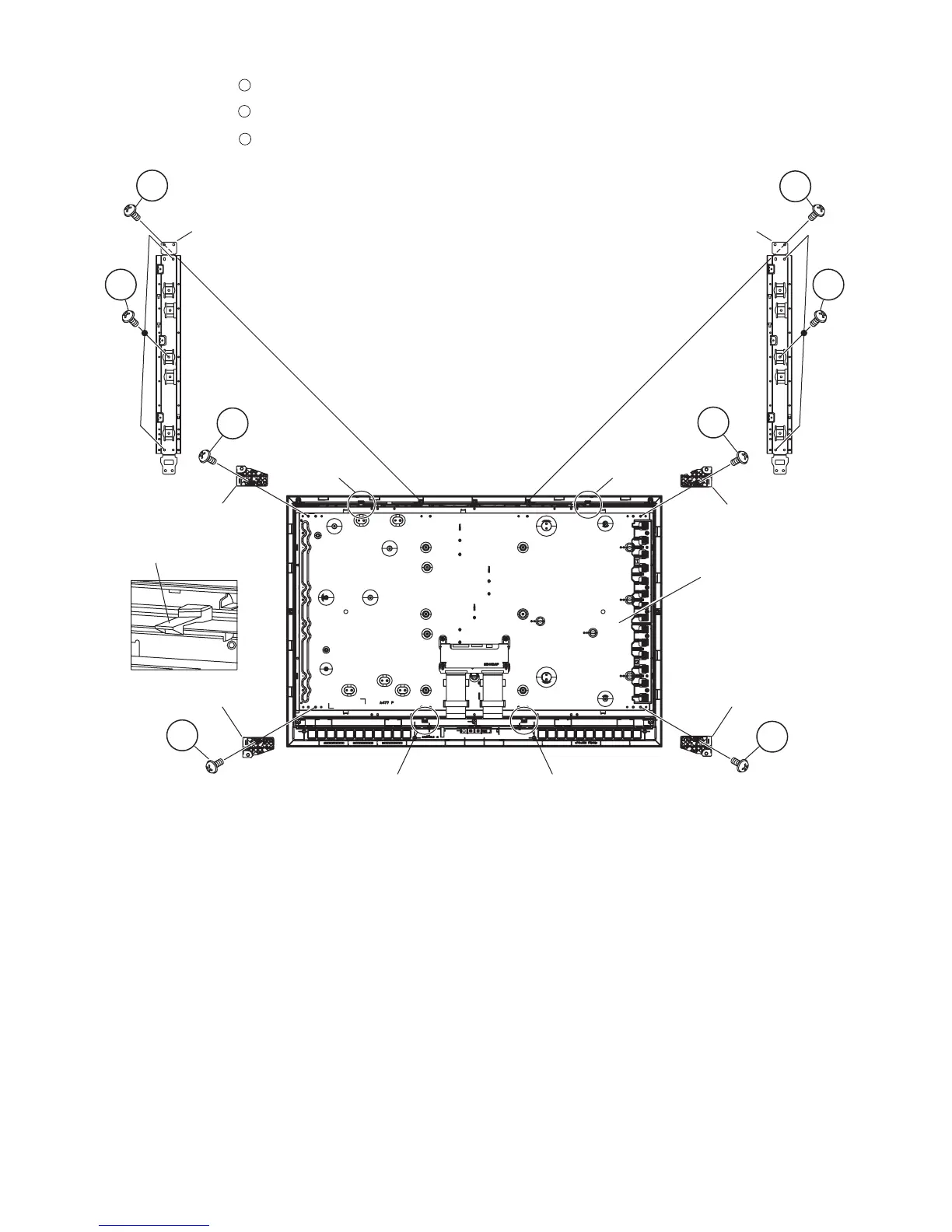
12.Remove the 2 lock screws , 4 hooks and detach the LCD Panel Module.
13.Remove the 4 lock screws , and detach the LCD Holder A, B.
14.Remove the 6 lock screws and detach the Panel Support Angle.
1
2
3
Panel Support Angle Panel Support Angle
LCD Holder A
LCD Panel
Module
LCD Holder B
LCD Holder BLCD Holder A
Hook
Hook
Hook
Hook
Hook
2
1
1
3
3
2
2
2








 To Next Page