28
LC-43LB601U / LC-50LB601U / LC-43LB601C / LC-50LB601C
43" / 50" Full HD LED 1080p Sharp Roku TV
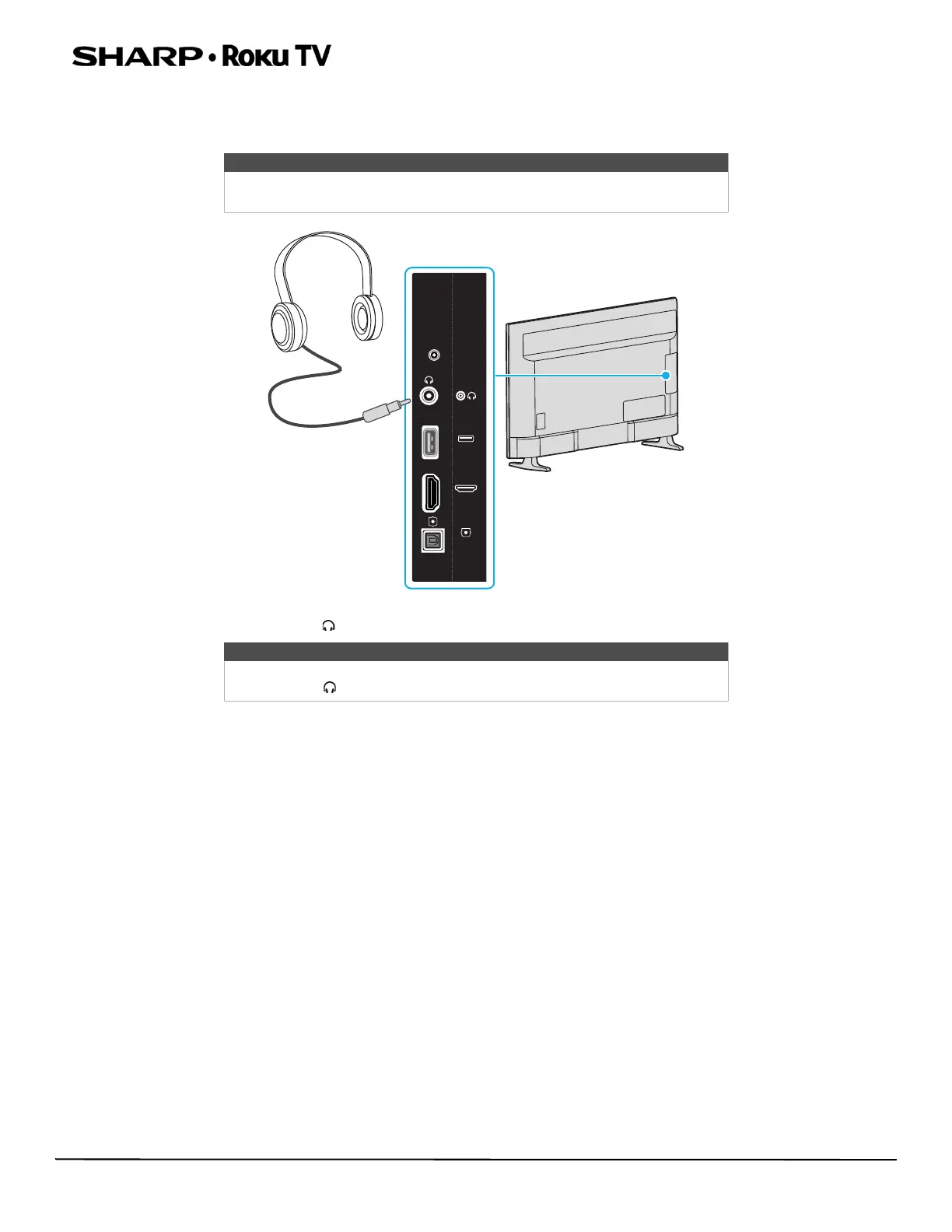
Connecting headphones
When you connect headphones, your TV speakers are muted and sound only plays through the headphones.
• Connect the headphones to the jack on the side of your TV.
Warning
Loud noise can damage your hearing. When using headphones, use the
lowest volume setting on your headphones that still lets you hear the sound.
Note
You can also connect a home theater system, sound bar, or external speaker
system to the jack.
RESET
RESET
HDMI3
USB
USB
DIGITAL
OPTICAL
OUTPUT
HDMI3



 To Next Page