LC-60/70LE650U/C6500U/LE657U,LC-60/70LE755U/LE757U/LE857U/C7500U
4 – 28
[8] Precautions for assembly (LC-60/70LE755U/757U/LE857U/C7500U)
1. Points to be checked and precautions when servicing the unit
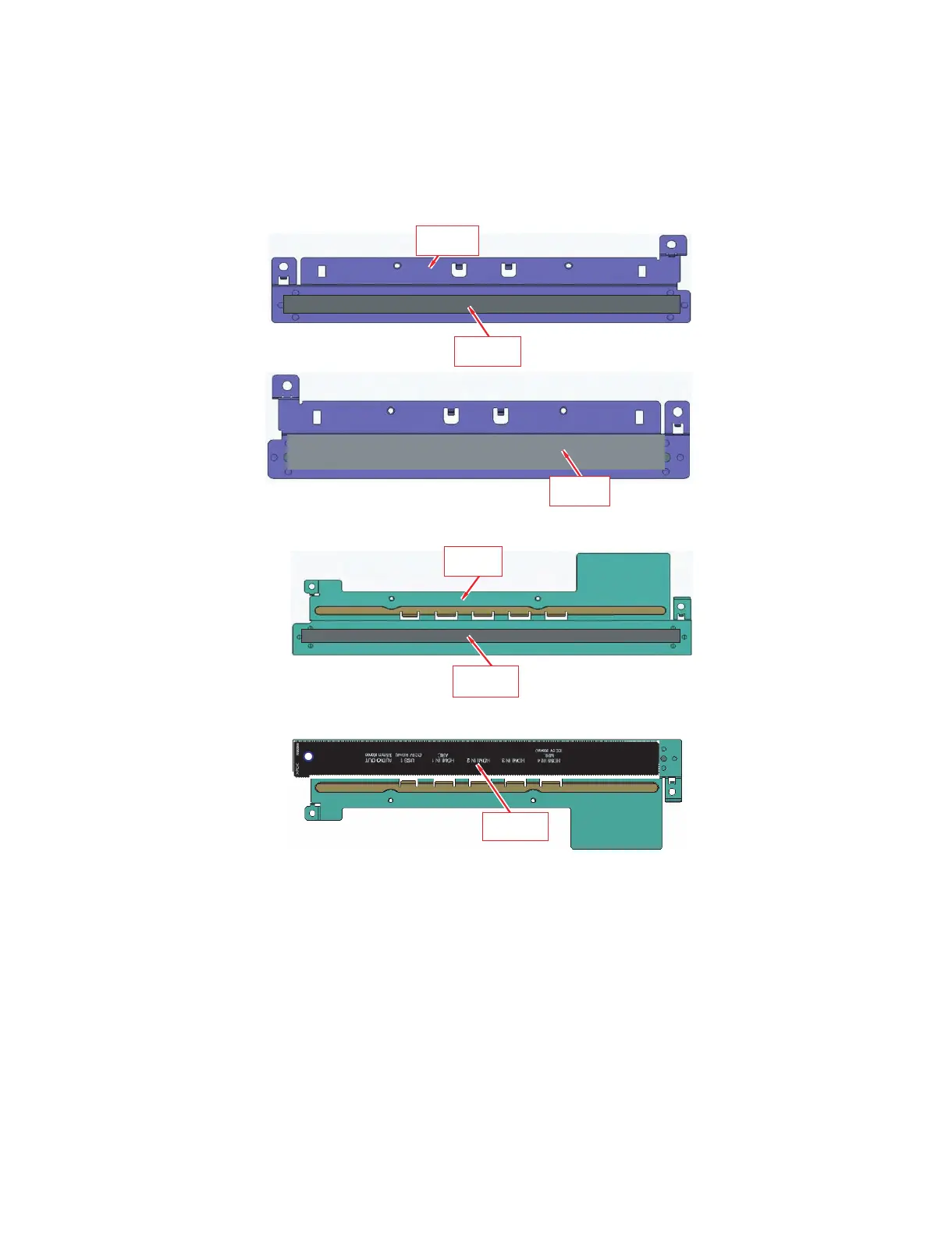
Mount the main PWB Ass’y on the backlight chassis and check that the EMI-prevention parts are not peeled and twisted from the access holes. (The
EMI-prevention parts, conductive nonwoven fabric gaskets, must be seen from the access holes.)
[Countermeasure]
Attach the conductive nonwoven fabric gaskets on the shielded case on the main PWB.
• LC-60LE755U/LE757U/LE857U/C7500U
(2) Stick***
PSPA ZC 691WJZZ
CONDUCTR: 8x 18 0
(3) Stick***
HDECP A 091WJZ Z
DEC SHEET BTM
(1) Prepare ***
LAN GKD146W JFW
TER M ANG BOTTOM
(1) Prepare ***
LAN GKD145W JFW
TER M ANG SIDE
(2) Stick ***
PSPA Z C6 90 WJZ Z
CONDUCTR: 8x 25 5
(3) Stick *****
HINDPE8 39 WJ SA
T-LA BEL SIDE




 To Next Page