41
Web-site: www.sharp.co.uk/support Help Line: 08705 274277 (office hours)
Advanced Features
– Titling a MiniDisc –
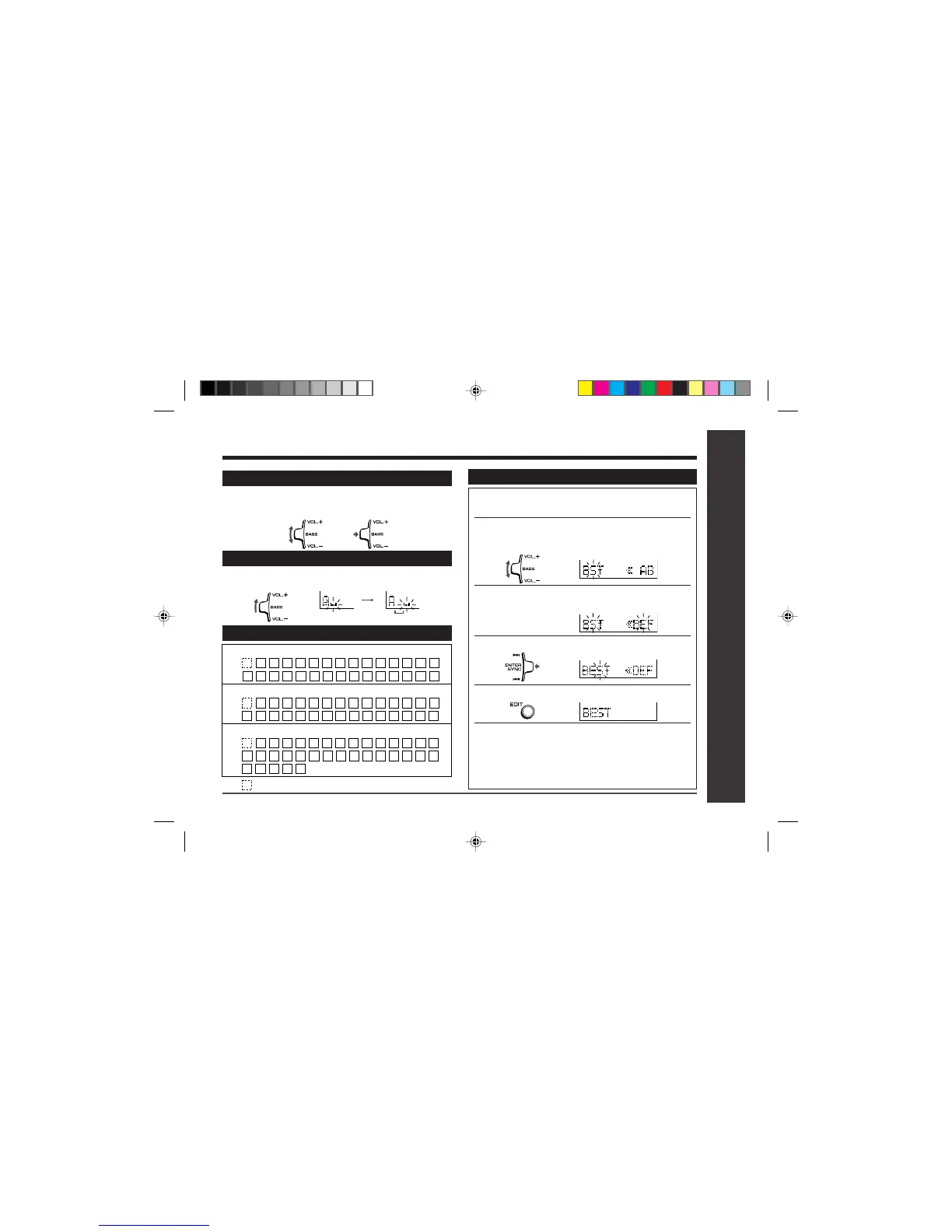
To add characters
1 Put the unit in the character input mode.
(Perform steps 1 - 2 on page 40.)
2
Move the left shuttle switch to VOL + or VOL –
to move the cursor to the right of the charac-
ter, where you want to add a new character.
3 Select the character to add.
(Perform steps 3 - 4 on page 40.)
4
Press the right shuttle switch toward “ENTER/SYNC”.
5 Press the EDIT button.
6
TOC will be displayed to write the updated
contents to the MiniDisc press the • ■ / :OFF
button.
● You cannot remove the MiniDisc whilst TOC is
displayed. TOC will not disappear until the re-
corded contents have been updated.
Titling a MiniDisc : continued
Characters (symbols)
To erase a character
Move the left shuttle switch to VOL + or VOL – to move the
cursor to the character you want to erase, and then press
the left shuttle switch toward “BASS”.
To enter a space
Move the left shuttle switch to VOL + to move the cursor to
the right.
Space
A C D E F G H
B
1 3 4 5 6 7 8
2
a c d e f g h
b
I J K L M
S U V W X Y ZTR
N
QP
.,
/
/.,
! " #
–
:
(
+
$
*
9 0
&
'
<; =
O
i j k l m
s u v w x y ztr
n
o qp
.,
/
%
_
`
@
>
?
)
Capital letters
Lower-case letters
Numbers and symbols
: indicates a space.


 To Next Page