1-11
BEFORE USING THE MACHINE
Contents
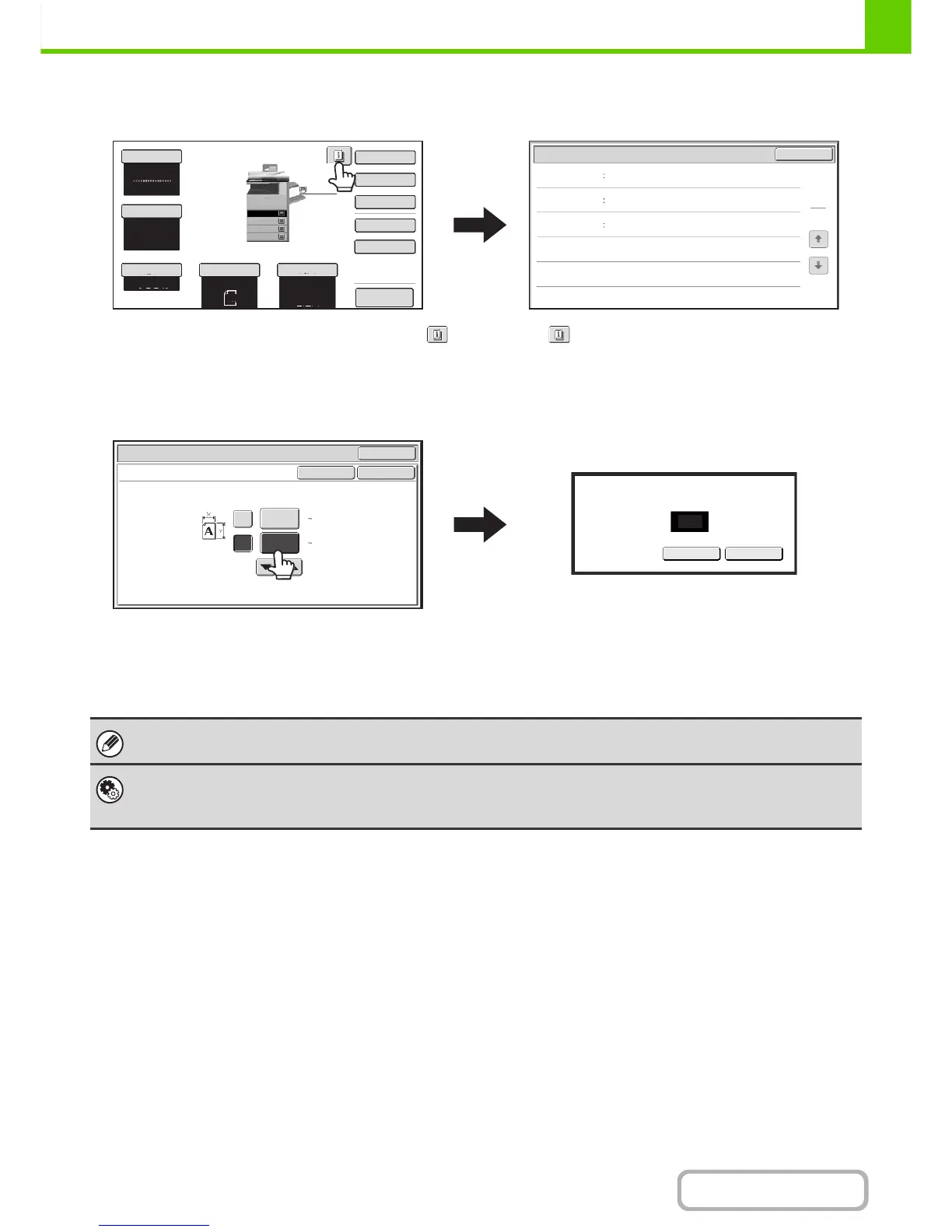
Example 4
When at least one special mode is selected, the
key appears in the base screen.
The key can be touched to display a list of the
selected special modes.
Example 5
Touch a numeric value display key to directly enter a
value with the numeric keys.
Press the numeric keys to enter any numeric value
and then touch the [OK] key.
Preview
Colour Mode
Special Modes
2-Sided Copy
Output
File
Quick File
Original
Paper Select
Auto
A4
Plain
Auto
A4
Full Colour
OK
1
1
Function Review
Margin Shift
Erase
Shift:Right
Front:10mm/Back:10mm
Edge:10mm
Centre:10mm
Covers/Inserts
Front:2-Sided/Back:Insert
Insertion A:10 Page/B:10 Page
Exposure
Auto
Copy Ratio
100%
Plain
A3
3.
1.
2.
A4R
B4
4.
A4
A4
OK
OK
OK
Cancel
Cancel
(25 432)
mm
(25 297)
mm
420
X
Y
297
297
Original
Size Input
Enter value via the 10-key.
(25-297)
The touch panel (screen) shown in this manual is a descriptive image. The actual screen is slightly different.
System Settings (Administrator): Keys Touch Sound
This is used to adjust the volume of the beep that sounds when keys are touched. The key touch sound can also be turned
off.





 To Next Page