23
M
M
X
X
-
-
5
5
1
1
1
1
2
2
N
N
/
/
M
M
X
X
-
-
4
4
1
1
1
1
2
2
N
N
S
S
a
a
l
l
e
e
s
s
G
G
u
u
i
i
d
d
e
e
User-Friendly Design
Tilt Type Control Panel
The new panel is tilt-able with 3 different positions to choose from. Users, especially wheel-chaired users, can easily
adjust the control panel to improve visibility.
Note: The third position is not available with MX-FNX9, MX-FN10, MX-FN11, or MX-FN18 installed.
Universal Handle
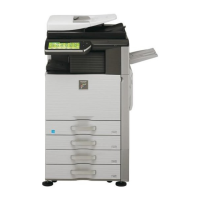
MX-5112N / MX-4112N have universal handles on the paper drawers. Users can easily grip and pull out the paper
drawer from both top and bottom of the paper drawer handle.
Colour Variation
MX-5112N / MX-4112N feature seven colours including the universal design colour of operation panels. Users can
easily choose the colour they want. The default colour is green.


 To Next Page







