7-5
MANUAL FINISHING►PAPERS
CHECKING TYPE AND SIZE OF PAPER
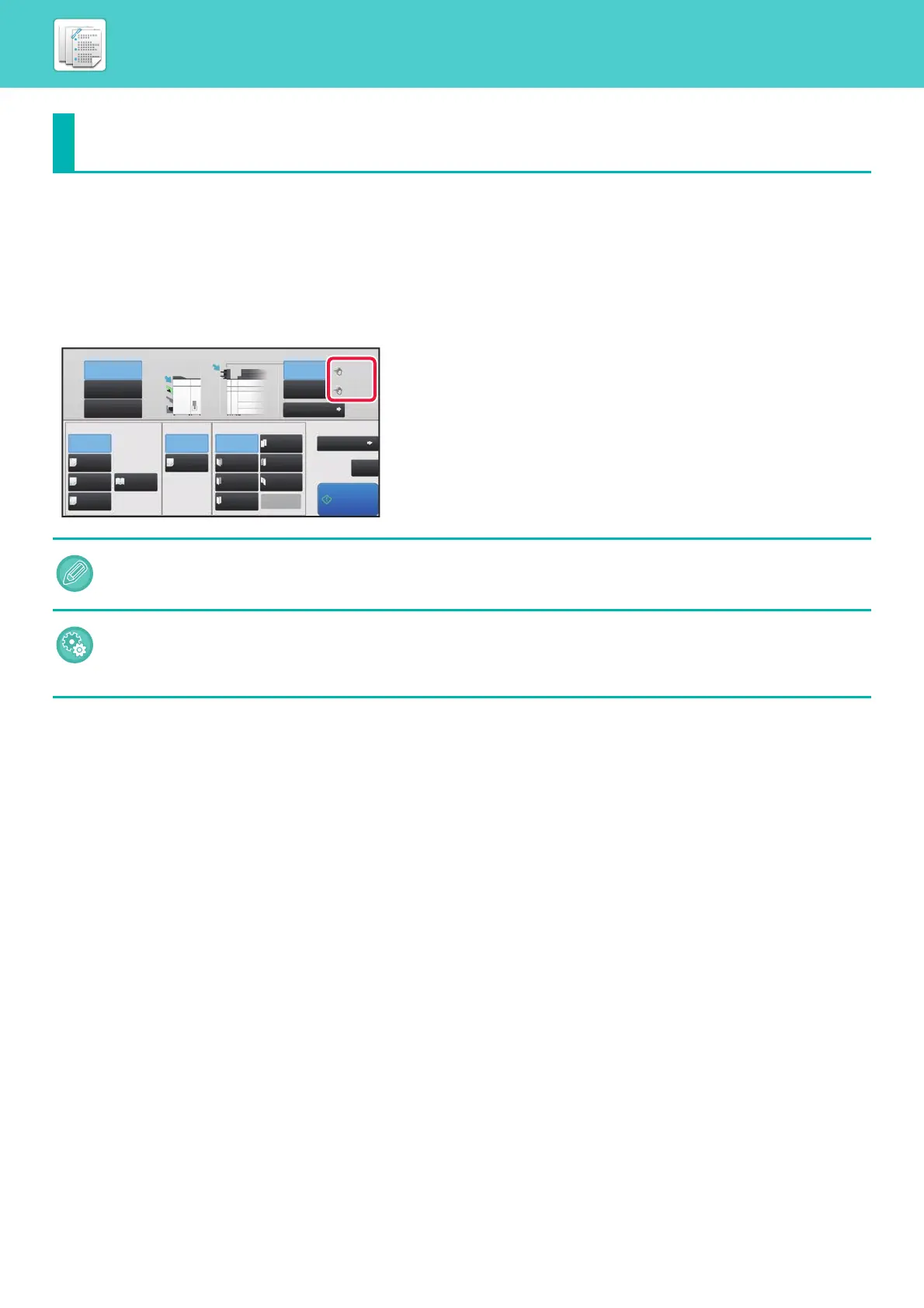
You can check the type and size of paper loaded in the inserter on the display to the right of [Upper Tray] or [Lower Tray]
key.
The paper size is automatically detected when paper is loaded. To set the paper type and size, tap the [Type and Size]
key. Paper types and sizes can be specified for each of the upper and lower trays.
PAPERS
• If the paper loaded is different from the type that is indicated on the right of the key, tap the [Type and Size] key or change
the settings in "Settings".
• Special media such as transparency film and tab paper cannot be used.
To change the paper settings for the paper you load in the inserter:
Tap the [Type and Size] key or in "Settings", select [System Settings] → [Common Settings] → [Paper Settings] → [Paper
Tray Settings] → [Inserter(Upper)] or [Inserter(Lower)].
If the paper size is not correctly detected or paper of a non-standard size or type is loaded, specify this setting.
Upper Tray
Output Tray Inserter
Staple
Off
1 Staple
at Back
Saddle
Fold
Half Fold
C-Fold
1 Staple
at Front
2 Staples
Saddle
Stitch
Off
Off
Accord-
ion Fold
Copies/Pages
Type and Size
Double
Fold
Z-Fold
Detail
Punch Fold
Middle Tray
Lower Tray
Start
CA
Upper Tray
Lower Tray
Plain 1
Plain 1
2 Hole
Punch
8½x11
8½x11


 To Next Page