32
Scan to Email
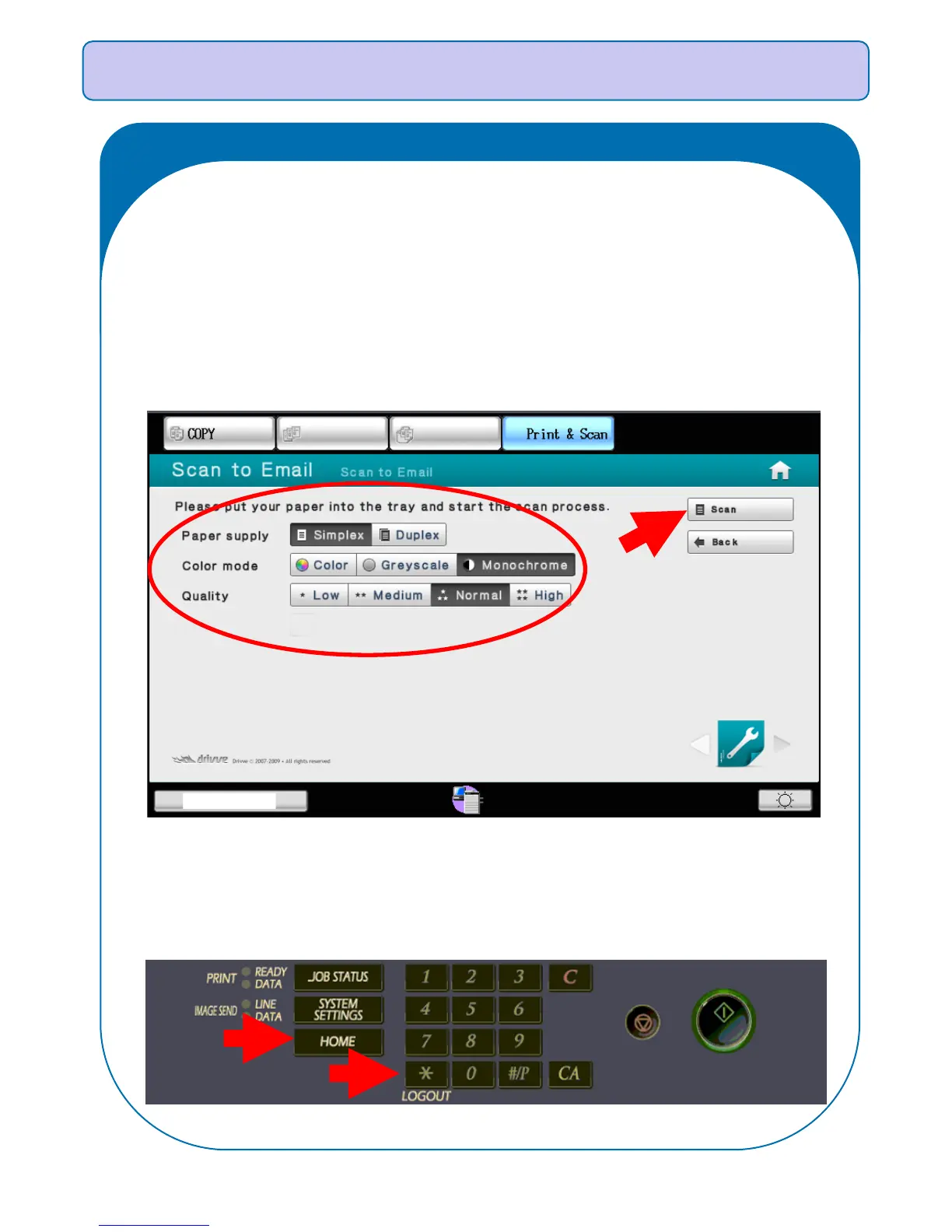
IMPORTANT: Select Logout to end the session or Home to return to
the Home Screen:
The software is set to automatically scan documents directly back to the
authenticated user’s email inbox. Once the documents have been
inserted into the document feeder and the scan settings have been set,
selecting Scan the on the right-hand side of the control panel will begin
the scan process.



 To Next Page