99
SAVING A DOCUMENT ONLY
(Scan to HDD)
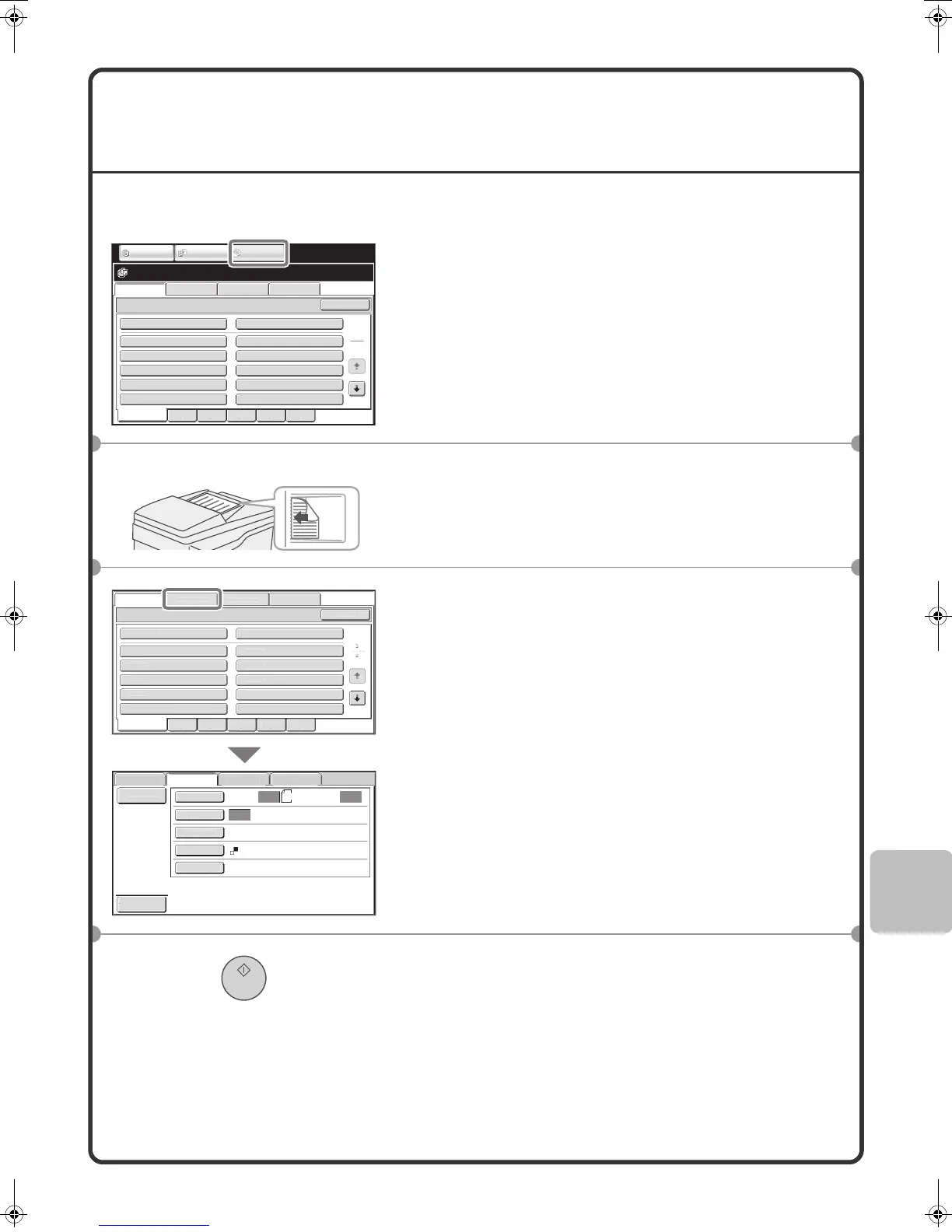
You can save a document without performing a copy, print, or send job.
The procedure for storing a document in the main folder is explained below.
1 Touch the [DOCUMENT FILING] key.
The base screen of document filing mode appears.
2 Place the originals.
When using the document glass, place the original with the
side to be scanned face down.
3 Touch the [Scan to HDD] tab.
The Scan to HDD base screen appears.
To specify a user name, file name, and folder, touch the [File
Information] key.
4 Press the [START] key.
File Retrieve Scan to HDD HDD Status
Ex Data Access
Main Folder
User 1
User 3
User 5
User 7
User 9
User 2
User 4
User 6
User 8
User 10
Quick File Folder
Search
Folder Select
1
2
All Folders ABCD EFGHI JKLMN OPQRST UVWXYZ
IMAGE SEND
DOCUMENT
FILING
COPY
The side to be scanned must be face up!
ile Retriev
can to HDD
DD
tatus
x Data Access
Main Folder
r
r
r
r 7
ser
User
User
User
User
r
Quick File Folde
Searc
o
er Se
ec
Fo
er
B
D EF
HI
KLM
OPQRS
UVWXY
il
R
ri
v
n
HD
HDD
Ex Data Acces
F
le
Informat
on
r
na
x
osure
l
i
n
o
our Mo
S
ec
al Modes
can
600X600d
Auto
tore
Auto
Auto
n
Preview
mxm503_ex_qck.book 99 ページ 2009年3月6日 金曜日 午前11時40分



 To Next Page