27
COPYING ON SPECIAL PAPER
(Bypass Copy)
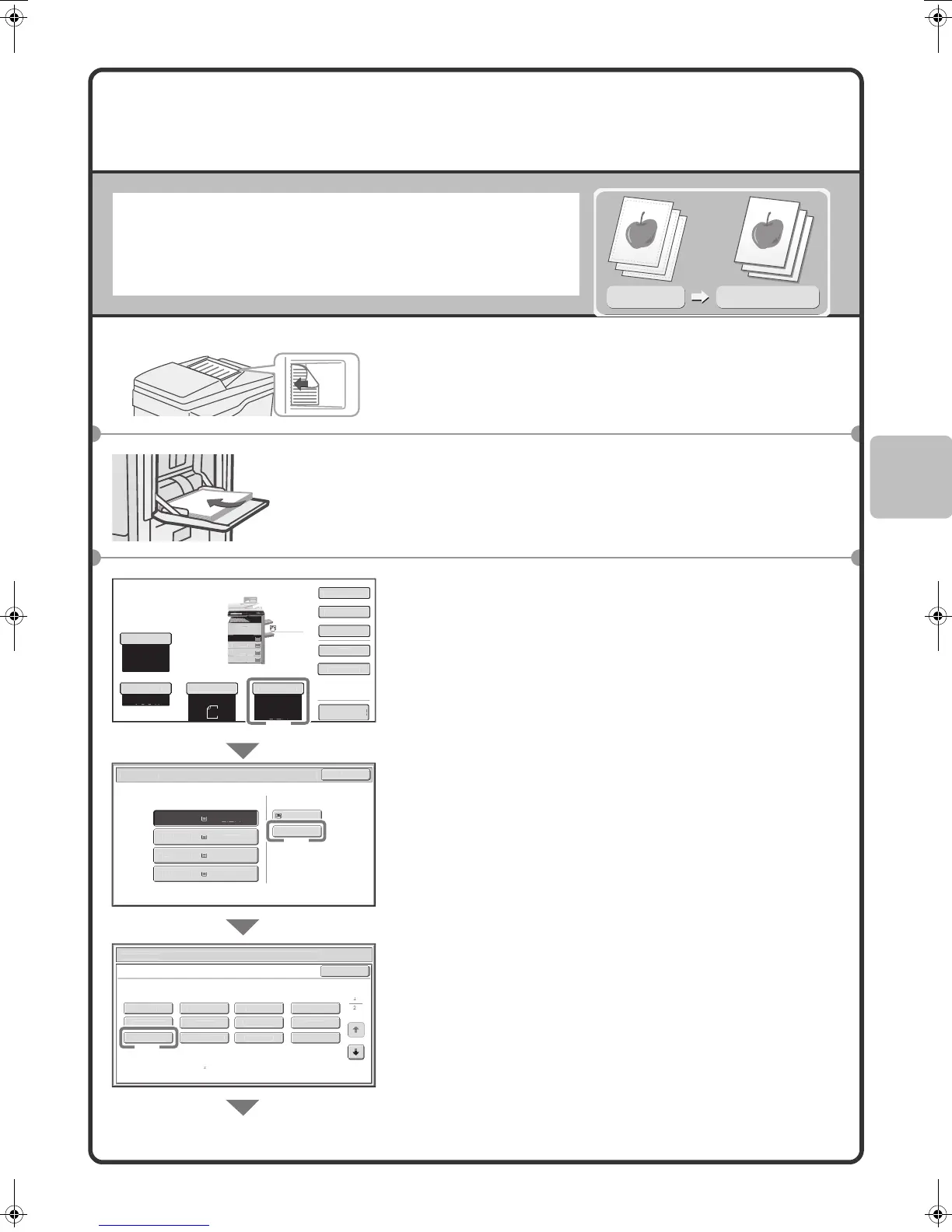
Use the bypass tray to copy on special media such as heavy paper,
envelopes, and tab paper.
This section explains how to load A4 heavy paper in the bypass tray.
1 Place the originals.
When using the document glass, place the original with the
side to be scanned face down.
2 Insert paper in the bypass tray.
3 Select settings in the touch panel.
(1) Touch the [Paper Select] key.
(2) Touch the paper type key of the bypass tray.
Here the [Plain] key has been touched.
(3) Touch the [Heavy Paper] key .
Original
Copy on heavy paper
The side to be scanned must be face up!
The side to be
copied on must
be face down!
Preview
o
Rat
100%
Or
g
na
aper Select
Auto
A4
Plain
Auto
A4
xposure
Auto
Paper Selec
K
Plain
lai
2
4
l
i
1. A4
Plain
la
aper
ray
ypass
ra
a
er Se
ect
ance
la
r
-P
n
eavy
aper
re-Pr
nte
o
our
Rec
c
e
Th
n Pa
e
ransparenc
Letter Hea
La
e
ab Pape
Envelope
Bypass Tray Type
Size Settin
elect the paper type
lai
A4
1.
A4
ec
al Mode
-Sided Cop
Out
u
l
u
ck F
l
eav
Pa
er:
-
(28 lbs.bond, 110 lbs.
ndex
(1)
(2)
(3)
02-1_Quick(Copy).fm 27 ページ 2009年3月6日 金曜日 午後4時37分



 To Next Page