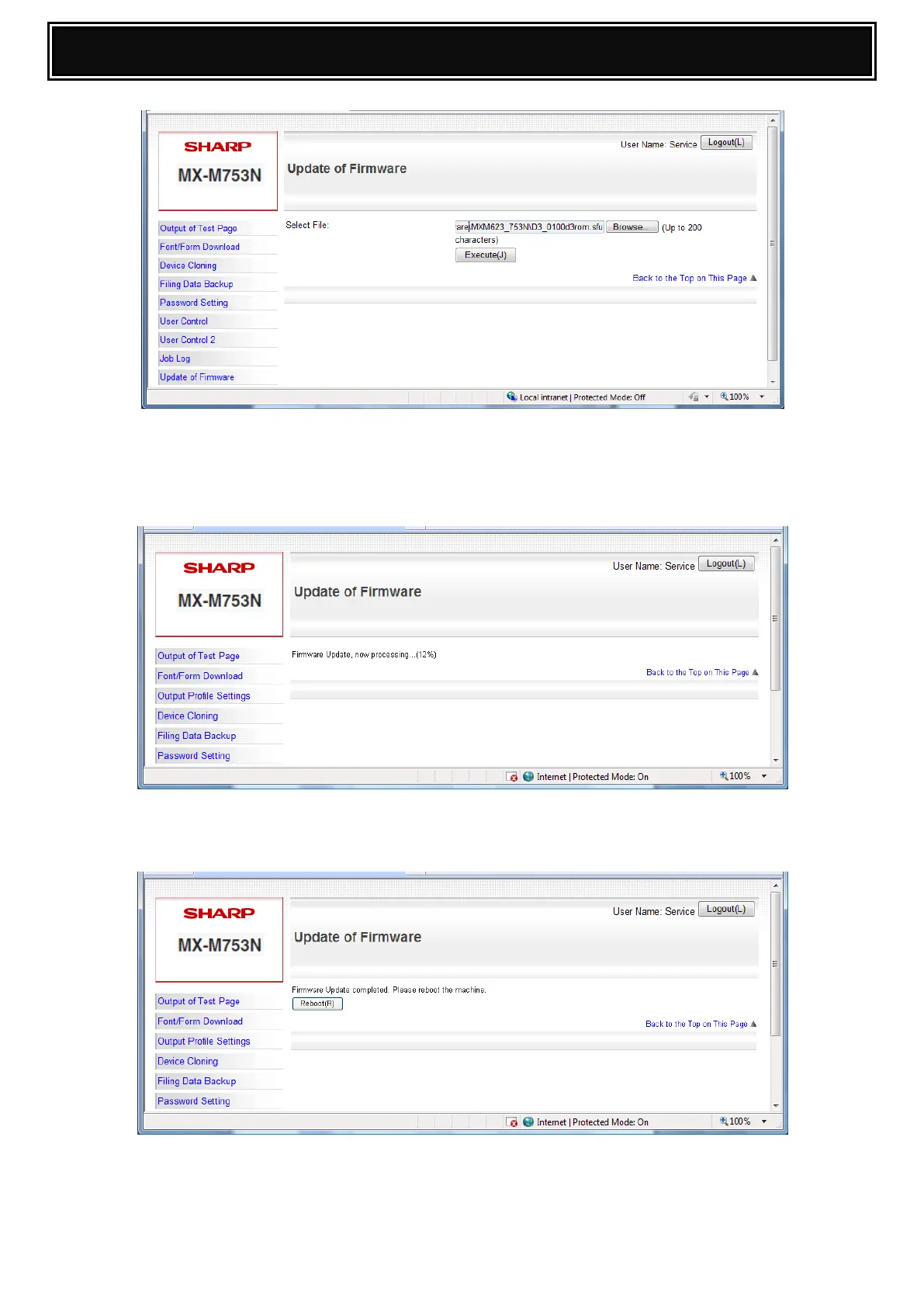
5. Press Execute to start the firmware update.
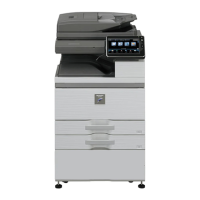
Note: Once the machine has entered “service download mode”, the update will
commence and the progress will be displayed.
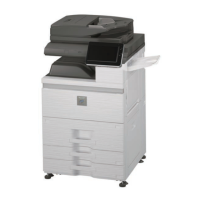
6. When the firmware upgrade is complete, click Reboot to execute a remote restart of the
machine.
Firmware Upgrade is complete.



 To Next Page