2.
3. 8. 7 TAB
Format
Function
Example
TAB (x)
x . . . A numeric expression
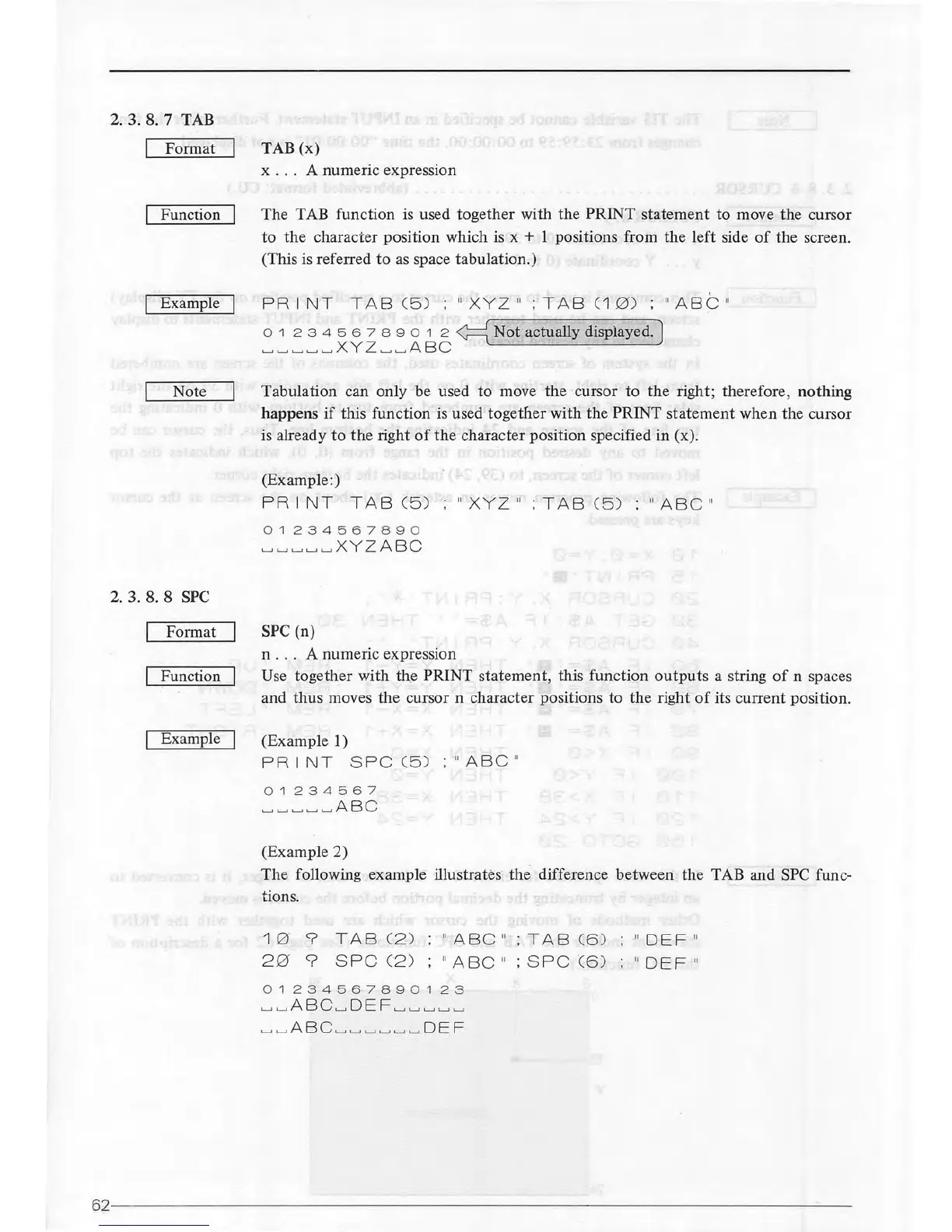
The TAB function
is
used together with the PRINT statement to move the cursor
to
the
character position which is x + 1 positions from the left side
of
the screen.
(This is referred to
as
space tabulation.)
PRINT
TAB
( 5 ) ;
11
X
YZ
11
;
TAB
C1
0)
o 1 2 3 4
56
7 8 9 o 1 2
~Not
actually displayed.)
L-JL-J~L-JL-JX
YZ
L-JLJA
BC
'
11
ABC
"
Note Tabulation can only be used
to
move the cursor to the right; therefore, nothing
happens
if
this function is used
together
with the PRINT statement when the cursor
is already
to
the
right
of
the
character position specified in (x).
2. 3. 8. 8
SPC
Format
Function
Example
(Example:)
PRINT
T
AB
C5 )
01234567890
L-JLJL-J
L-J
LJX
YZABC
SPC (n)
n . . . A numeric expression
"X
YZ
11
;
TAB
( 5 )
11
ABC
11
Use together with
th
.e PRINT statement, this function
outputs
a string
of
n spaces
and
thus
moves
the
cursor n character positions to the right
of
its current position.
(Example 1)
PRINT
SPC
C5 )
11
A B
CII
01234567
LJL-JL-JL-JL-J
AB
C
(Example 2)
The
following example illustrates the difference between the TAB and SPC func-
tions.
1 0 9
TAB
( 2 )
2 0
9
SPC
C2 )
11
A
BC
11
; T A 8 C6 )
11
A
BC
11
; S
PC
( 6 )
01234567890
1
23
LJL-J
ABC
L-J
DEF
L-JL-JLJL-JL-J
L-JLJ
ABC
LJL-JL-JL-JL-JL-J
DEF
11
DEF
11
11
0EF
11
62
------------------------
--------------------------------------
------
~--



 To Next Page