EasyManua.ls Logo

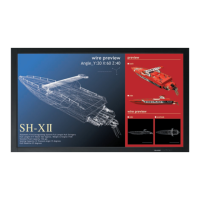
Sharp PN-G655RE - User Manual

Sharp PN-G655RE
184 pages
Print Icon
To Next Page IconTo Next Page
Loading...
PN-G655RE
ENGLISH DEUTSCH FRANÇAIS
汉语
РУССКИЙ
LCD MONITOR
LCD FARBMONITOR
MONITEUR LCD
ЖК МОНИТОР
液晶示器
OPERATION MANUAL
BEDIENUNGSANLEITUNG
MODE D’EMPLOI
РУКОВОДСТВО ПО ЭКСПЛУАТАЦИИ
使用说明书
ENGLISH ...... E1
DEUTSCH ..... D1
FRANÇAIS .... F1
РУССКИЙ ..... Р1
汉语 ............... C1

Table of Contents

Questions and Answers

  • B
    Bonnie RobinsonSep 12, 2025
    Why don't the control buttons work and there is no picture on my Sharp Monitor?
    • C
      Courtney SandovalSep 12, 2025
      If the control buttons on your Sharp Monitor do not work and there is no picture, it could be due to external load noises interfering with normal operation. Turn off the power, wait at least 5 seconds, and then turn it back on to check if the operation returns to normal.
  • A
    Anthony StephensSep 14, 2025
    Why does my Sharp PN-G655RE sometimes make a cracking sound?
    • J
      Justin PrattSep 14, 2025
      The cracking sound you sometimes hear from your Sharp Monitor is due to the cabinet slightly expanding and contracting with temperature changes. This does not affect the monitor’s performance.

Summary

Product Important Information

Fire and Electric Shock Precautions

Warnings about fire risk, electric shock, and proper installation near outlets.

Comprehensive Safety Precautions

Safe Operation and Handling Rules

Detailed rules for safe installation, operation, cleaning, and maintenance of the monitor.

Monitor Installation Guide

Mounting Precautions and Procedures

Safety and procedural guidelines for safely installing and mounting the monitor.

Peripheral Connection Guide

Power Cord Connection Procedure

Monitor Power Management

Main Power Switch Use

Explains how to turn the monitor on and off using the main power switch.

Remote Power Button Functions

Describes using the POWER button on the remote control for on/off and standby modes.

Core Monitor Operations

Screen Aspect Ratio Adjustment

On-Screen Display (OSD) Menu

Accessing and Navigating the Menu

Guide on how to access and navigate the monitor's on-screen display (OSD) menu.

Picture, Audio, and Screen Settings

Explains various menu items for SCREEN, PICTURE, and AUDIO settings.

System Reset and Function Lock

Factory Reset and Operation Control

How to perform a factory reset and lock/unlock monitor operations.

PC Remote Control Operations

PC Connection Setup

Explains one-to-one and daisy chain connections using RS-232C for PC control.

RS-232 C Communication Protocol

Details communication conditions, command formats, and response codes for PC control.

Troubleshooting Common Issues

Display and Audio Problem Solutions

Solutions for problems like no picture/sound, reversed audio, or no sound with picture.

Temperature Alerts and Resolution

Explains temperature-related warnings, automatic brightness reduction, and standby mode.

Technical Specifications Overview

Sharp PN-G655RE Specifications

General IconGeneral
Screen Size65 inches
Brightness350 cd/m²
Contrast Ratio4000:1
Aspect Ratio16:9
VESA MountYes (400 x 400 mm)
Touch SupportNo
Viewing Angle178°
ConnectivityLAN, RS-232C
Response Time8 ms
Input TerminalsHDMI, DisplayPort, DVI-D, VGA
Output TerminalsHDMI (out), DisplayPort (out)
Built-in SpeakersYes

Related product manuals