EasyManua.ls Logo

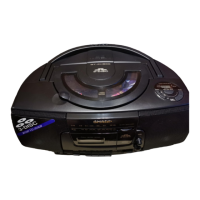
Sharp QT-UH5H - User Manual

Sharp QT-UH5H
37 pages
Print Icon
To Next Page IconTo Next Page
Loading...
TRAGBARES CD-STEREO-SYSTEM
CHAÎNE STÉRÉO CD PORTABLE
SISTEMA PORTÁTIL DE CD ESTÉREO
PORTABEL CD-STEREOANLÄGGNING
IMPIANTO STEREO CD PORTATILE
DRAAGBAAR CD STEREOSYSTEEM
SISTEMA ESTÉREO DE CD PORTÁTIL
PORTABLE CD STEREO SYSTEM
MODELL
MODÈLE
MODELO
MODELL
MODELLO
MODEL
MODELO
MODEL
QT-UH5H
BEDIENUNGSANLEITUNG
MODE D’EMPLOI
MANUAL DE MANEJO
BRUKSANVISNING
MANUALE DI ISTRUZIONI
GEBRUIKSAANWIJZING
MANUAL DE OPERAÇÃO
OPERATION MANUAL
Siehe Seiten i bis x und D-1 bis D-24.
Se reporter aux pages i à x et F-1 à F-24.
Consulte las páginas i a x y S-1 a S-24.
DEUTSCH
Favor consultar as páginas i a x e P-1 a P-24.
PORTUGUÊS
FRANÇAIS
ESPAÑOL
Hänvisa till sidorna i till x och V-1 till V-24.
Leggere le pagine i a x e I-1 a I-24.
Raadpleeg de bladzijden i t/m x en N-1 t/m N-24.
SVENSKA
ITALIANO
NEDERLANDS
Please refer to pages i to x and E-1 to E-24.
ENGLISH
Note:
This product is not compatible with MTP and AAC file systems.

Questions and Answers

  • A
    April BriggsJul 30, 2025
    Why there is no sound from my Sharp QT-UH5H?
    • J
      Jennifer BriggsJul 30, 2025
      If you can't hear any sound from your Sharp Portable Stereo System, check if the volume level is set to "0". Also, make sure headphones are not connected.
  • M
    Michele GarciaAug 4, 2025
    What to do if playback stops in the middle on Sharp Portable Stereo System?
    • M
      Mark WilliamsAug 4, 2025
      If playback on your Sharp Portable Stereo System doesn't start, stops midway, or isn't working right, make sure the disc is loaded correctly (not upside down), meets the required standards, and isn't damaged (distorted or scratched).
  • A
    Austin VaughnAug 9, 2025
    Why Sharp QT-UH5H skips during playback?
    • K
      kgonzalezAug 9, 2025
      If the Sharp Portable Stereo System skips or stops during playback, check if the unit is near excessive vibrations, if the disc is very dirty, or if condensation has formed inside the unit.
  • J
    Jennifer HannaAug 14, 2025
    Why Sharp Portable Stereo System radio makes unusual noises?
    • M
      Melissa WatkinsAug 14, 2025
      If your Sharp Portable Stereo System radio is making unusual noises, check if the unit is near a TV or computer. Also, if the FM aerial is near the AC power lead, move it away.
  • L
    linda72Aug 19, 2025
    How to fix Sharp Portable Stereo System when a button is pressed, the unit does not respond?
    • M
      mcollinsAug 19, 2025
      If your Sharp Portable Stereo System doesn't respond when you press a button, set the unit to the power stand-by mode and then turn it back on.
  • R
    Rachel LeonardAug 25, 2025
    What to do if Sharp QT-UH5H Portable Stereo System cannot record?
    • M
      Melissa Holmes DDSAug 25, 2025
      If you cannot record with your Sharp Portable Stereo System, check if the erase-prevention tab is removed.

Summary

Precautions

General

Outlines general safety guidelines for unit placement, environmental conditions, and electrical safety.

Preparation for Use

Operation with AC power

Instructions for connecting the unit to AC power for operation and safety notes.

Operation with batteries

Guidance on inserting batteries, battery replacement, and precautions for battery usage.

CD or MP3;WMA disc Playback

Listening to a CD or MP3;WMA disc

Details how to play audio CDs and MP3/WMA files from discs, including disc loading and playback.

USB Memory Playback

Listening to USB mass storage device; MP3 player

How to connect and play music files from USB devices, including folder selection.

Radio

Tuning

Instructions on how to tune into radio stations using manual and auto scan, and FM stereo reception.

Tape Playback

Listening to a cassette tape

Detailed steps for playing cassette tapes, including loading, playback controls, and precautions.

Tape Recording

Recording from the radio

How to record radio broadcasts onto a cassette tape, including tuning and setting recording levels.

Troubleshooting

General Issues

Addresses common problems like unit not responding or no sound, and their possible causes.

Device Issues

Troubleshoots problems related to CD player, tuner, and cassette deck operations.

Specific Conditions

Covers issues like condensation and malfunctions due to external interference or incorrect operation.

Specifications

Sharp QT-UH5H Specifications

General IconGeneral
TypePortable Stereo System
Dimensions310 x 148 x 90 mm
Cassette DeckYes
Tuner BandsFM
Power SourceAC
BatteriesC
Output Power5W RMS
Speakers2
TunerFM

Related product manuals