30
TU-GD10U-T
TU-45GAD/T
LC-45GX6U/D/T
Adjustment item Adjustment conditions Adjustment procedure
1 Adjustment DVI-I (digital)
2 Auto adjustment
performance
Feed the 100% white window pattern signal to DVI-I (digital) input.
Bring the cursor on [ËDVI DIGITAL ADJ] and press [ENTER].
[ËDVI DIGITAL ADJ FINISH] appears when finished.
(6) DVI-I (digital) signal adjustment
Adjustment item Adjustment conditions Adjustment procedure
1 Adjustment 1080i signal
2 Auto adjustment
performance
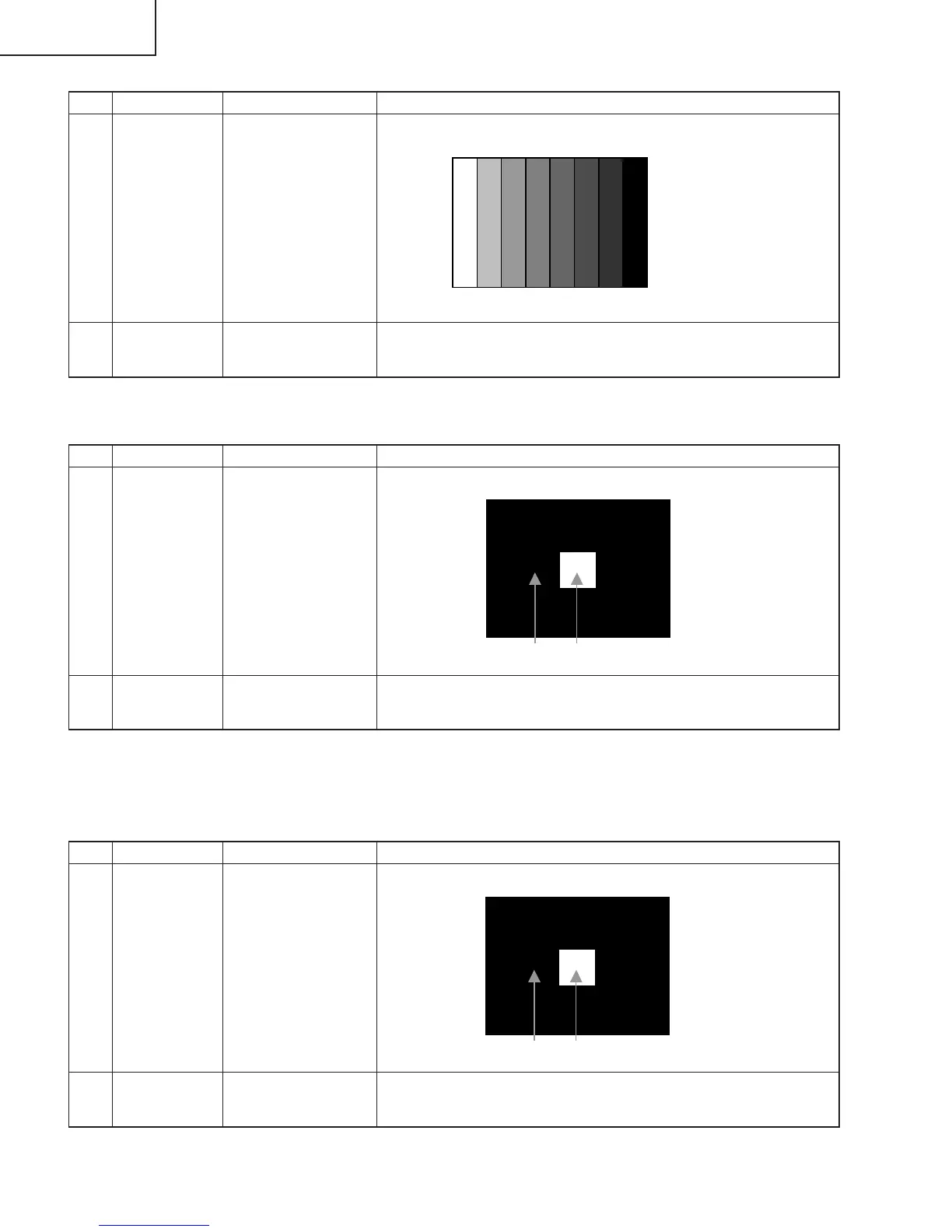
Feed the 100% color bar signal to VIDEO 1 component input.
Bring the cursor on [ËHDTV ADJ] and press [ENTER].
[ËHDTV ADJ FINISH] appears when finished.
(4) Component 33K signal adjustment
↑100% white
Adjustment item Adjustment conditions Adjustment procedure
1 Adjustment DVI-I (analog)
2 Auto adjustment
performance
Feed the 100% white window pattern signal to DVI-I (analog) input.
Bring the cursor on [ËDVI ANALOG ADJ] and press [ENTER].
[ËDVI ANALOG ADJ FINISH] appears when finished.
(5) DVI-I (analog) signal adjustment




 To Next Page