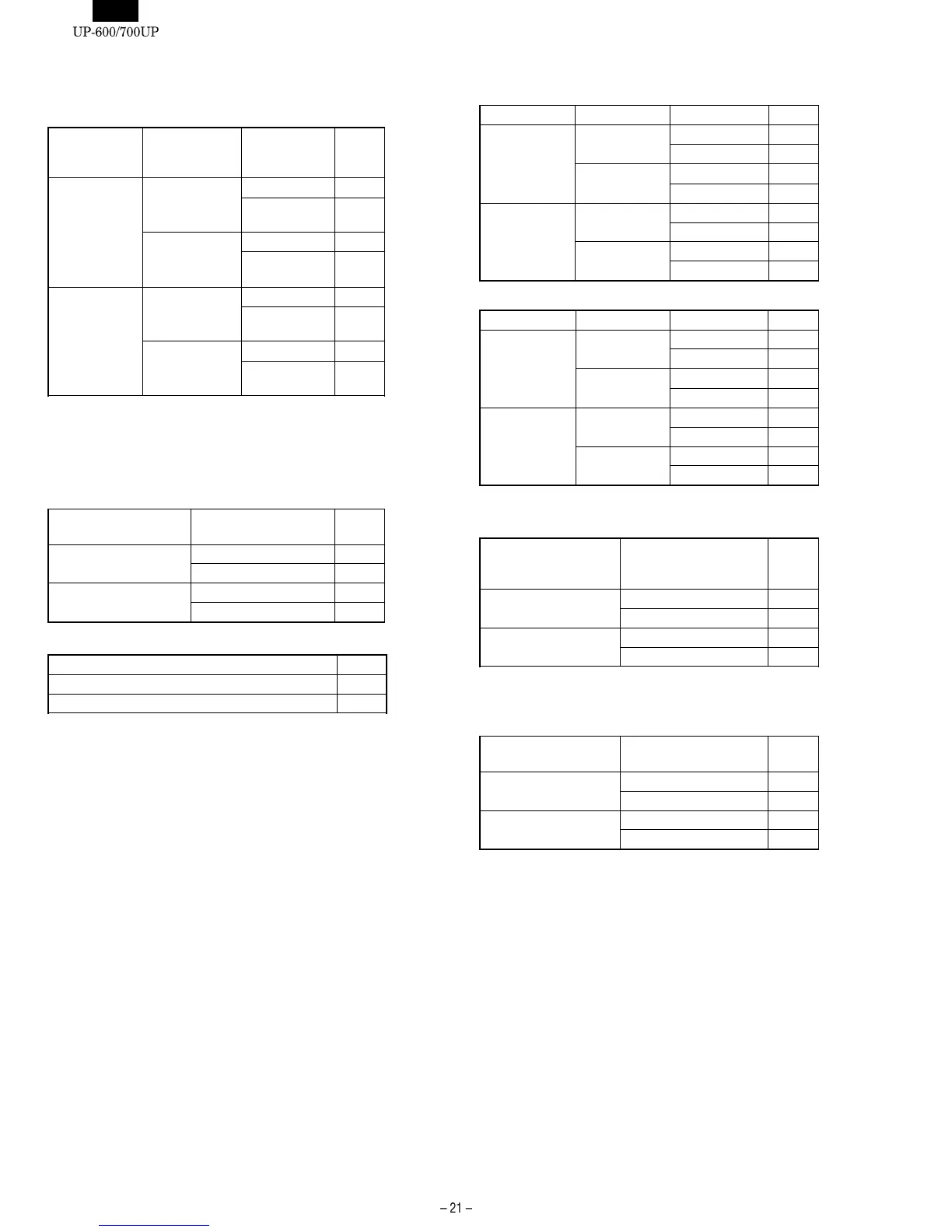
906-D: 1. UPC price look up at refund entry
2. Presetting of consecutive No.
3. Fractional quantity
1. UPC price
look up at
refund entry
2. Presetting of
consecutive
No.
3. Fractional
quantity 906-D
Yes
Yes
No 0
★✩
Yes (3 digit
decimal place)
1
No
No 2
Yes (3 digit
decimal place)
3
No
Yes
No 4
Yes (3 digit
decimal place)
5
No
No 6
Yes (3 digit
decimal place)
7
[JOB#907] : UP-600/700 MRS=0010
907-A: Not used (Fixe at "0")
907-B: 1. UPC code printing on journal
2. UPC code printing on receipt
1. UPC code printing
on journal
2. UPC code printing
on receipt
907-B
Yes
Yes 0
★✩
No 1
No
Yes 2
No 3
907-C: 1. Minus Dept./PLU/UPC
1. Minus Dept./PLU/UPC 907-C
Disable 0
Enable 1
★✩
907-D: Not used (Fixed at "0")
[JOB#908] : UP-600/700 MRS=0000
908-A: GT print on Z report
1. GT1 (NET) 2. GT2 (+) 3. GT3 (–) 908-A
Print
Print
Print 0
★✩
Skip 1
Skip
Print 2
Skip 3
Skip
Print
Print 4
Skip 5
Skip
Print 6
Skip 7
908-B: GT print on X report
1. GT1 (NET) 2. GT2 (+) 3. GT3 (–) 908-B
Skip
Skip
Skip 0
★✩
Print 1
Print
Skip 2
Print 3
Print
Skip
Skip 4
Print 5
Print
Skip 6
Print 7
908-C: 1. Add void -mode transaction data to hourly total report
2. Resetting of consecutive number in Z1 resetting
1. Add void -mode
transaction data to
hourly total report
2. Resetting of
consecutive number
in Z1 resetting
908-C
No
No 0
★✩
Yes 1
Yes
No 4
Yes 5
908-D: 1. Printing of X/Z report
(Excepting the individual server report)
2. Z1 resetting that resets GT
1. Printing of X/Z report 2. Z1 resetting that
resets GT
908-D
Receipt & Journal
Disable 0
★✩
Enable 1
Journal only
Disable 4
Enable 5
Note : ★
...
MRS for UP-600 /
✩
...
MRS for UP-700













 To Next Page