12
www.sharp.co.uk/support
BASIC OPERATION
HOW TO PLAYBACK A VIDEO TAPE
FAST FORWARDING/REWINDING A VIDEO TAPE
1.
Press the
STOP
button to stop the video tape.
2.
Press the
FAST FORWARD
/
REWIND
buttons on the remote control
or
on
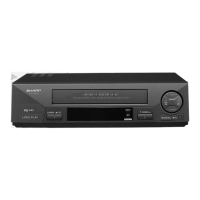
the VCR front panel.
3.
To stop fast forward/rewind, press the
STOP
button.
FORWARD/REVERSE VISUAL SEARCH
1.
During playback to select search mode, press the
FAST FORWARD
/
REWIND
buttons on
the remote control,
or
on the VCR front panel.
2.
Press the
PLAY/X2
button to resume playback.
OR
3.
To decrease the speed, during visual search mode press the
FAST FORWARD
/
REWIND
buttons again.
4.
Press the
PLAY/X2
button.
NOTE:
IMMEDIATE RECORDING
SELECTION OF A CHANNEL
Select the channel you wish to record by using the
NUMBER
buttons on the VCR remote
control, or select the next/previous channel by pressing the
CHANNEL
/ buttons on
the remote control or on the VCR front panel.
To change between single digit and 2-digit channel numbers, press the
AM/PM
button.
For example, for channel 24, press the
AM/PM
button then press
2
4
.
• There will be picture interference and possibly a change to black and white picture
using Visual Fast Forward/Rewind functions.
STOP
FF
REW
STOP
REW FF
STOP
PAUSE/STILL
REC



 To Next Page