EN
EN – 17EN – 17
AUTO MENU
For convience the Auto Programs allow food to be cooked quickly and eff ecenlty with only a few button presses. It is
not necessary to program the duration and the cooking power, all that is required is to press the required auto cook
button, enter the weight/pieces by rotating the JOG DIAL and then press START/QUICK START button.
For example, to cook two jacket potatoes.
1. Open the door and place the food inside the oven using suitable ovenware for the cook cycle being used.
2. Close the door.
3. Press the JACKET POTATO button once.
4. Rotate the JOG DIAL to enter numbers of potatoes.
5. Press START/QUICK START button.
6. When the cooking cycle is completed, the display will show “End” and a tone will be heard every two minutes until
a button is pressed or the door is opened.
Auto cook menus:
Auto Menu Method to Select Weight or Pieces Size/Weight
Auto
Program
Frozen Meal
Select the weight by rotating the JOG DIAL control, then
press the START/QUICK START button to begin cooking.
200 to 800g -
Auto Defrost 100 to 1800g -
Reheat Beverages
Select the number of cups by rotating the JOG DIAL
control, then press the START/QUICK START button to
begin cooking.
1 to 3 cups
(200ml each)
-
Jacket Potato
Select the number of potatoes by rotating the JOG DIAL
control, then press the START/QUICK START button to
begin cooking.
1 to 3 potatoes
(230g each)
-
Popcorn
Select the weight by rotating the JOG DIAL control, then
press the START/QUICK START button to begin cooking.
100g increments -
Fresh Vegetables 200 to 600g -
Pizza
150g / 300g /
450g
-
Porridge 50 to 150g -
Grilled Steak* 200 to 600g A-1
Grilled Chicken* 200 to 600g A-2
Auto Reheat* 200 to 800g A-3
Grilled Fish* 100 to 500g A-4
* - Grill models only.
• The result of auto cook depends on factors such as the shape and size of food, your personal preference as to the
doneness of certain foods and how the food is placed in the oven. If the resold of the cooking is not satifactory,
please adjust the cooking time to suit.
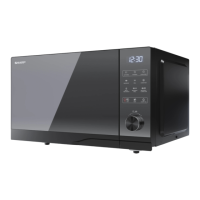
Note: The Auto Menu button is only used on the YC-QG204A model. Each time the Auto Menu button is pressed, the
display will show the auto program as in the table above. When the desired auto menu is found, rotate the JOG DIAL
control to select the weight of the food to be cooked.


 To Next Page
 Loading...