EasyManua.ls Logo

Sharp ZQ-6100M - Page 124

Sharp ZQ-6100M
194 pages
Print Icon
To Next Page IconTo Next Page
To Previous Page IconTo Previous Page
Loading...
THE
SECRET
FUNCTION
The
Secret
function
allows
you
to
store
sensitive
information,
such
as
credit
card
numbers,
so
that
only
you
can
retrieve
it.
To
use
the
Secret
function
you
must
first
set
a
password
(see
below).
Then
MARK*
each
individual
entry
you
consider
sensitive.
e
When
Secret
function
is
on
all
MARKED
entries
are
invisible.
e
When
Secret
function
is
off,
all
entries,
including
MARK*ED
entries
are
visible.
Setting
a
Password
Before
the
Secret
function
can
be
used,
a
password
of
up
to
7
characters
must
be
entered.
Important:
If
you
forget
the
password,
you
will
have
to
delete
all
MARKED
entries
in
the
Organizer.
Be
sure
to
use
a
password
that
you
will
not
forget.
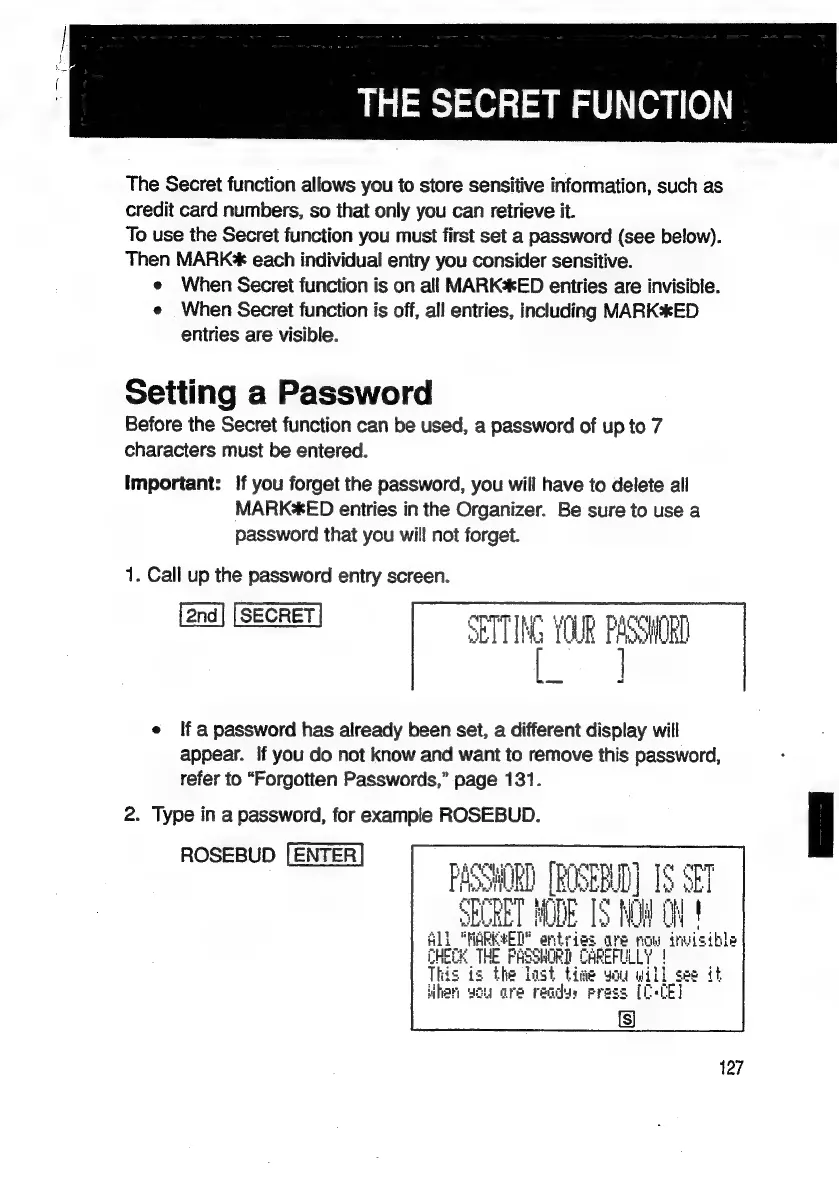
1.
Call
up
the
password
entry
screen.
SETTING
YOUR
PASSWORD
e
If
apassword
has
already
been
set,
a
different
display
will
appear.
If
you
do
not
know
and
want
to
remove
this
password,
refer
to
“Forgotten
Passwords,”
page
131.
2.
Type
in
a
password,
for
example
ROSEBUD.
ROSEBUD
4574
IPT!
4
PUT
PASSWORD
[ROSEBUD]
1S
SEI
SEURET
MODE
IS
i
cil
|
1
"MARKED?
arty
rie
are
ROW
inwis
ible
Pec
THE
FASSHO
RD
f
CAREFULLY
|
This
is
the
last
time
you
will
see
it
When
wou
are
recdys
ress
[C+CE]
is
127

Related product manuals