EasyManua.ls Logo

Sharp ZQ-6100M - Page 125

Sharp ZQ-6100M
194 pages
Print Icon
To Next Page IconTo Next Page
To Previous Page IconTo Previous Page
Loading...
3.
Take
a
good
look
at
the
password
because
this
is
the
last
time
you
will
see
it
displayed.
When
you
are
ready,
press
:
After
the
password
is
set,
the
Secret
function
is
turned
on
automatically
as
indicated
by
[S]
at
the
bottom
of
the
display.
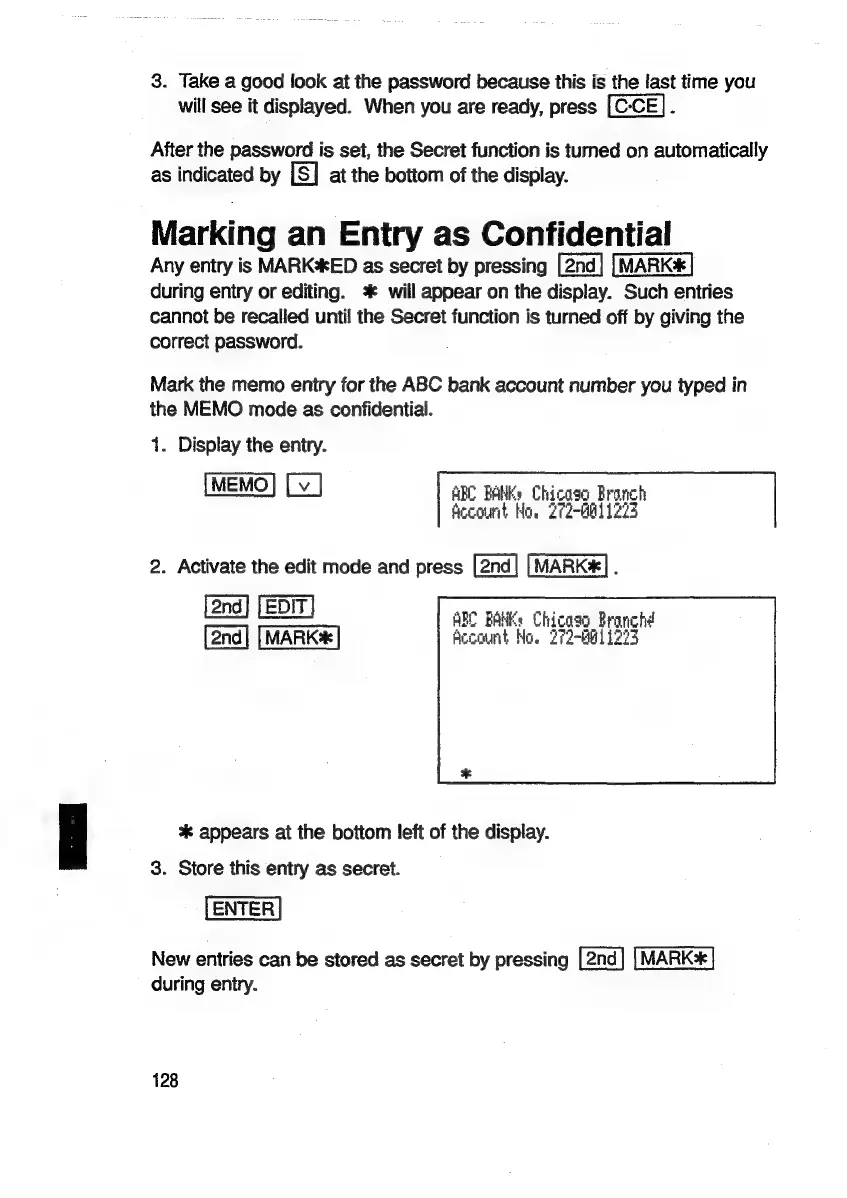
Marking
an
Entry
as
Confidential
Any
entry
is
MARK*ED
as
secret
by
pressing
during
eniry
or
editing.
*
will
appear
on
the
display.
Such
entries
cannot
be
recalled
until
the
Secret
function
is
turned
off
by
giving
the
correct
password.
Mark
the
memo
entry
for
the
ABC
bank
account
number
you
typed
in
the
MEMO
mode
as
confidential.
1.
Display
the
entry.
ABC
BANKĀ»
Chicago
Branch
fecount
Ho.
2f2-Hb11223
2.
Activate
the
edit
mode
and
press
MARK]
.
aul
ABC
BANK:
Chicaso Branch!
MARK
Account
No.
272-B0
1273
%*
appears
at
the
bottom
left
of
the
display.
3.
Store
this
entry
as
secret.
New
entries
can
be
stored
as
secret
by
pressing
MARK*
during
entry.
128

Related product manuals