EasyManua.ls Logo

Sharp ZQ-6100M - Page 132

Sharp ZQ-6100M
194 pages
Print Icon
To Next Page IconTo Next Page
To Previous Page IconTo Previous Page
Loading...
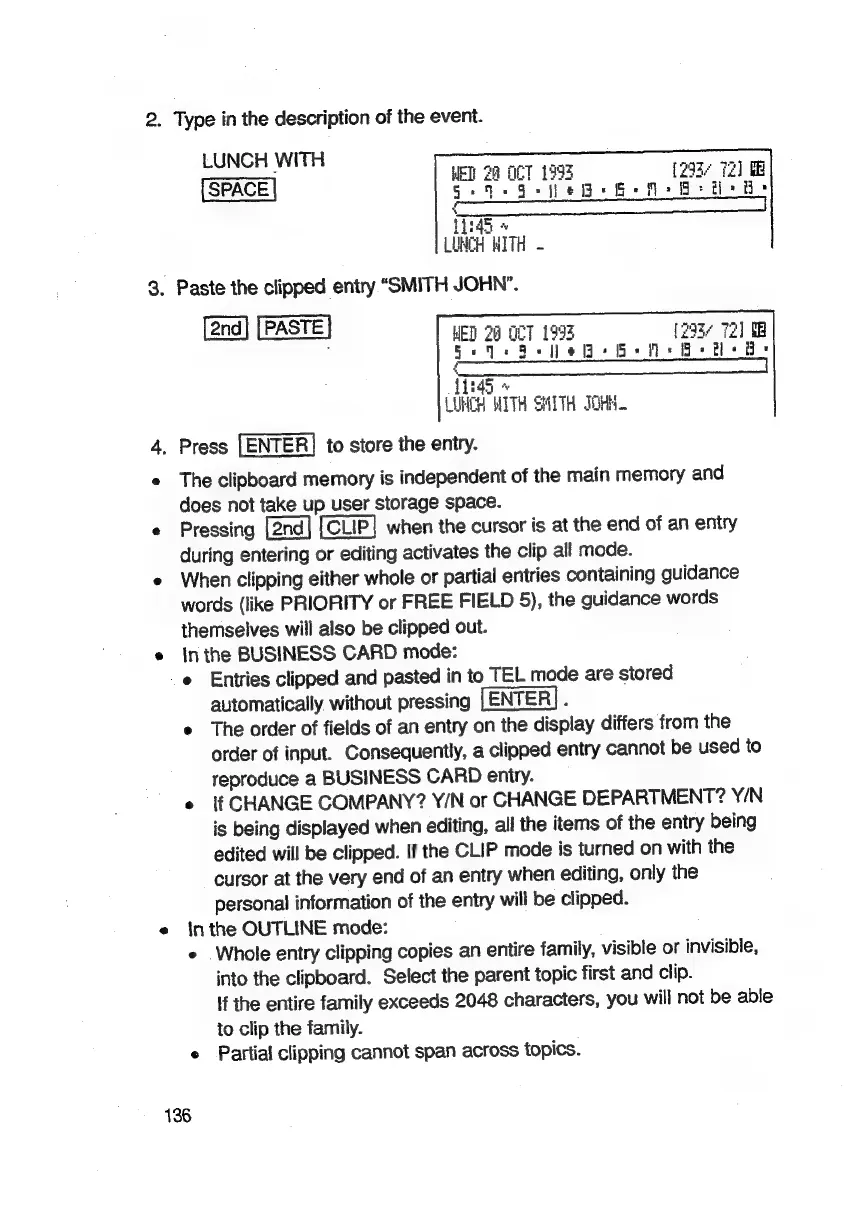
2.
Type
in
the
description
of
the
event.
LUNCH
WITH
ae
aoe
EL
29
OCT
199%
293/
72
SPACE
Gee
§eile
G+
Be
8-H
8
i
:
bai
ye
LUNCH
ITH
3.
Paste
the
clipped
entry
“SMITH
JOHN”.
PASTE
|
WED
20
OCT
1993
[2937
72]
MB
Beds
Se
eG
Bem
Bee
de
en
ee
ee
ee
eat
ne
tT
{1:45
«
LUNCH
WITH
SHITH
OHH.
4.
Press
[ENTER]
to
store
the
entry.
e
The
clipboard
memory
is
independent
of
the
main
memory
and
does
not
take
up
user
storage
space.
e
Pressing
when
the
cursor
is
at
the
end
of
an
entry
during
entering
or
editing
activates
the
clip
all
mode.
e
When
clipping
either
whole
or
partial
entries
containing
guidance
words
(like
PRIORITY
or
FREE
FIELD
5),
the
guidance
words
themselves
will
also
be
clipped
out.
e
Inthe
BUSINESS
CARD
mode:
e
Entries
clipped
and
pasted
in
to
TEL
mode
are
stored
automatically
without
pressing
:
e
The
order
of
fields
of
an
entry
on
the
display
differs
from
the
order
of
input.
Consequently,
a
clipped
entry
cannot
be
used
to
reproduce
a
BUSINESS
CARD
entry.
¢
If
CHANGE
COMPANY?
Y/N
or
CHANGE
DEPARTMENT?
Y/N
is
being
displayed
when
editing,
all
the
items
of
the
eniry
being
edited
will
be
clipped.
If
the
CLIP
mode
is
turned
on
with
the
cursor
at
the
very
end
of
an
entry
when
editing,
only
the
personal
information
of
the
entry
will
be
clipped.
e
inthe
OUTLINE
mode:
e
Whole
entry
clipping
copies
an
entire
family,
visible
or
invisible,
into
the
clipboard.
Select
the
parent
topic
first
and
clip.
if
the
entire
family
exceeds
2048
characters,
you
will
not
be
able
to
clip
the
family.
e
Partial
clipping
cannot
span
across
topics.
136

Related product manuals