EasyManua.ls Logo

Sharp ZQ-6100M - Page 135

Sharp ZQ-6100M
194 pages
Print Icon
To Next Page IconTo Next Page
To Previous Page IconTo Previous Page
Loading...
e
Maximum
length
of
search
string
is
40
characters.
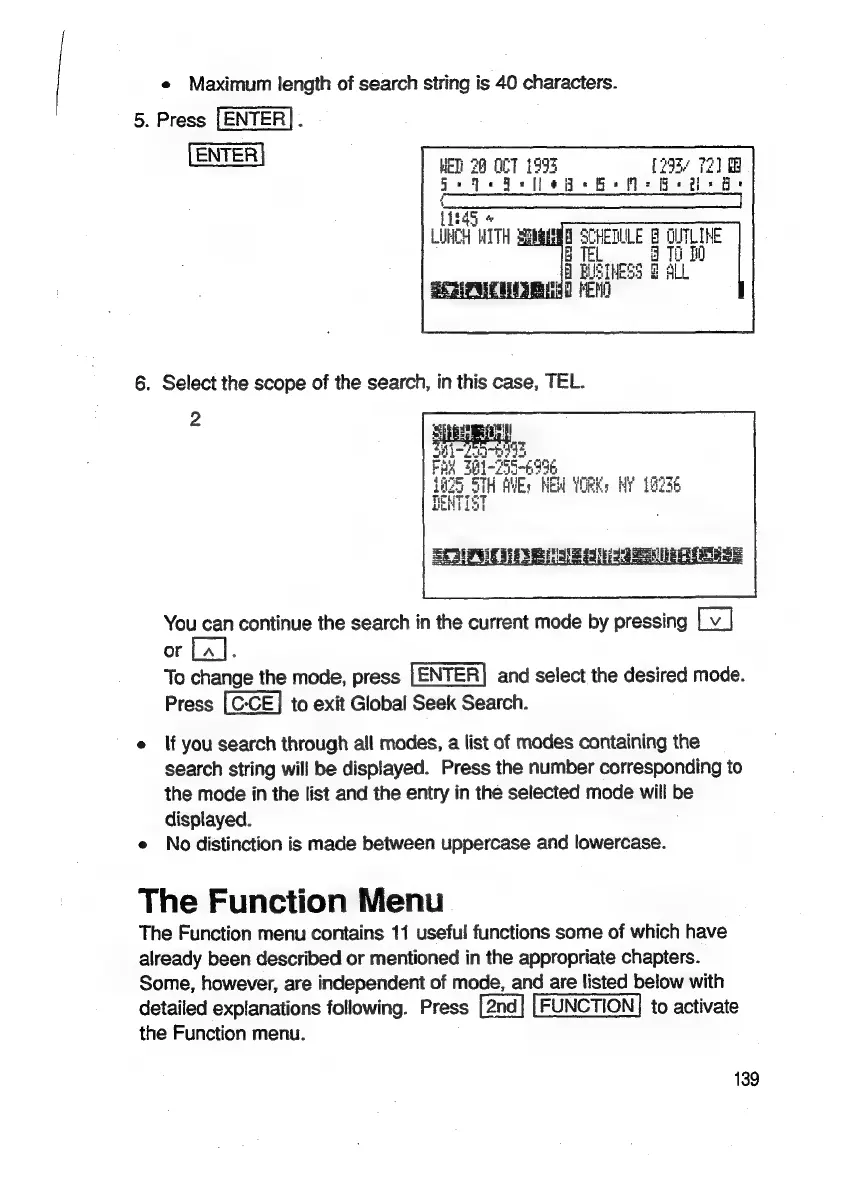
5.
Press
[ENTER].
ENTER
WET
28
O07
1995
[293/
72]
@
ia
ee
OO
=
=
AE
AAT
NE
ALT
RMN,
NEE
CIEE
(1e45
LUHCH
WITH
Siebees
LITLIKE
B
TEL
i
10
f
ALL
2
You
can
continue
the
search
in
the
current
mode
by
pressing
or
La].
To
change
the
mode,
press
and
select
the
desired
mode.
Press
to
exit
Global
Seek
Search.
e
lf
you
search
through
all
modes,
a
list
of
modes
containing
the
search
string
will
be
displayed.
Press
the
number
corresponding
to
the
mode
in
the
list
and
the
entry
in
the
selected
mode
will
be
displayed.
e
No
distinction
is
made
between
uppercase
and
lowercase.
The
Function
Menu
The
Function
menu
contains
11
useful
functions
some
of
which
have
already
been
described
or
mentioned
in
the
appropriate
chapters.
Some,
however,
are
independent
of
mode,
and
are
listed
below
with
detailed
explanations
following.
Press
FUNCTION]
to
activate
the
Function
menu.
139

Related product manuals