EasyManua.ls Logo

Sharp ZQ-6100M - Page 136

Sharp ZQ-6100M
194 pages
Print Icon
To Next Page IconTo Next Page
To Previous Page IconTo Previous Page
Loading...
MEMORY
CHECK
__
Indicates
how
much
memory
is
in
use.
DAILY
ALARM
Set
up
to
7
independent
daily
alarms.
USER'S
DIC
A
dictionary
for
rapid
entry
of
words
or
phrases
registered
by
the
user.
LANGUAGE
Select
the
language
for
guidance
and
help.
SET
UP
Allows
setting
of
the
date
and
calendar
formats.
START-UP
DISPLAY
Define
a
customized
start-up
display
and
specify
whether
to
request
the
password
to
inhibit
unauthorized
use
of
your
Organizer.
Checking
remaining
memory
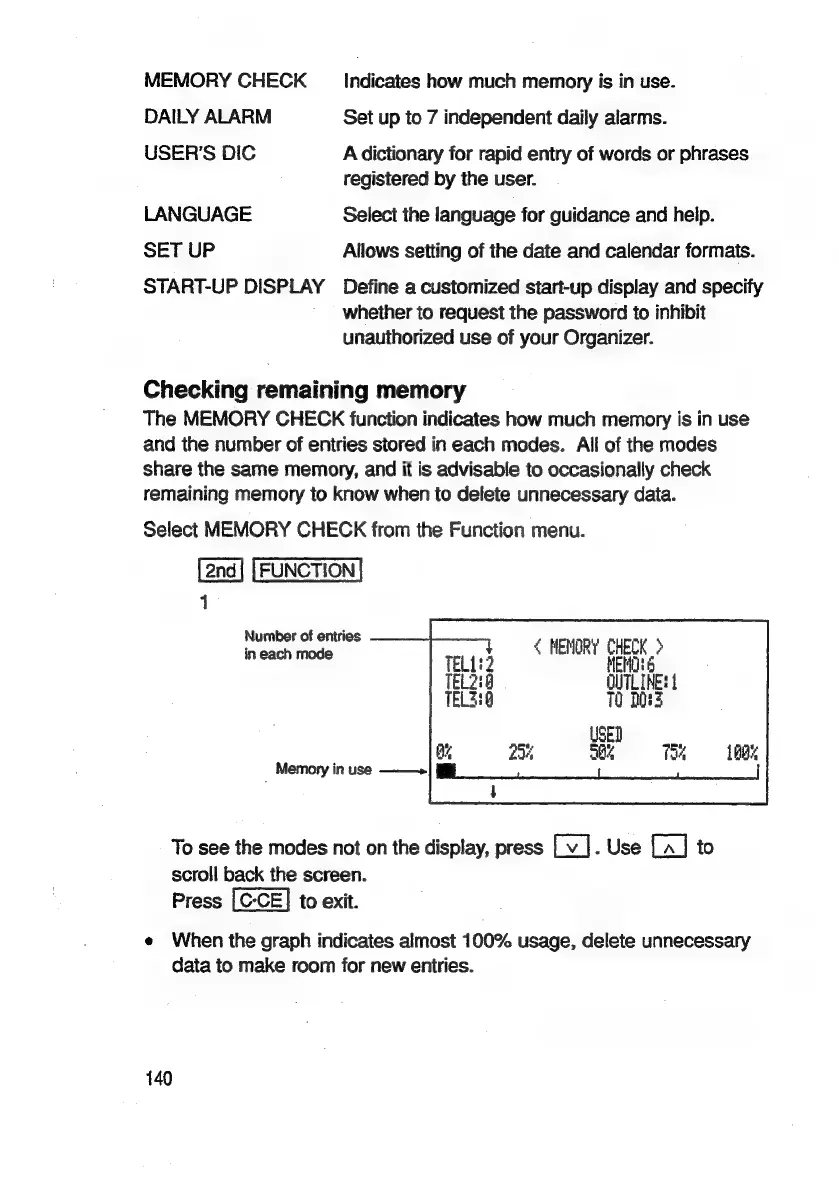
The
MEMORY
CHECK
function
indicates
how
much
memory
is
in
use
and
the
number
of
eniries
stored
in
each
modes.
All
of
the
modes
share
the
same
memory,
and
it
is
advisable
to
occasionally
check
remaining
memory
to
know
when
to
delete
unnecessary
data.
Select
MEMORY
CHECK
from
the
Function
menu.
FUNCTION
|
Number
of
entries
in
each
mode
<
MEMORY
CHECK
>
M06
C
MEM
Ol)
Memory
in
use
———>
To
see
the
modes
not
on
the
display,
press
.
Use
to
scroll
back
the
screen.
Press
to
exit.
e
When
the
graph
indicates
almost
100%
usage,
delete
unnecessary
data
to
make
room
for
new
entries.
140

Related product manuals