EasyManua.ls Logo

Sharp ZQ-6100M - Page 137

Sharp ZQ-6100M
194 pages
Print Icon
To Next Page IconTo Next Page
To Previous Page IconTo Previous Page
Loading...
Daily
alarms
Up
to
7
daily
alarms
can
be
set
just
like
7
regular
alarm
clocks.
Each
may
be
independently
set
or
canceled
and
they
can
be
all
muted
together
(along
with
any
schedule
alarms)
for
when
you
must
not
be
disturbed.
{\
must
be
displayed
for
alarms
to
sound.
Press
[a]
to
cancel
or
display
Als
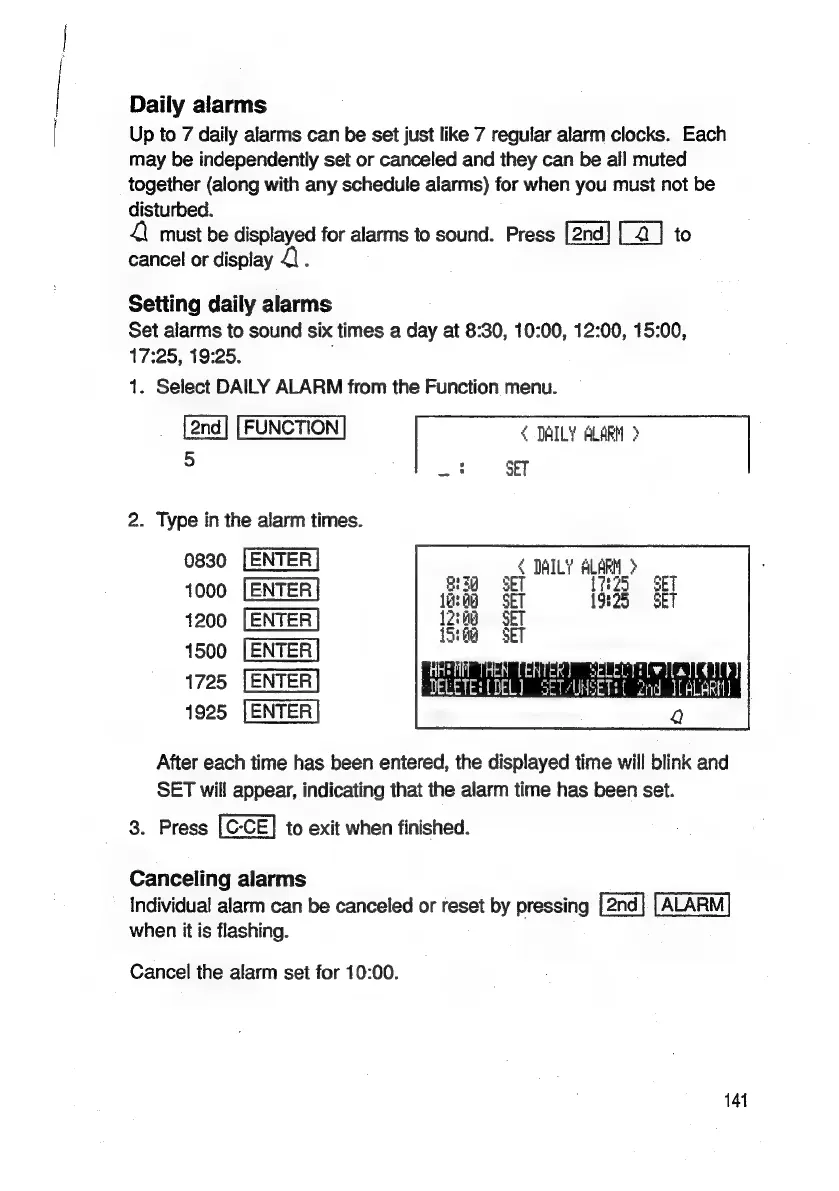
Setting
daily
alarms
Set
alarms
to
sound
six
times
a
day
at
8:30,
10:00,
12:00,
15:00,
17:25,
19:25.
,
1.
Select
DAILY
ALARM
from
the
Function
menu.
FUNCTION
<
DAILY
ALARM
>
5
*
pas
SET
2.
Type
in
the
alarm
times.
0830
DAILY
ALARM
>
1000
+
fg
1200
1500
Al
RAGE.
1725
DELETES
(znd
IALARIH)
1925
After
each
time
has
been
entered,
the
displayed
time
will
blink
and
SET
will
appear,
indicating
that
the
alarm
time
has
been
set.
3.
Press
to
exit
when
finished.
Canceling
alarms
Individual
alarm
can
be
canceled
or
reset
by
pressing
ALARM
when
it
is
flashing.
Cancel
the
alarm
set
for
10:00.
141

Related product manuals