EasyManua.ls Logo

Sharp ZQ-6100M - Page 139

Sharp ZQ-6100M
194 pages
Print Icon
To Next Page IconTo Next Page
To Previous Page IconTo Previous Page
Loading...
The
user
dictionary
Frequently
used
words,
phrases,
and
sentences
can
be
stored
in
the
user
dictionary
and
recalled
when
needed
to
save
time
for
entry
in
any
mode.
The
words,
phrases,
and
sentences
stored
in
the
user
dictionary
are
stored
on
pages
of
5
entries
arranged
alphabetically
from
A
to
Z,
with
entries
beginning
with
a
number,
symbol,
or
special
character
are
on
a
page(s)
preceding
these.
Storing
data
in
the
user
dictionary
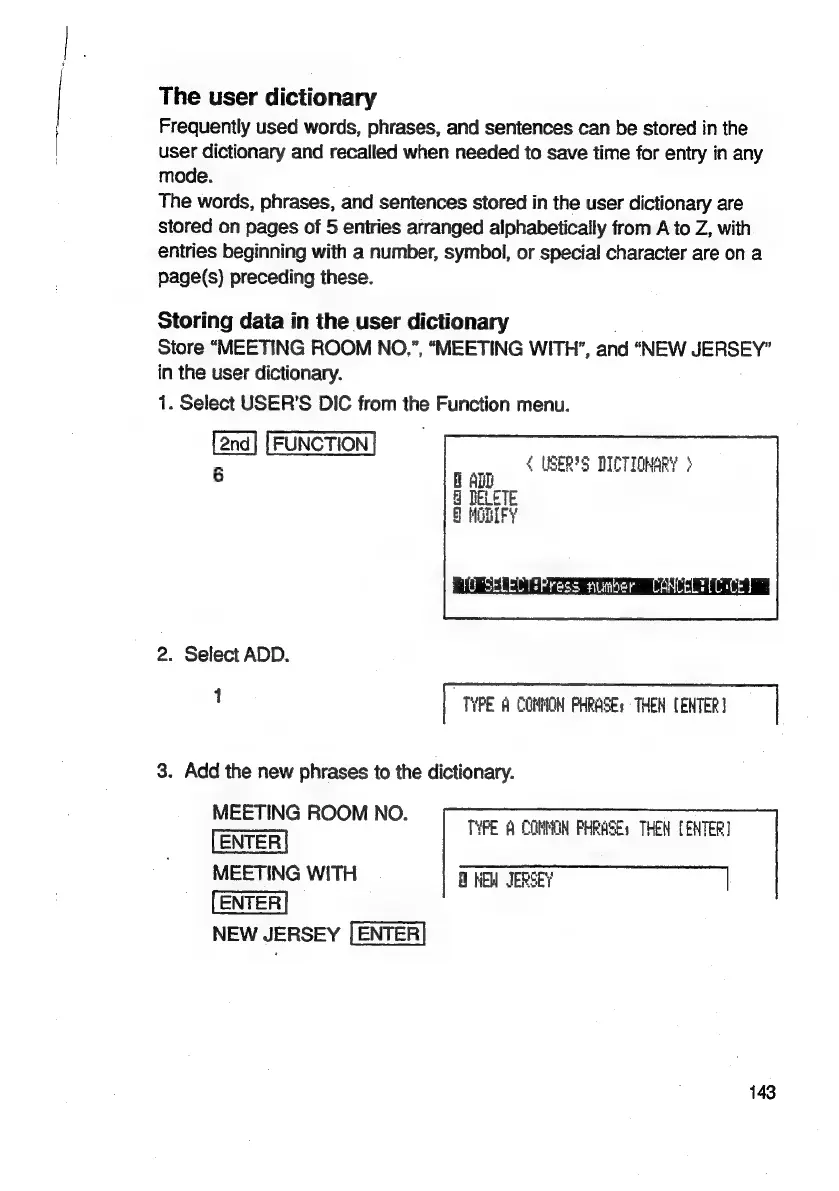
Store
“MEETING
ROOM
NO.”,
“MEETING
WITH’,
and
“NEW
JERSEY”
in
the
user
dictionary.
1.
Select
USER’S
DIC
from
the
Function
menu.
6
{
USER'S
DICTIONARY
>
H
ADL
DELETE
)
MODIFY
2.
Select
ADD.
1
|
TYPE
A
COMMON
PHRASE:
THEN
CENTER}
|
3.
Add
the
new
phrases
to
the
dictionary.
MEETING
ROOM
NO.
MEETING
WITH
NEW
JERSEY
NEW
JERSEY
TYPE
A
COMMON
PHRASEs
THEN
{ENTER
143

Related product manuals