EasyManua.ls Logo

Sharp ZQ-6100M - Page 142

Sharp ZQ-6100M
194 pages
Print Icon
To Next Page IconTo Next Page
To Previous Page IconTo Previous Page
Loading...
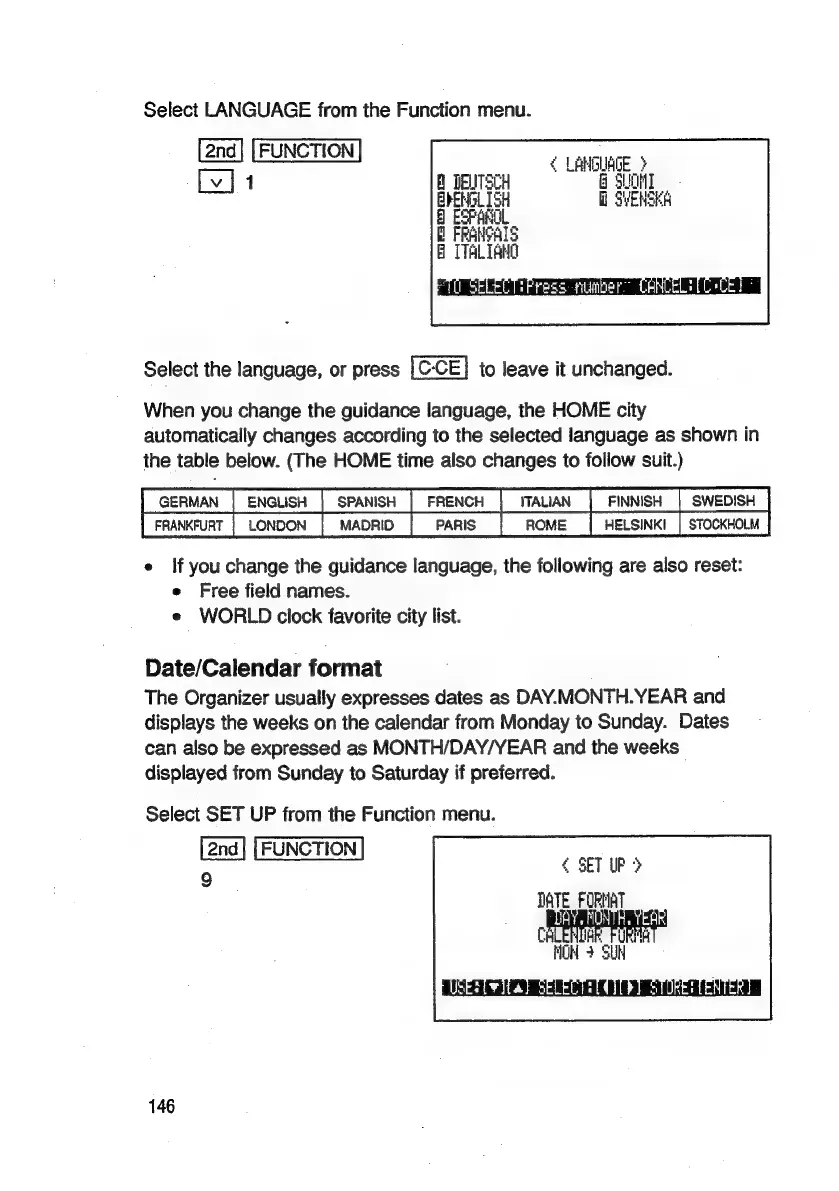
Select
LANGUAGE
from
the
Function
menu.
FUNCTION
Cina
|
1
B
DEUTSCH
=
gsm
Select
the
language,
or
press
to
leave
it
unchanged.
When
you
change
the
guidance
language,
the
HOME
city
automatically
changes
according
to
the
selected
language
as
shown
in
the
table
below.
(The
HOME
time
also
changes
to
follow
suit.)
TSenwaN
|
ENGUSH
FRENCH
FINNISH
|
SWEDISH
|
FRANKFURT
|
LONDON
|
MADRIO
|
PARIS
|
ROME
|
HELSINKI
|
STOCKHOLM
e
If
you
change
the
guidance
language,
the
following
are
also
reset:
e
Free
field
names.
e
WORLD
clock
favorite
city
list.
Date/Calendar
format
The
Organizer
usually
expresses
dates
as
DAY.MONTH.YEAR
and
displays
the
weeks
on
the
calendar
from
Monday
to
Sunday.
Dates
can
also
be
expressed
as
MONTH/DAY/YEAR
and
the
weeks
displayed
from
Sunday
to
Saturday
if
preferred.
Select
SET
UP
from
the
Function
menu.
[2nd]
[FUNCTION]
9
¢
SET
UP
>
DATE
FORMAT
CHLENDAR
FURM
NOM
4
SUH
PUSEST
iia}
SELELELCIIDT
SURE
LENTERS
|
146

Related product manuals