EasyManua.ls Logo

Sharp ZQ-6100M - Page 145

Sharp ZQ-6100M
194 pages
Print Icon
To Next Page IconTo Next Page
To Previous Page IconTo Previous Page
Loading...
PERIPHERALS
The
expansion
options
of
the
Organizer
are
extensive.
Data
can
be
printed
out
to
get
a
hard
copy
and
information
can
be
transferred
for
backup
or
to
integrate
the
Organizer
into
an
information
network.
Printing
Out.
Using
the
optional
CE-50P
printer
you
can
make
a
hard
copy
of
any
or
all
entries
in
your
Organizer.
Connecting
the
printer
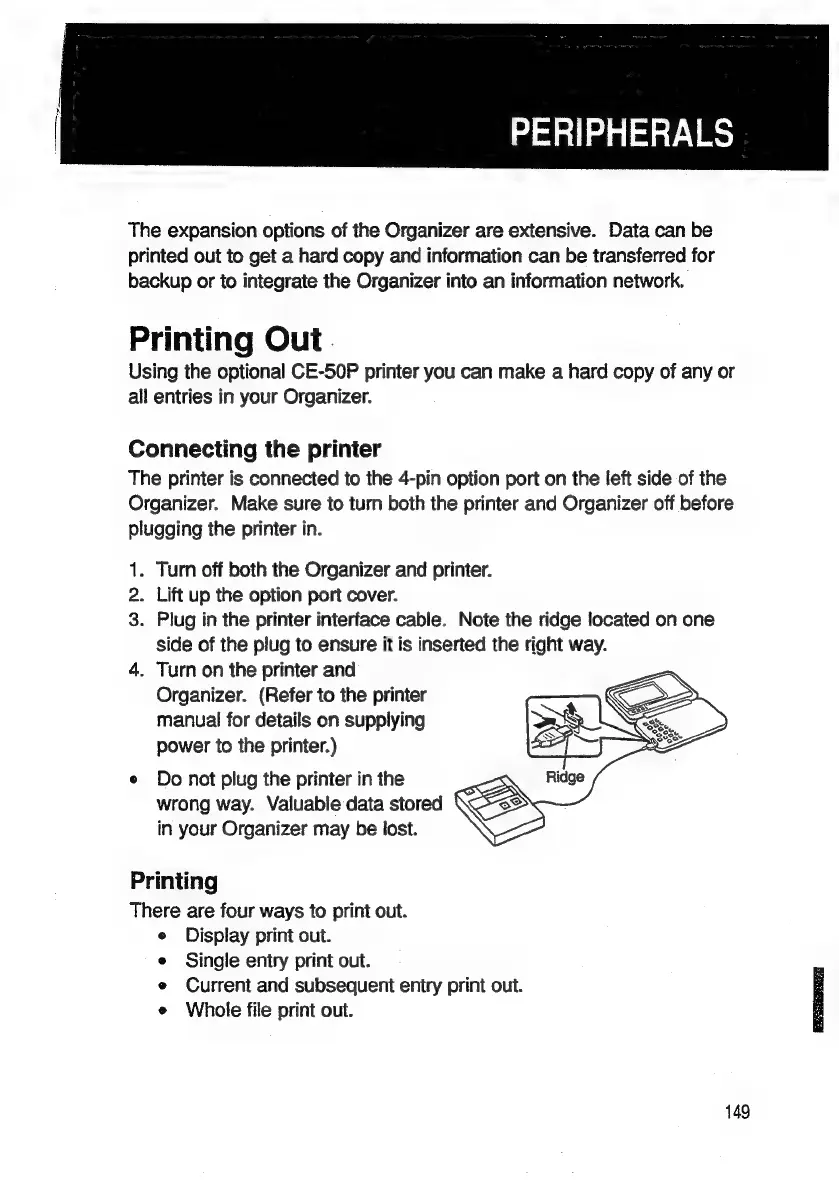
The
printer
is
connected
to
the
4-pin
option
port
on
the
left
side
of
the
Organizer.
Make
sure
to
turn
both
the
printer
and
Organizer
off
before
plugging
the
printer
in.
1.
Turn
off
both
the
Organizer
and
printer.
2.
Lift
up
the
option
port
cover.
3.
Plug
in
the
printer
interface
cable.
Note
the
ridge
located
on
one
side
of
the
plug
to
ensure
it
is
inserted
the
right
way.
4.
Turn
on
the
printer
and
Organizer.
(Refer
to
the
printer
manual
for
details
on
supplying
power
to
the
printer.)
e
Do
not
plug
the
printer
in
the
wrong
way.
Valuable
data
stored
in
your
Organizer
may
be
lost.
Printing
There
are
four
ways
to
print
out.
Display
print
out.
Single
entry
print
out.
Current
and
subsequent
entry
print
out.
Whole
file
print
out.
149

Related product manuals