EasyManua.ls Logo

Sharp ZQ-6100M - Page 147

Sharp ZQ-6100M
194 pages
Print Icon
To Next Page IconTo Next Page
To Previous Page IconTo Previous Page
Loading...
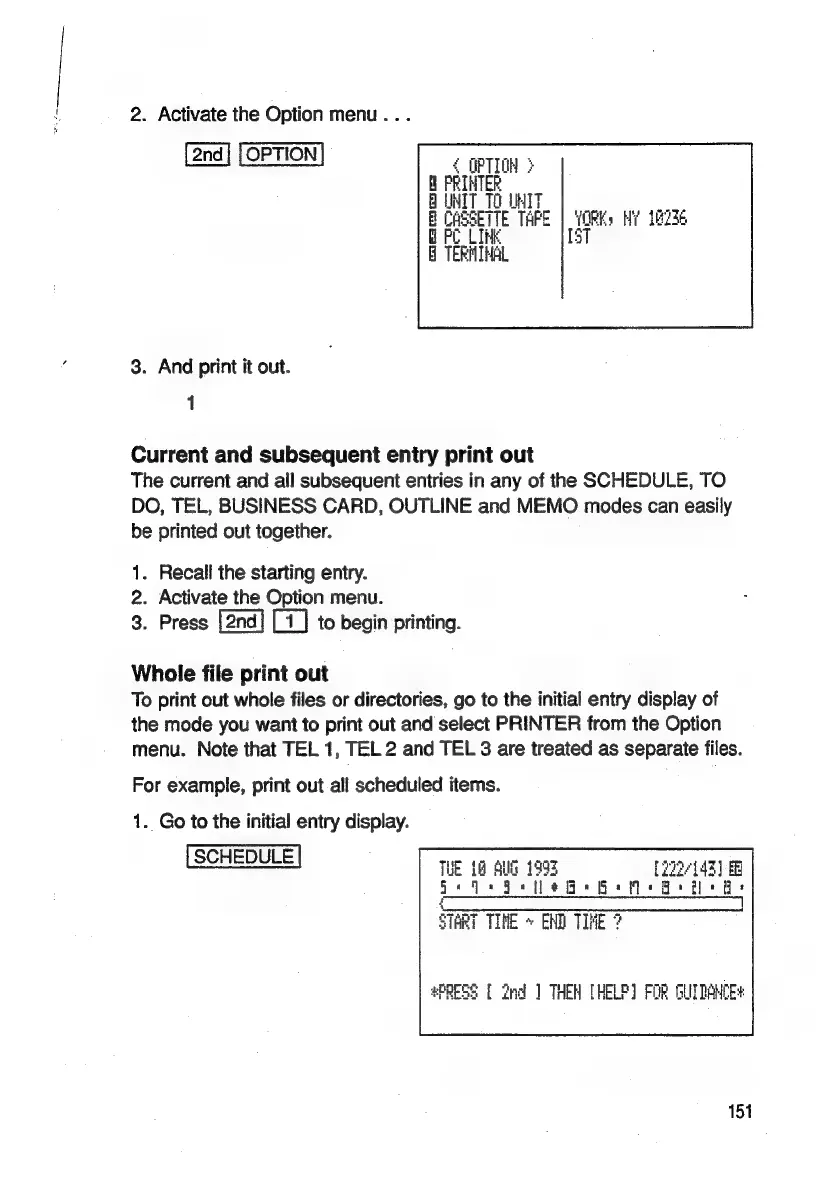
2.
Activate
the
Option
menu...
YORK:
Hi
18236
157
3.
And
print
it
out.
1
Current
and
subsequent
entry
print
out
The
current
and
all
subsequent
entries
in
any
of
the
SCHEDULE,
TO
DO,
TEL,
BUSINESS
CARD,
OUTLINE
and
MEMO
modes
can
easily
be
printed
out
together.
1.
Recall
the
starting
entry.
2.
Activate
the
Option
menu.
3.
Press
to
begin
printing.
Whole
file
print
out
To
print
out
whole
files
or
directories,
go
to
the
initial
entry
display
of
the
mode
you
want
to
print
out
and
select
PRINTER
from
the
Option
menu.
Note
that
TEL
1,
TEL
2
and
TEL
3
are
treated
as
separate
files.
For
example,
print
out
all
scheduled
items.
1.
Go
to
the
initial
entry
display.
SCHEDULE
THE
18
Sul
1993
[22143]
>
a:
a
|
=
=
ee
ieee
eee
een
STRT
TIVE
»
END
TIHE
2
#PRESS
[
2nd
]
THEN
[HELP]
FOR
GUIDANCE
151

Related product manuals