EasyManua.ls Logo

Sharp ZQ-6100M - Page 148

Sharp ZQ-6100M
194 pages
Print Icon
To Next Page IconTo Next Page
To Previous Page IconTo Previous Page
Loading...
2.
Print
them
all
out.
[2nd]
[OPTION]
1
e
Press
to
interrupt
printing.
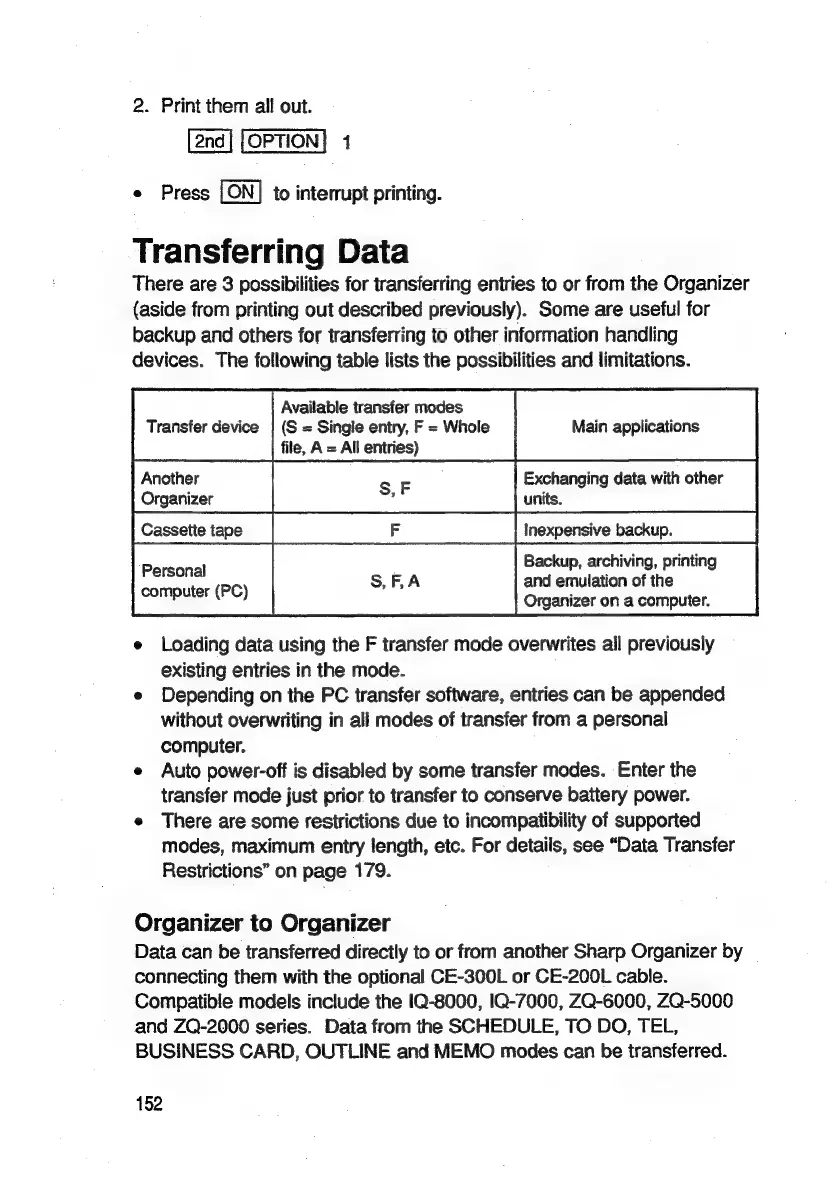
Transferring
Data
There
are
3
possibilities
for
transferring
entries
to
or
from
the
Organizer
(aside
from
printing
out
described
previously).
Some
are
useful
for
backup
and
others
for
transferring
to
other
information
handling
devices.
The
following
table
lists
the
possibilities
and
limitations.
Available
transfer
modes
Transfer
device
|
(S
=
Single
entry,
F
=
Whole
Main
applications
file,
A
=
All
entries)
Another
Organizer
Exchanging
data
with
other
units.
Cassette
tape
Inexpensive
backup.
Backup,
archiving,
printing
and
emulation
of
the
Organizer
on
a
computer.
Personal
computer
(PC)
e
Loading
data
using
the
F
transfer
mode
overwrites
ail
previously
existing
entries
in
the
mode.
e
Depending
on
the
PC
transfer
software,
entries
can
be
appended
without
overwriting
in
all
modes
of
transfer
from
a
personal
computer.
e
Auto
power-off
is
disabled
by
some
transfer
modes.
Enter
the
transfer
mode
just
prior
to
transfer
to
conserve
battery
power.
e
There
are
some
restrictions
due
to
incompatibility
of
supported
modes,
maximum
entry
length,
etc.
For
details,
see
“Data
Transfer
Restrictions”
on
page
179.
Organizer
to
Organizer
Data
can
be
transferred
directly
to
or
from
another
Sharp
Organizer
by
connecting
them
with
the
optional
CE-300L
or
CE-200L
cable.
Compatible
models
include
the
1Q-8000,
IQ-7000,
ZQ-6000,
ZQ-5000
and
ZQ-2000
series.
Data
from
the
SCHEDULE,
TO
DO,
TEL,
BUSINESS
CARD,
OUTLINE
and
MEMO
modes
can
be
transferred.
152

Related product manuals