EasyManua.ls Logo

Sharp ZQ-6100M - Page 155

Sharp ZQ-6100M
194 pages
Print Icon
To Next Page IconTo Next Page
To Previous Page IconTo Previous Page
Loading...
Terminal
Function
The
Terminal
function
allows
the
Organizer
to
be
used
as
a
computer
terminal.
This
means
you
can
link
up
to
another
Organizer
or
to
a
computer
system
exchanging
data
over
the
telephone
lines
with
say
a
bulletin
board
service
(BBS)
or
an
information
retrieval
service
(IRS).
While
on-line,
you
can
send
and
receive
messages
using
the
keyboard
and
display,
and
receive
(download)
files
from
the
remote
computer
or
send
(upload)
files
to
the
remote
computer.
For
the
purpose
of
introduction,
let's
assume
you
want
to
connect
to
CompuServee,
a
very
popular
information
network.
*
CompuServe
is
a
registered
trademark
of
CompuServe
Incorporated.
*
Hayes
is
a
registered
trademark
of
Hayes
Microcomputer
Products,
Inc.
*
MNP
is
a
registered
trademark
of
Microcom,
Inc.
Setting
up
Before
you
can
connect
to
CompuServe,
you
must
set
up
both
the
Organizer
and
some
external
hardware.
Setting
up
the
hardware
To
connect
the
Organizer
to
the
telephone
line,
you
need
a
Hayes-
compatible
modem
and
an
RS-232C
level
converter
interface
cable
Sharp
CE-130T
or
CE-131T.
If
you
use
the
CE-131T
level
converter,
you
will
also
need
a
Se
ae
null-modem
adapter,
a
common
accessory
3
=
2
available
through
most
computer
dealers,
oA
oe
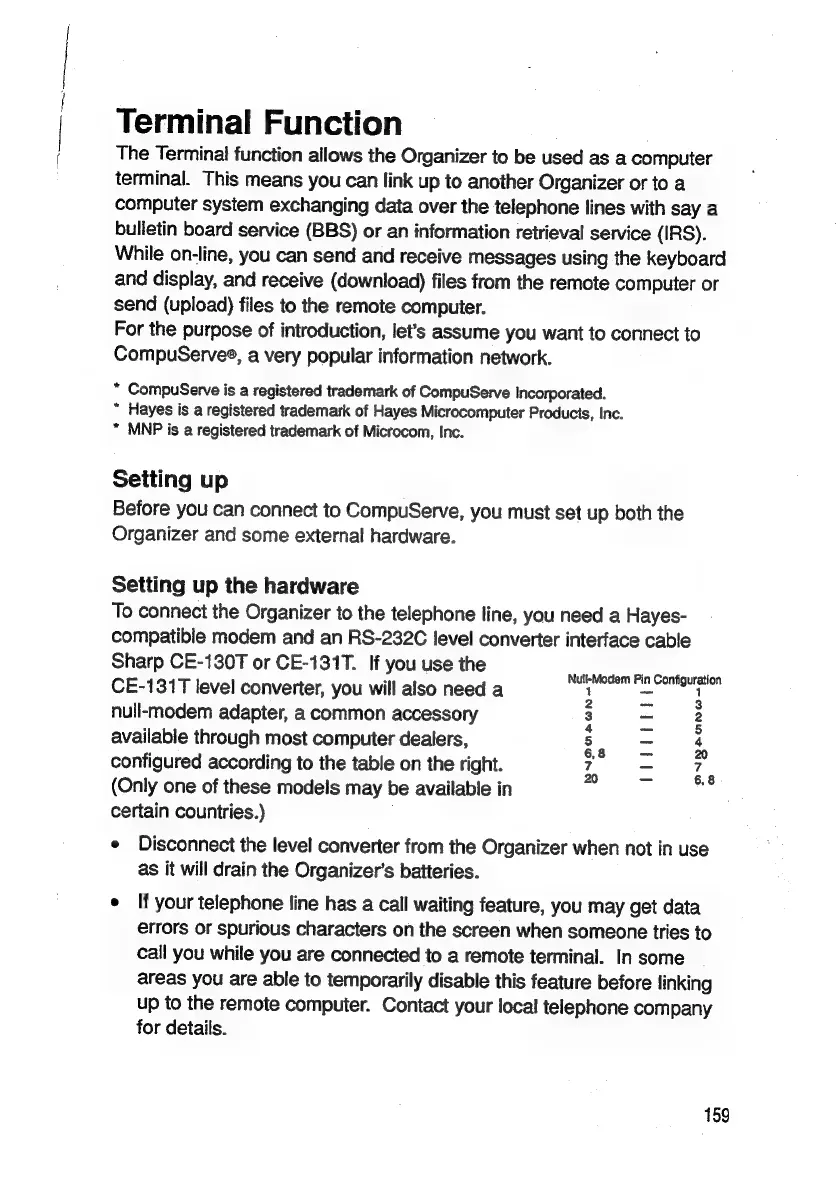
configured
according
to
the
table
on
the
right.
iB
7
7
(Only
one
of
these
models
may
be
available
in
certain
countries.)
e
Disconnect
the
level
converter
from
the
Organizer
when
not
in
use
as
it
will
drain
the
Organizer’s
batteries.
¢
If
your
telephone
line
has
a
call
waiting
feature,
you
may
get
data
errors
or
spurious
characters
on
the
screen
when
someone
tries
to
call
you
while
you
are
connected
to
a
remote
terminal.
In
some
areas
you
are
able
to
temporarily
disable
this
feature
before
linking
up
to
the
remote
computer.
Contact
your
local
telephone
company
for
details.
159

Related product manuals