EasyManua.ls Logo

Sharp ZQ-6100M - Page 161

Sharp ZQ-6100M
194 pages
Print Icon
To Next Page IconTo Next Page
To Previous Page IconTo Previous Page
Loading...
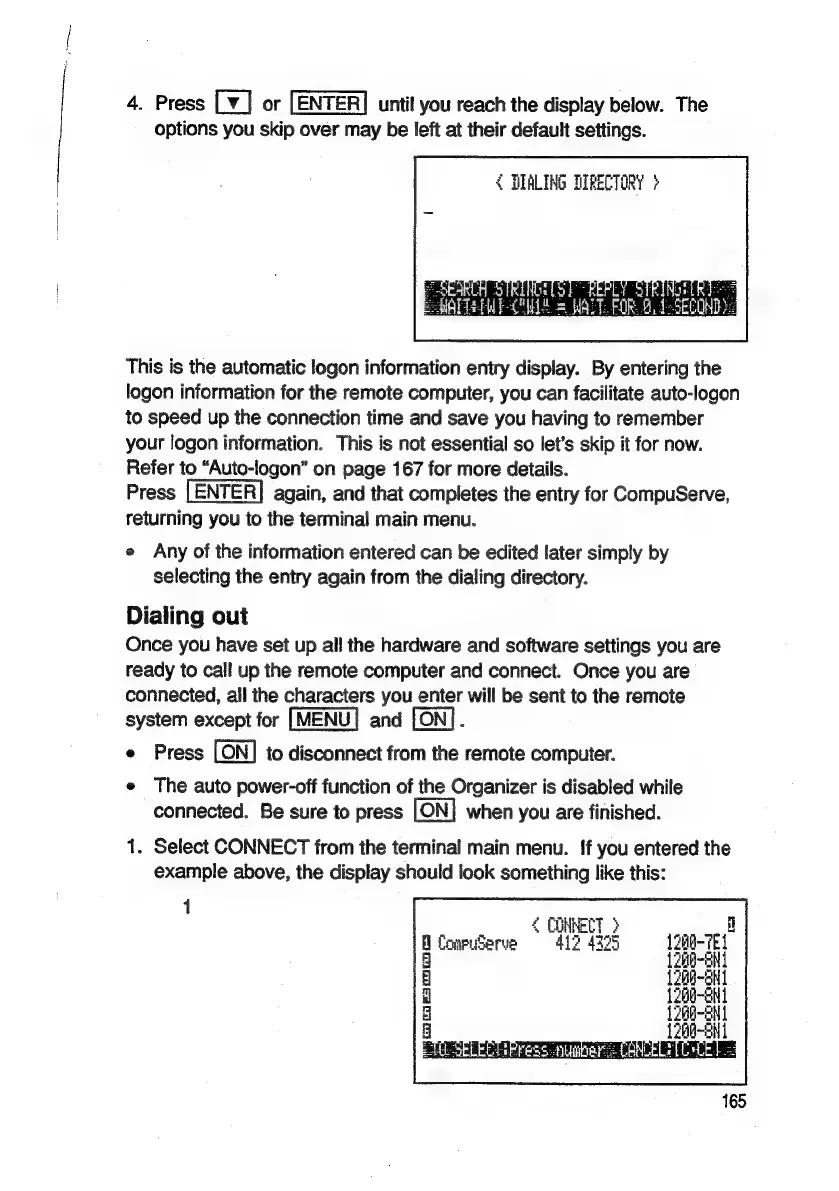
4.
Press
[¥]
or
[ENTER]
until
you
reach
the
display
below.
The
options
you
skip
over
may
be
left
at
their
default
settings.
4
DIALING
DIRECTORY
>
This
is
the
automatic
logon
information
entry
display.
By
entering
the
logon
information
for
the
remote
computer,
you
can
facilitate
auto-logon
to
speed
up
the
connection
time
and
save
you
having
to
remember
your
logon
information.
This
is
not
essential
so
let’s
skip
it
for
now.
Refer
to
“Auto-logon”
on
page
167
for
more
details.
Press
again,
and
that
completes
the
entry
for
CompuServe,
returning
you
to
the
terminal
main
menu.
2
Any
of
the
information
entered
can
be
edited
later
simply
by
selecting
the
entry
again
from
the
dialing
directory.
Dialing
out
Once
you
have
set
up
all
the
hardware
and
software
settings
you
are
ready
to
call
up
the
remote
computer
and
connect.
Once
you
are
connected,
all
the
characters
you
enter
will
be
sent
to
the
remote
system
except
for
[MENU]
and
.
e
Press
to
disconnect
from
the
remote
computer.
e
The
auto
power-off
function
of
the
Organizer
is
disabled
while
connected.
Be
sure
to
press
when
you
are
finished.
1.
Select
CONNECT
from
the
terminal
main
menu.
{f
you
entered
the
example
above,
the
display
should
look
something
like
this:
i
1200-7E
1300-

Related product manuals