EasyManua.ls Logo

Sharp ZQ-6100M - Page 28

Sharp ZQ-6100M
194 pages
Print Icon
To Next Page IconTo Next Page
To Previous Page IconTo Previous Page
Loading...
The
following
symbols
can
appear
before
a
city
in
the
city
list.
»
:
Indicates
that
the
city
has
been
designated
as
the
HOME
city,
and
DST
is
not
set.
>
:
Indicates
that
the
city
has
been
designated
as
the
HOME
city
and
DST
is
set.
©
:
Indicates
that
DST
is
set.
e
Certain
countries
will
be
abbreviated
on
the
display
as
follows:
Federal
Republic
of
Germany
GERMANY,
F.R.
Papua
New
Guinea
PAPUA
N.GUINEA
Republic
of
Trinidad
and
Tobago
TRINID.
&
TOB.
United
Arab
Emirates
U.A.
EMIRATES
United
States
of
America
USA
_
©
Country
and
city
names
in
the
world
cities
list
and
the
time
differences
of
the
WORLD
clock
are
as
of
January
1992.
Setting
the
HOME
time
and
date
The
HOME
time
can
be
displayed
using
either
the
24-hour
system
or
12-hour
AM/PM
system.
e
The
city
must
be
set
before
the
time.
Set
the
time
and
date
to
13:30,
10
August
1993.
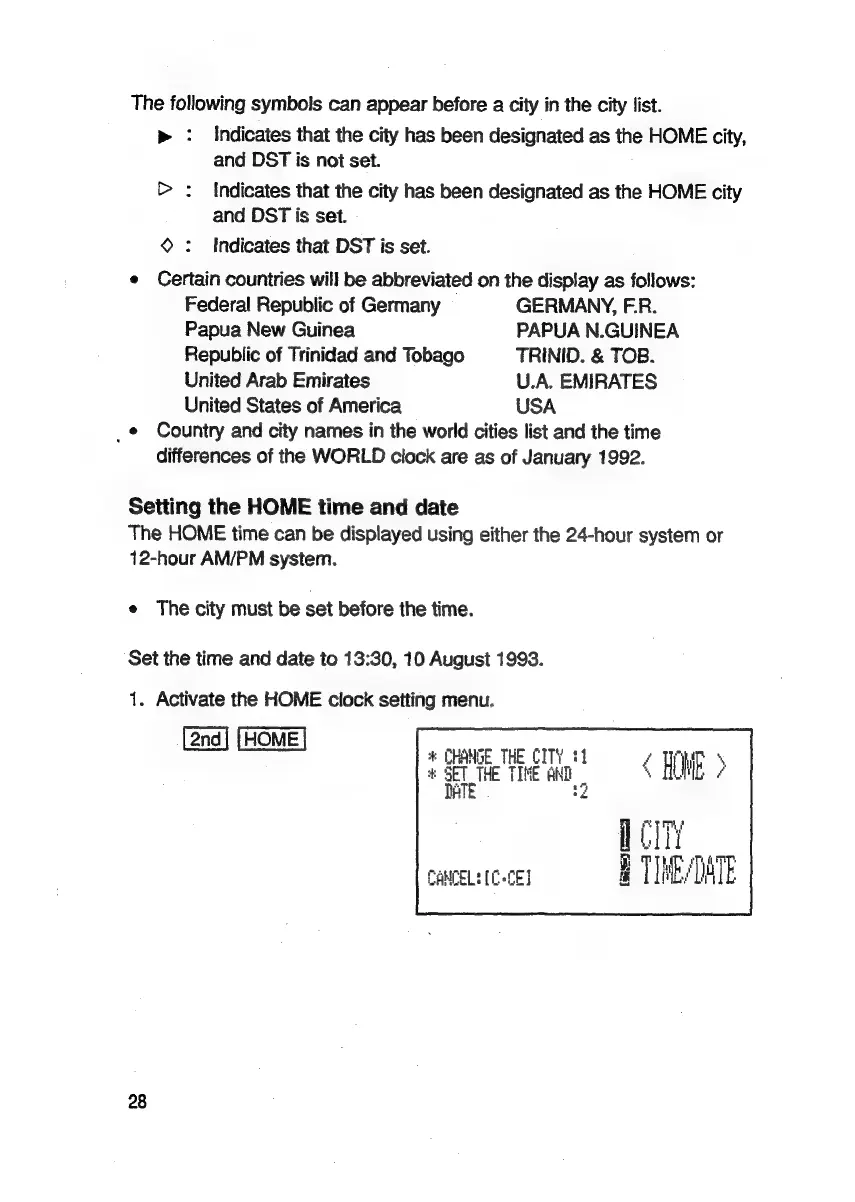
1.
Activate
the
HOME
clock
setting
menu.
*
CHANGE
THE
CITY.)
=v
ary
4
ae
Te
TIME:
AND
C
HOWE
>
fi
2
<
ci
CANCEL:
(CCE
H
TIME/DATE
28

Related product manuals