EasyManua.ls Logo

Sharp ZQ-6100M - Page 29

Sharp ZQ-6100M
194 pages
Print Icon
To Next Page IconTo Next Page
To Previous Page IconTo Previous Page
Loading...
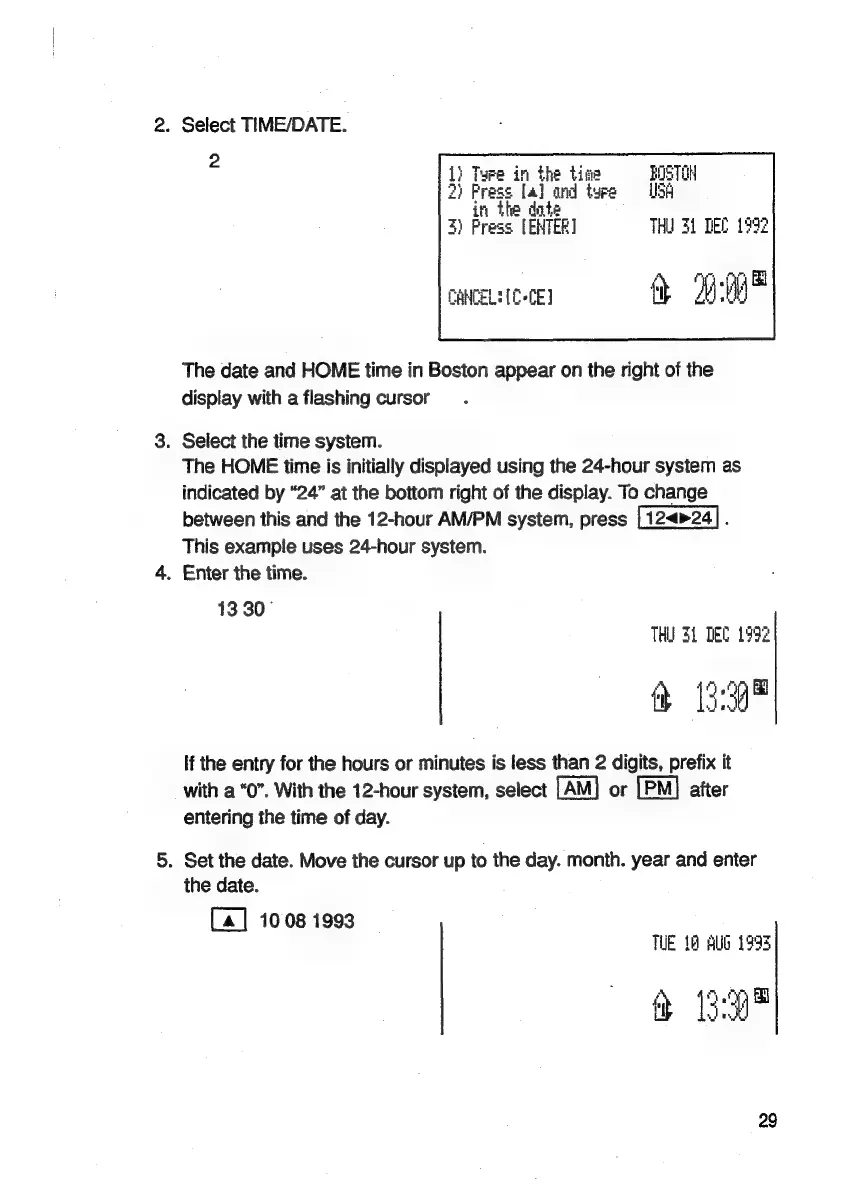
2.
Select
TIME/DATE.
:
in
the
tine
Pee
on
tyre
e
dnt
s
[ENTER
THU
34
DEC
1992
CANCEL:
(0
-CE)
it
"9:00
The
date
and
HOME
time
in
Boston
appear
on
the
right
of
the
display
with
a
flashing
cursor
3.
Select
the
time
system.
The
HOME
time
is
initially
displayed
using
the
24-hour
system
as
indicated
by
“24”
at
the
bottom
right
of
the
display.
To
change
between
this
and
the
12-hour
AM/PM
system,
press
:
This
example
uses
24-hour
system.
4.
Enter
the
time.
13
30°
THU
31
DEC
1992
&
13:39"
If
the
entry
for
the
hours
or
minutes
is
less
than
2
digits,
prefix
it
with
a
“0”.
With
the
12-hour
system,
select
or
after
entering
the
time
of
day.
5.
Set
the
date.
Move
the
cursor
up
to
the
day.
month.
year
and
enter
the
date.
[a]
10:08
1993
TUE
18
AUG
1993
&
Ba"
29

Related product manuals