EasyManua.ls Logo

Sharp ZQ-6100M - Page 61

Sharp ZQ-6100M
194 pages
Print Icon
To Next Page IconTo Next Page
To Previous Page IconTo Previous Page
Loading...
Use
and
to
step
through
pages
of
entries
and
[a
|
and
[‘¥]
to
select
different
entries.
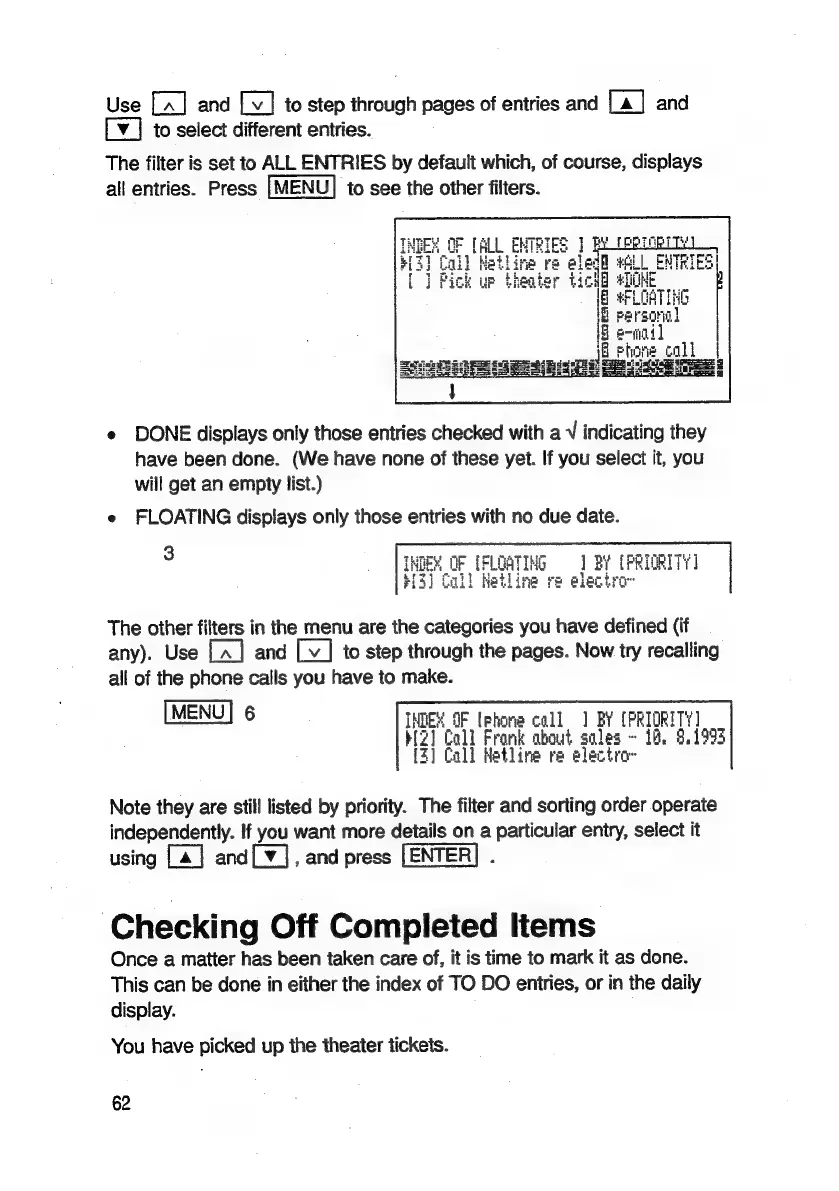
The
filter
is
set
to
ALL
ENTRIES
by
default
which,
of
course,
displays
all
entries.
Press
|
MENU]
to
see
the
other
filters.
e
DONE
displays
only
those
entries
checked
with
a
V
indicating
they
have
been
done.
(We
have
none
of
these
yet.
If
you
select
it,
you
will
get
an
empty
list.)
e
FLOATING
displays
only
those
entries
with
no
due
date.
tie
OF
TFLGATING
=]
BY
[PRIORITY
I
roe
13]
Call
hetline
re
elect
The
other
filters
in
the
menu
are
the
categories
you
have
defined
(if
any).
Use
and
to
step
through
the
pages.
Now
try
recalling
all
of
the
phone
calls
you
have
to
make.
MENUIS
INDEX
OF
(phone
call
1
BY
(PRIORITY
BZ]
Call
Frank
about
soles
~
1h,
8.1995
[2]
Call
Hetline
re
electro
Note
they
are
still
listed
by
priority.
The
filter
and
sorting
order
operate
independently.
If
you
want
more
details
on
a
particular
entry,
select
it
using
[4]
and[¥],
and
press
.
Checking
Off
Completed
Items
Once
a
matter
has
been
taken
care
of,
it
is
time
to
mark
it
as
done.
This
can
be
done
in
either
the
index
of
TO
DO
entries,
or
in
the
daily
display.
You
have
picked
up
the
theater
tickets.
62

Related product manuals