EasyManua.ls Logo

Sharp ZQ-6100M - Page 62

Sharp ZQ-6100M
194 pages
Print Icon
To Next Page IconTo Next Page
To Previous Page IconTo Previous Page
Loading...
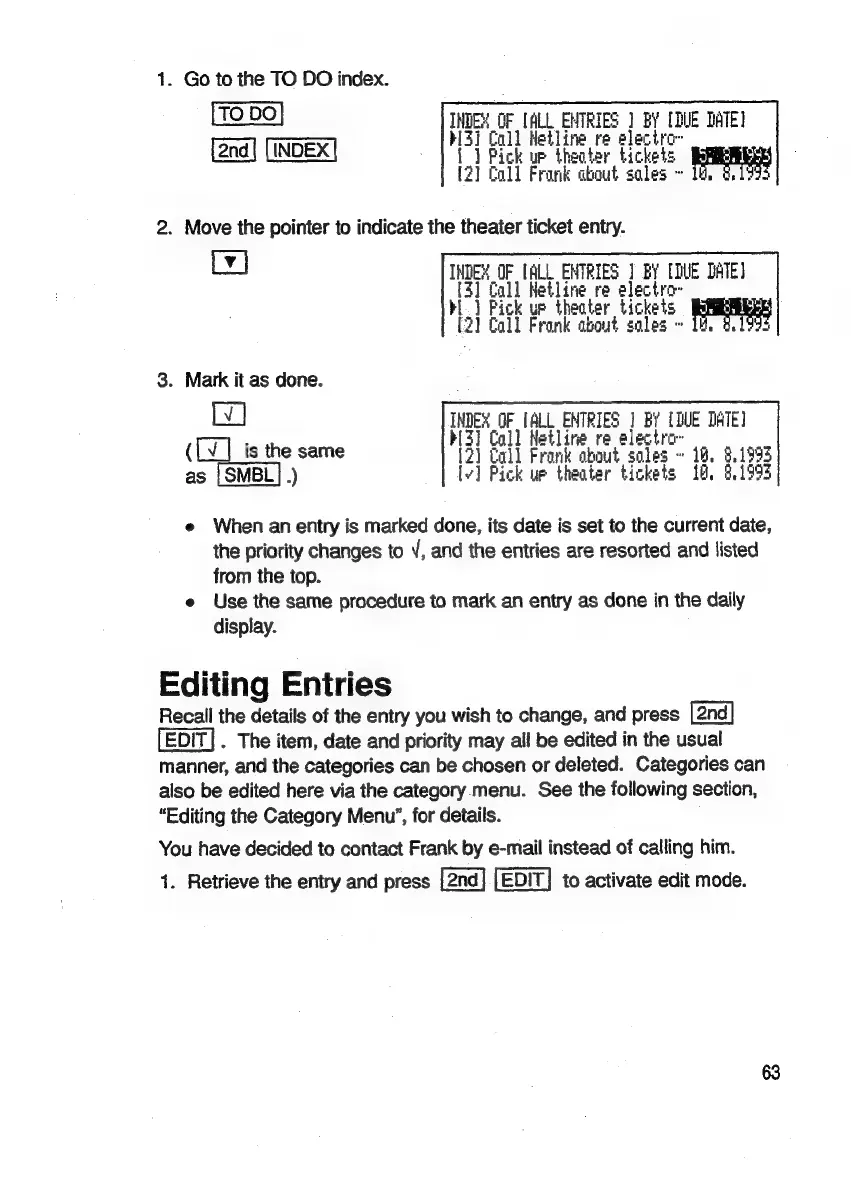
1.
Go
to
the
TO
DO
index.
TO
DO
INDEX
OF
(ALL,
ENTRIES
By
[DUE
DATE)
in
BELLING
fe
Blecto
INDEX
(1
Pick
up
theater
tickets:
A
inhi
12]
Coll
Frank
about
sales
~
2.
Move
the
pointer
to
indicate
the
theater
ticket
entry.
Ly]
INDEX
OF
(ALL
ENTRIES
|
BY
[DUE
DATE)
af
Tall
Netline
re
electre-
2
}
Pick
up
theater
tickets
3
]
Gall
Frank
about
soles
~
Id,
8.199
{
bl
[
3.
Mark
it
as
done.
INDEX
OF
TALL
ENTRIES
]
BY
(DUE
DATE]
.
ai
4a
eLline
re
electra
(LY
is
the
same
12]
Call
Frank
about
soles
~
18.
9.1993
as
|SMBL|]
.)
[v]
Pick
ue
theater
tickets
18.
3.1993
e
When
an
entry
is
marked
done,
its
date
is
set
to
the
current
date,
the
priority
changes
to
V,
and
the
entries
are
resorted
and
listed
from
the
top.
e
Use
the
same
procedure
to
mark
an
entry
as
done
in
the
daily
display.
Editing
Entries
Recall
the
details
of
the
entry
you
wish
to
change,
and
press
[2nd]
[EDIT].
The
item,
date
and
priority
may
all
be
edited
in
the
usual
manner,
and
the
categories
can
be
chosen
or
deleted.
Categories
can
also
be
edited
here
via
the
category
menu.
See
the
following
section,
“Editing
the
Category
Menu”,
for
details.
You
have
decided
to
contact
Frank
by
e-mail
instead
of
calling
him.
1.
Retrieve
the
entry
and
press
EDIT]
to
activate
edit
mode.

Related product manuals