EasyManua.ls Logo

Sharp ZQ-6100M - Page 64

Sharp ZQ-6100M
194 pages
Print Icon
To Next Page IconTo Next Page
To Previous Page IconTo Previous Page
Loading...
Editing
the
Category
Menu
When
entering,
editing
or
displaying
an
individual
entry
or
at
the
initial
entry
display,
the
category
menu
can
be
called
up
with
[MENU]
,
so
that
new
categories
can
be
inserted
and
existing
categories
deleted
or
edited.
e
The
arrows
at
the
bottom
indicating
data
running
off
the
display
refer
to
the
category
menu.
Adding
a
category
Simply
press
and
select
the
number
of
the
category
to
insert
in
front
of.
All
the
entries
from
that
point
are
shifted
one
line
down
so
that
you
can
add
your
new
category.
A
maximum
of
32
categories
can
be
defined.
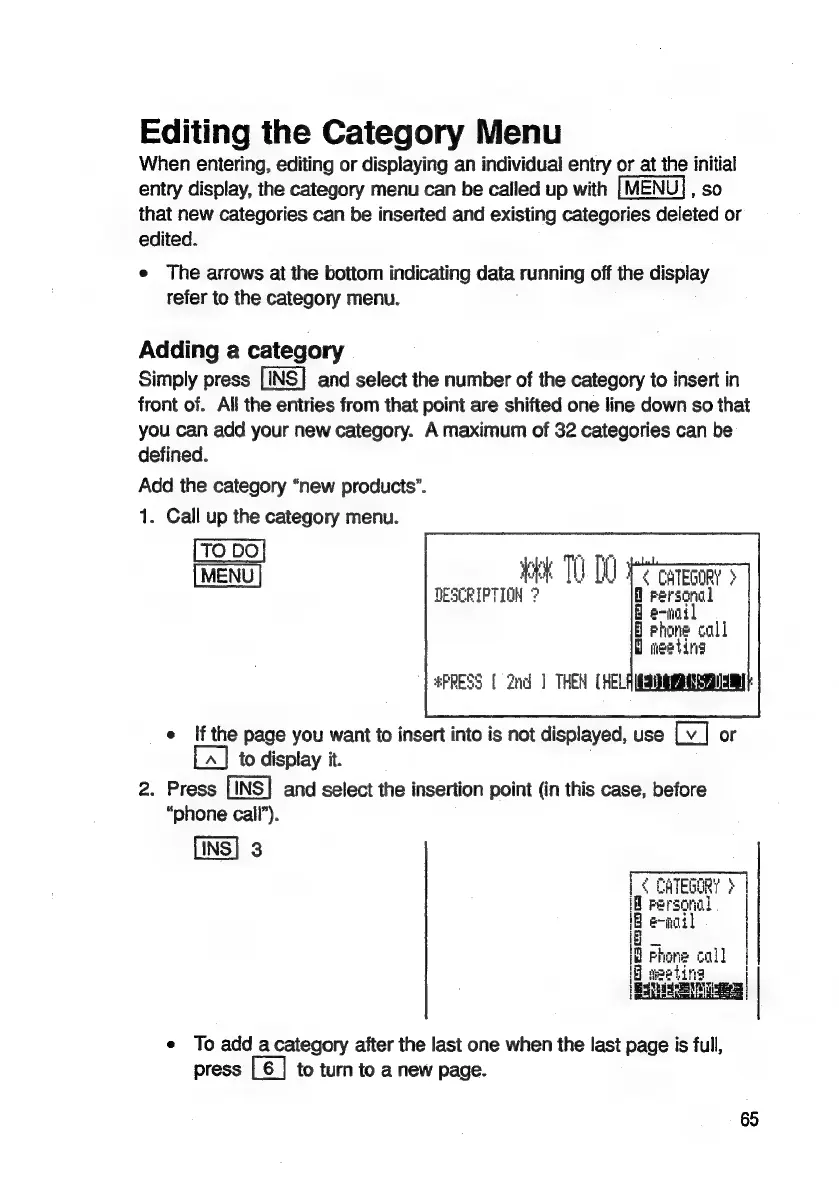
Add
the
category
“new
products”.
1.
Call
up
the
category
menu.
MENU
ey
iit
[i
"_<
CATEGORY
>
DESCRIPTION
?
rersonal
H
e-wail
§
hone
call
ieetina
#PRESS
{
2nd
]
THEN
(HELAIGSIMERIRY
IM
e
Ifthe
page
you
want
to
insert
into
is
not
displayed,
use
or
to
display
it.
2.
Press
[INS]
and
select
the
insertion
point
(in
this
case,
before
“phone
call’).
[INS]
3
CHTEGORY
|
tr
Personal
1B
e-nail
i
E
|
id
hone
call
|
if
aeetina
PENSE
RENGIE
ced
e
To
add
acategory
after
the
last
one
when
the
last
page
is
full,
press
[6
|
to
turn
to
a
new
page.

Related product manuals