EasyManua.ls Logo

Sharp ZQ-6100M - Page 65

Sharp ZQ-6100M
194 pages
Print Icon
To Next Page IconTo Next Page
To Previous Page IconTo Previous Page
Loading...
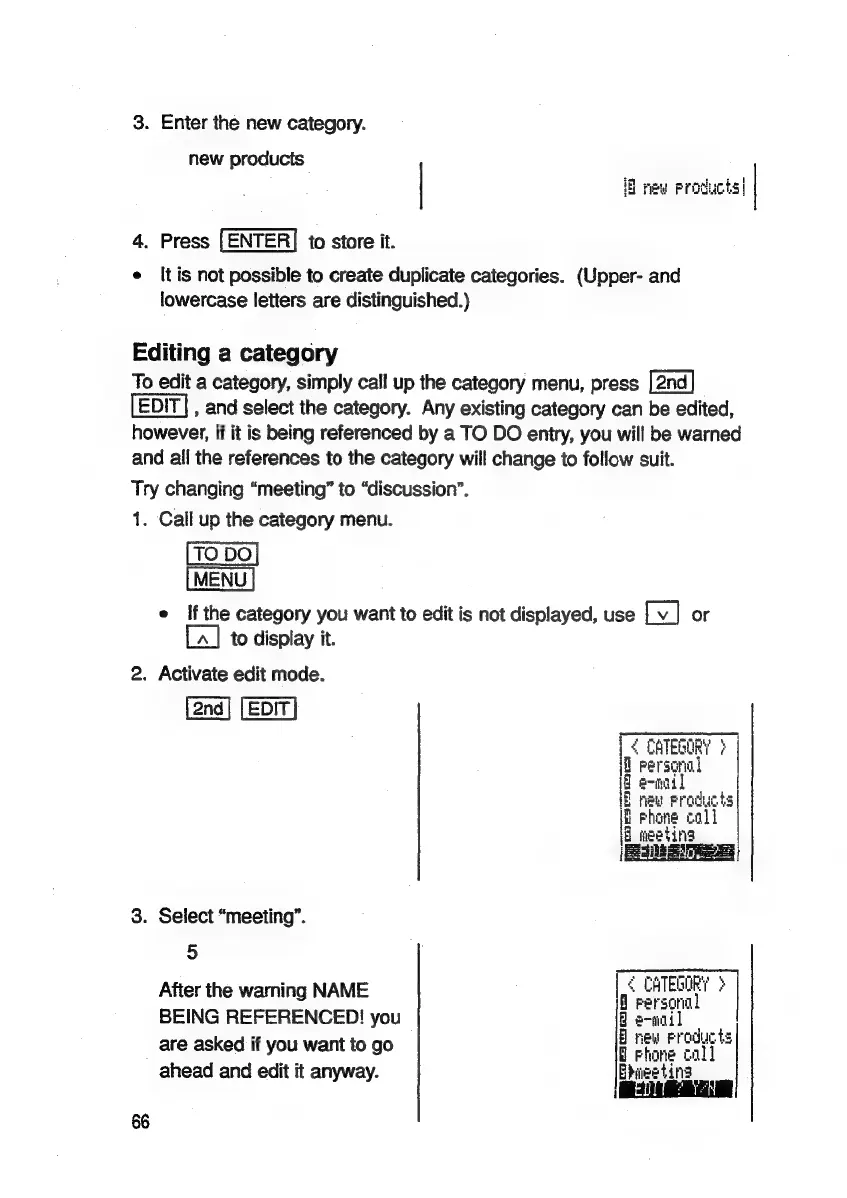
3.
Enter
the
new
category.
new
products
iB
new
Products|
4.
Press
|ENTER]
to
store
it.
e
Itis
not
possible
to
create
duplicate
categories.
(Upper-
and
lowercase
letters
are
distinguished.)
Editing
a
category
To
edit
a
category,
simply
call
up
the
category
menu,
press
,
and
select
the
category.
Any
existing
category
can
be
edited,
however,
if
it
is
being
referenced
by
a
TO
DO
entry,
you
will
be
warned
and
all
the
references
to
the
category
will
change
to
follow
suit.
Try
changing
“meeting”
to
“discussion”.
1.
Call
up
the
category
menu.
TO
DO
MENU
e
If
the
category
you
want
to
edit
is
not
displayed,
use
Tv]
or
[A]
to
display
it.
2.
Activate
edit
mode.
i
CATEGORY
?
|
id
Personal
if
ennail
{B
Phone
cali
|
5
neu
Froducts|
a
needing
|
SEREEAG
2h
3.
Select
“meeting”.
5
After
the
warning
NAME
Reales
BEING
REFERENCED!
you
8
e-nail
are
asked
if
you
want
to
go
;
ee
ahead
and
edit
it
anyway.
Epieeting
66

Related product manuals