EasyManua.ls Logo

Sharp ZQ-6100M - Page 71

Sharp ZQ-6100M
194 pages
Print Icon
To Next Page IconTo Next Page
To Previous Page IconTo Previous Page
Loading...
*
To
begin
another
entry,
press
or
just
start
typing
the
date.
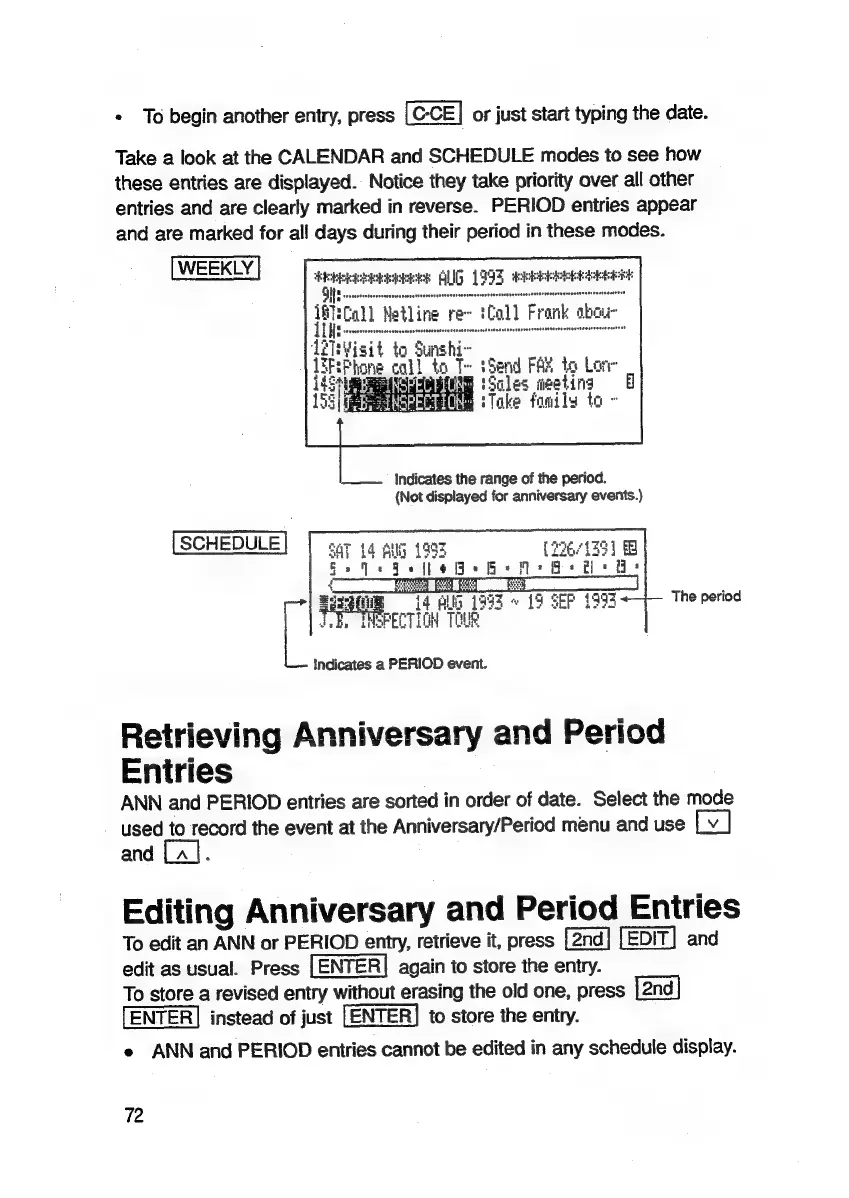
Take
a
look
at
the
CALENDAR
and
SCHEDULE
modes
to
see
how
these
entries
are
displayed.
Notice
they
take
priority
over
all
other
entries
and
are
clearly
marked
in
reverse.
PERIOD
entries
appear
and
are
marked
for
all
days
during
their
period
in
these
modes.
eheeeacaees
AUG
1993
dekhksekskek
sia
tine
rial
Fro
bo
Soles
meeting
127s
ie
{EF
hone
call
to
T~
Send
FAK
to
Lore
443
5
=
=
155i
BT
i,
.
ake
fonils
to
-
Indicates
the
range
of
the
period.
(Not
displayed
for
anniversary
events.)
SCHEDULE
SAT
14
Bulg
1995
(22671351
+
oe
ee
|
4
EE
TES
14
Allg
1993
~
19
SEP
1993
INSPECTION
TOUR
7
|,
L
i
Indicates
a
PERIOD
event.
Retrieving
Anniversary
and
Period
Entries
ANN
and
PERIOD
entries
are
sorted
in
order
of
date.
Select
the
mode
used
to
record
the
event
at
the
Anniversary/Period
menu
and
use
and
La].
The
period
Editing
Anniversary
and
Period
Entries
To
edit
an
ANN
or
PERIOD
entry,
retrieve
it,
press
and
edit
as
usual.
Press
again
to
store
the
entry.
To
store
a
revised
entry
without
erasing
the
old
one,
press
ENTER]
instead
of
just
[ENTER]
to
store
the
entry.
e
ANN
and
PERIOD
entries
cannot
be
edited
in
any
schedule
display.
72

Related product manuals