EasyManua.ls Logo

Sharp ZQ-6100M - Page 72

Sharp ZQ-6100M
194 pages
Print Icon
To Next Page IconTo Next Page
To Previous Page IconTo Previous Page
Loading...
Deleting
Anniversary
and
Period
Entries
:
ANN
and
PERIOD
entries
can
be
deleted
individually,
or
as
a
block.
To
delete
an
individual
entry,
recall
it
and
press
.
Press
if
you
want
to
go
ahead,
any
other
key
to
leave
the entry
intact.
e
ANN
and
PERIOD
entries
cannot
be
deleted
in
any
schedule
display.
To
delete
all
DAY.MONTH,
MONTH/WEEK
or
PERIOD
entries
as
a
block:
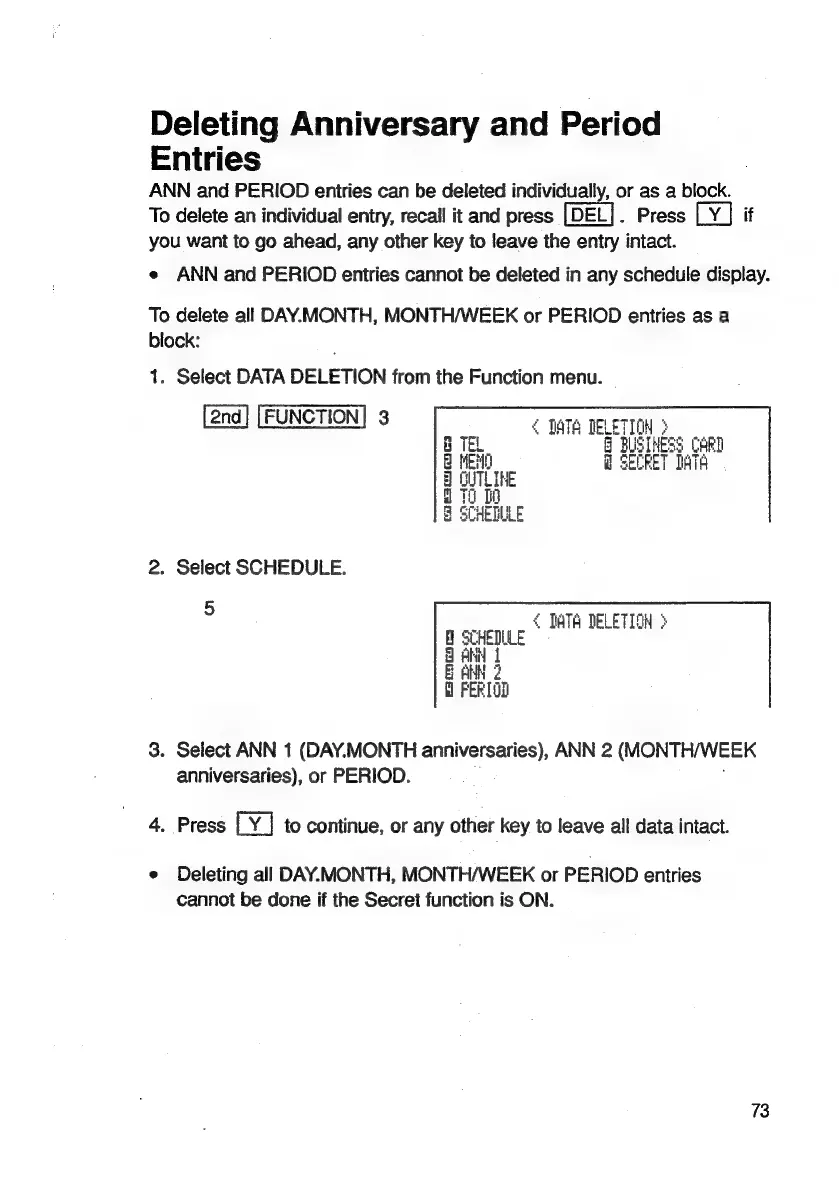
1.
Select
DATA
DELETION
from
the
Function
menu.
FUNCTION]
3
¢
qWTa
TELETION
>
:
BUSINESS
CARD
SECRET
IAS
ory
Peat
cas)
oor
W-
mic
==—t
2.
Select
SCHEDULE.
5
<
TATA
DELETION
>
LE
3.
Select
ANN
1
(DAY.MONTH
anniversaries),
ANN
2
(MONTHWEEK
anniversaries),
or
PERIOD.
4.
Press
to
continue,
or
any
other
key
to
leave
all
data
intact.
e
Deleting
all
DAY.MONTH,
MONTH/WEEK
or
PERIOD
entries
cannot
be
done
if
the
Secret
function
is
ON.
73

Related product manuals