EasyManua.ls Logo

Sharp ZQ-6100M - Page 78

Sharp ZQ-6100M
194 pages
Print Icon
To Next Page IconTo Next Page
To Previous Page IconTo Previous Page
Loading...
Keyword
search
You
can
search
for
every
listing
that
contains
a
keyword
of
your
choice.
Simply
type
in
the
keyword
and
press
.
The
Organizer
will
then
display
the
first
listing
that
contains
the
keyword
in
any
of
the
fields.
Press
again
to
retrieve
the
next
listing
containing
this
keyword.
If
there
are
no
more
matching
listings,
NOT
FOUND!
is
displayed,
and
the
Organizer
returns
to
the
initial
entry
screen
of
the
current
directory.
The
keyword
can consist
of
any
characters
including
symbols
and
numbers.
The
keyword
search
allows
you
to
retrieve
everyone
who
lives
in
a
certain
area,
for
example,
or
who
has
a
certain
occupation.
With
special
symbols
(using
[SMBL]
)
in
certain
listings
you
can
create
subcategories
using
the
symbol
as
the
keyword.
e
Upper-
and
lowercase
letters,
and
other
letters
of
the
same
group
are
treated
as
the
same.
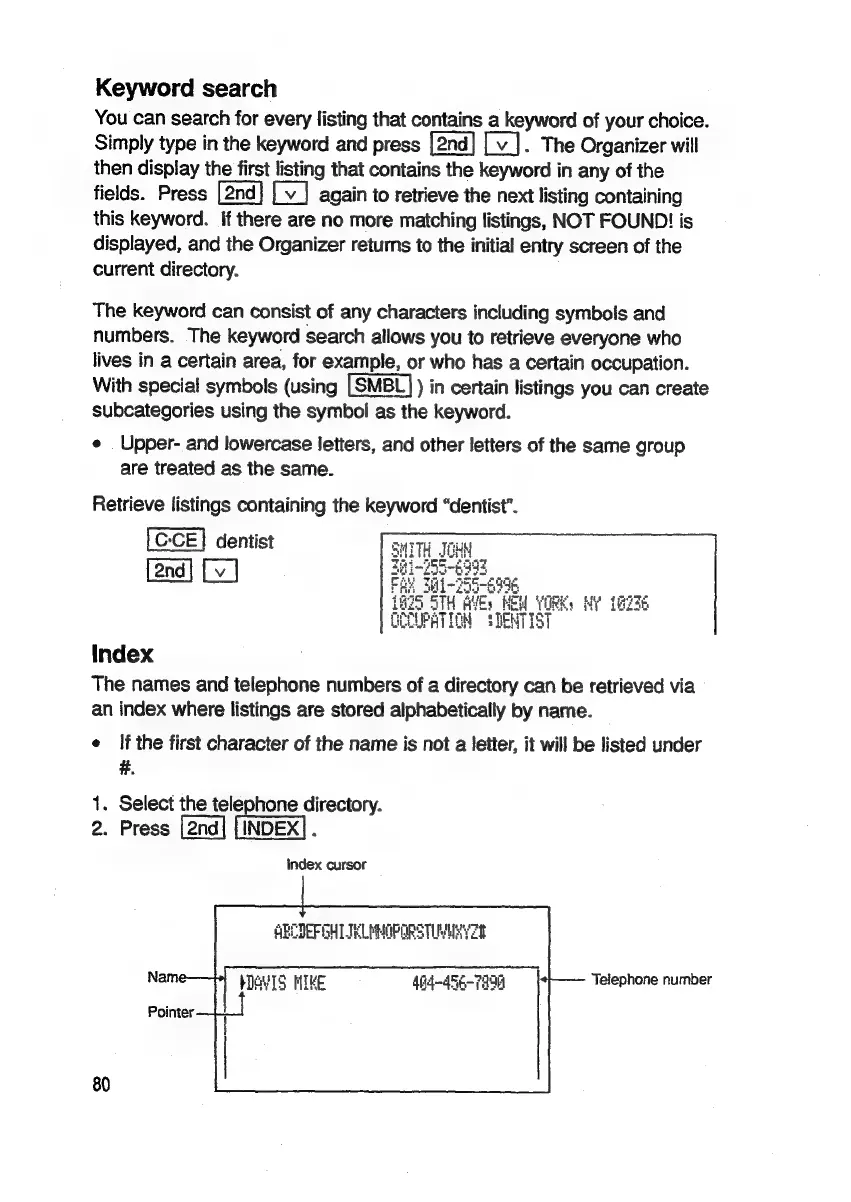
Retrieve
listings
containing
the
keyword
“dentist”.
dentist
ITH_JOHY
Sec
easy
foo-
6998
Index
The
names
and
telephone
numbers
of
a
directory
can
be
retrieved
via
an
index
where
listings
are
stored
alphabetically
by
name.
e
if
the
first
character
of
the
name
is
not
a
letter,
it
will
be
listed
under
#.
1.
Select
the
telephone
directory.
2.
Press
.
Index
cursor
ABCDEFGHLTELMMOPORS
TIMUR
Name—
pAVIS
HIKE
404-456-7890
Telephone
number
Pointer
80

Related product manuals