EasyManua.ls Logo

Sharp ZQ-6100M - Page 89

Sharp ZQ-6100M
194 pages
Print Icon
To Next Page IconTo Next Page
To Previous Page IconTo Previous Page
Loading...
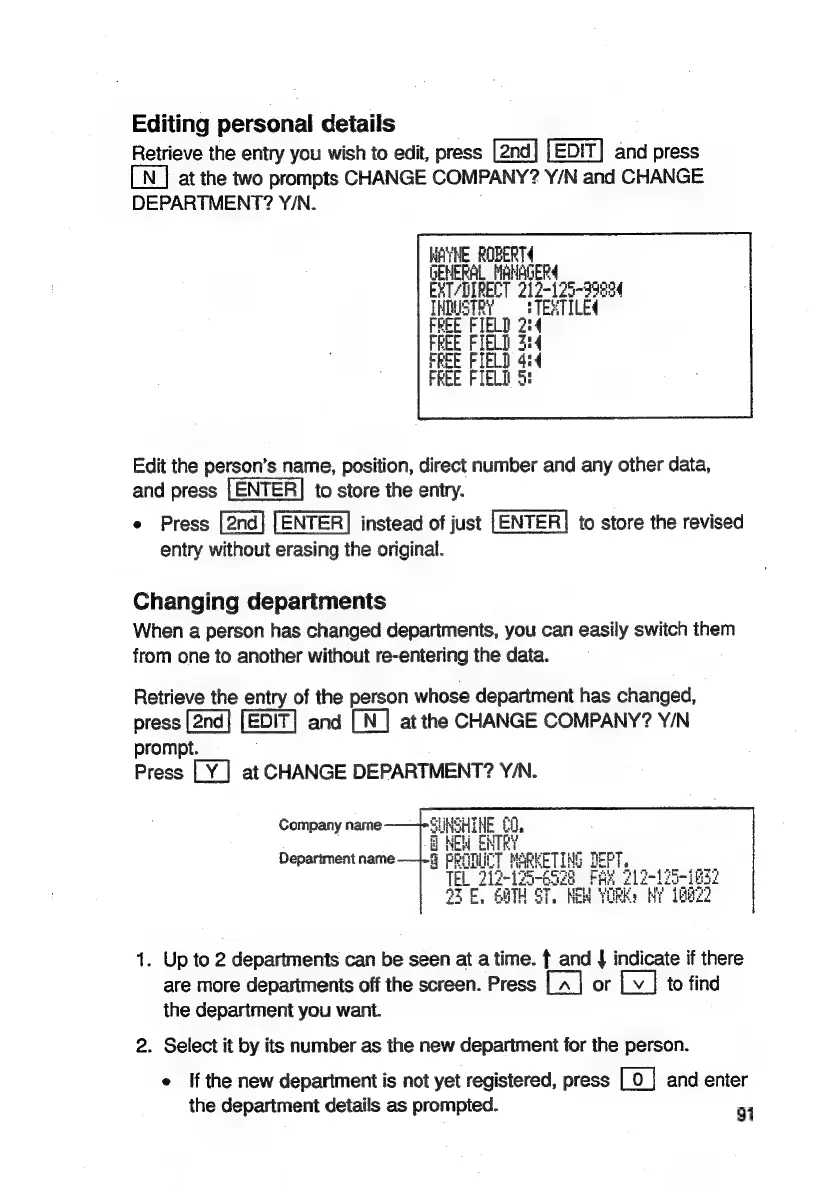
Editing
personal
details
Retrieve
the
entry
you
wish
to
edit,
press
[2nd]
[EDIT]
and
press
LN]
at
the
two
prompts
CHANGE
COMPANY?
Y/N
and
CHANGE
DEPARTMENT?
Y/N.
WAYNE
ROBERT
GENERAL
Lee
EXT?
de
99894
Edit
the
person’s
name,
position,
direct
number
and
any
other
data,
and
press
LENTER]
to
store
the
entry.
e
Press
ENTER]
instead
of
just
[ENTER]
to
store
the
revised
entry
without
erasing
the
original.
Changing
departments
When
a
person
has
changed
departments,
you
can
easily
switch
them
from
one
to
another
without
re-entering
the
data.
Retrieve
the
entry
of
the
person
whose
department
has
changed,
press
and
[N_]
at
the
CHANGE
COMPANY?
Y/N
prompt.
Press
at
CHANGE
DEPARTMENT?
Y/N.
SUNSHINE
£0,
i
RY
Department
name-—1-§
PRY}
ENR
ETING
GaTH
ST.
KEM
Company
narne
1.
Up
to
2
departments
can
be
seen
at
atime.
f
and
|
indicate
if
there
are
more
departments
off
the
screen.
Press
[~
|
or
Lv
]
to
find
the
department
you
want.
2.
Select
it
by
its
number
as
the
new
department
for
the
person.
e
If
the
new
department
is
not
yet
registered,
press
[o
|
and
enter
the
department
details
as
prompted.
91

Related product manuals