Need help?
Do you have a question about the Sharper Image 206085 and is the answer not in the manual?
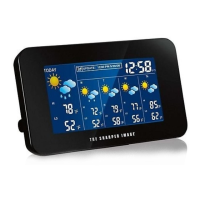
Details the initial default values for time, temperature, barometer, and weather forecast.
Instructions for initial setup, including battery installation and sensor placement.
Manual procedure for setting the time and time zone on the weather station.
Instructions for setting and activating/deactivating the alarm function.
Details the alarm sound sequence and how to use the snooze feature.
Guide on enabling or disabling the automatic Daylight Savings Time update.
Procedure to switch temperature display between Fahrenheit and Celsius units.
Information on the indoor temperature range, resolution, and display limits.
Details the outdoor temperature range, resolution, and display limits.
Explains how temperature trends are displayed using directional arrows.
Information on how the device receives radio frequency and atomic clock signals.
Details on syncing with the U.S. Atomic Clock and automatic daily reception.
How to adjust backlight brightness or activate it when powered by battery.
Alerts for low battery status on the main unit and sensor.
Explanation of the icons used for weather forecasting and their limitations.
How to change barometer units and interpret pressure trend indicators.
Compliance information regarding FCC rules for radio interference.
Instructions for proper disposal of batteries to protect the environment.
Information on the limited warranty and contact details for customer support.
 General
| Brand | Sharper Image |
|---|---|
| Model | 206085 |
| Category | Weather Station |
| Language | English |


 To Next Page