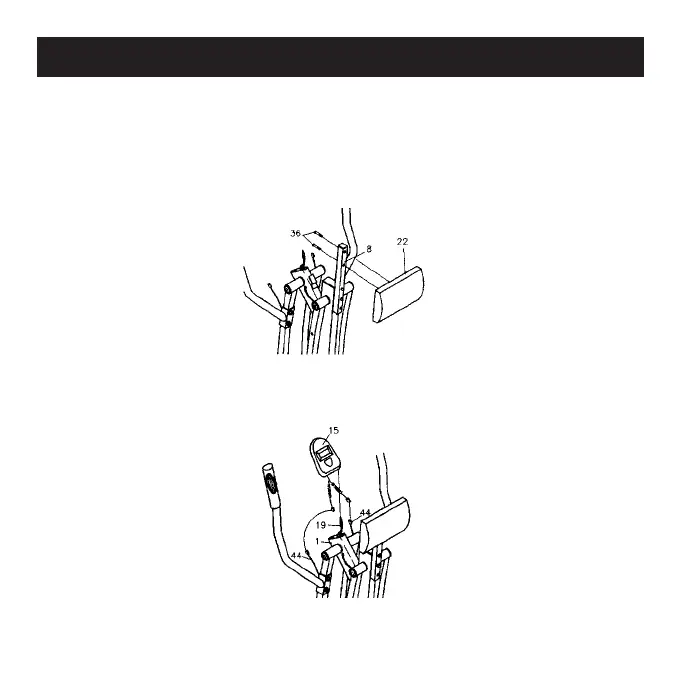
Handlebar (11) to the Left Front Leg (4) with Carriage Bolts (8 mm
x 40 mm L) (39), Nylock Nuts (8 mm) (41) and Washers (8 mm)
(37). Follow the same instructions to attach the Right Handlebar
(12) to the Right Front Leg (6).
Step 6
Attach the Abdominal Pad (22) to the Pad Post (8) with Bolts
(8 mm x 35 mm L) (36).
Step 7
Plug the Sensor Wire (19) into the Electronic Meter (15). Slide the
Electronic Meter (15) onto the Bracket of the Main Frame (1).
Assembly Guide



 To Next Page