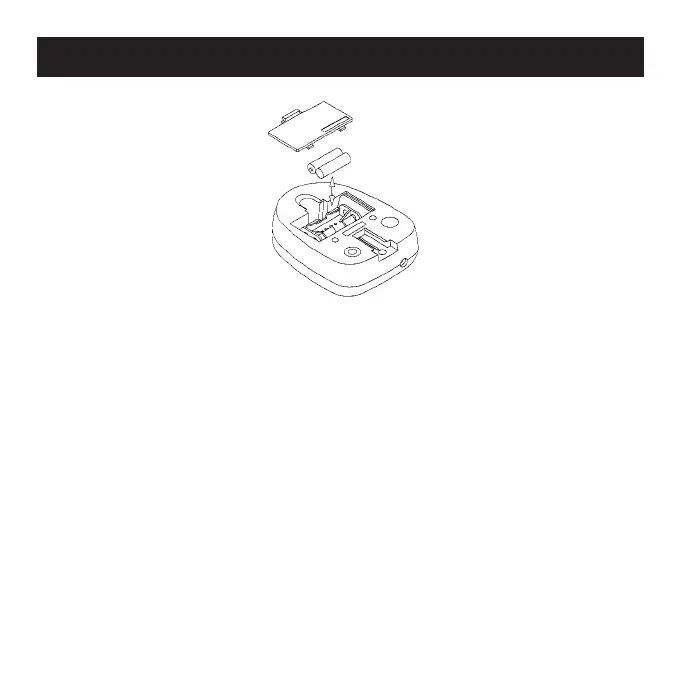
1. Remove the battery cover from the back of the monitor and
insert two AAA (or UM-4) batteries into the compartment.
2. Batteries must be inserted in the correct position. Make sure
the battery spring is in contact with the battery.
3. The batteries should last approximately one year during normal
use.
4. If the screen is illegible or only partially legible, remove the
batteries and wait 15 seconds before reinstalling.
5. To reset the values to 0, remove all the batteries.
Battery Replacement for the LCD Screen



 To Next Page