•Attach the Monitor to the Upper Poster (34) with a Washer (44)
and a Lock Pin (37). Insert 37A and 37B as well. (See Figure K.)
•Insert the end of the Sensor Wire (31) into the hole on the
back of the Monitor (8). (See Figure L.)
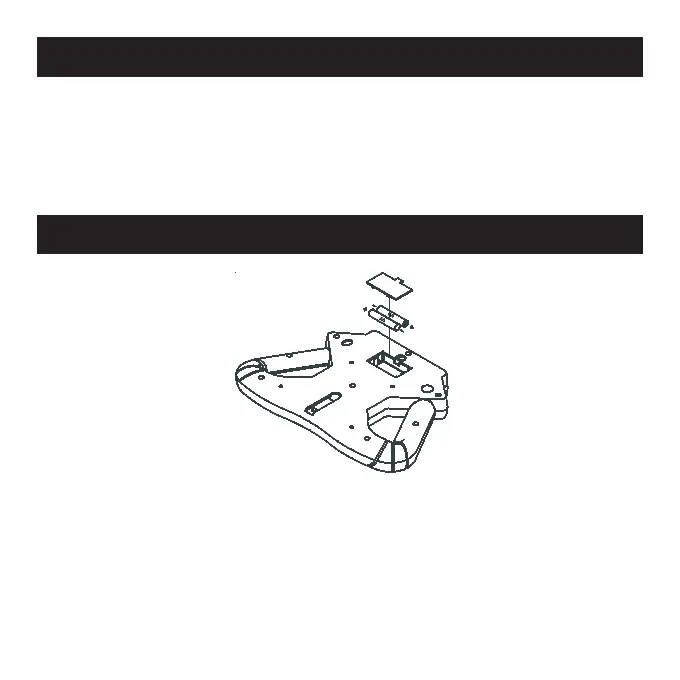
Battery Replacement for LCD Screen
•Remove the battery cover from the back of the monitor.
•Insert 2 AA (UM-3) batteries into the compartment, observing
proper +/- polarities. (See Figure M.) Ensure the battery springs
are in contact with the batteries.
•Replace the battery cover.


 To Next Page