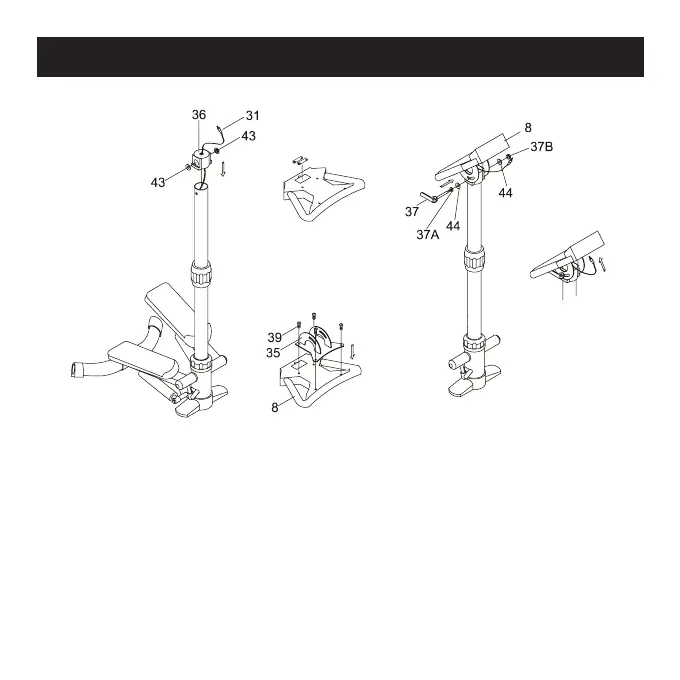
Step 4
•Feed the Sensor Wire (31) through the Upper Poster (34) and
place the Top Cover (36) onto the top of the Upper Poster (34).
(See Figure I.)
•Insert the battery into the back of the Monitor (8). (See Battery
Replacement section for detailed instructions.) Attach the
Monitor (8) to the Monitor Support (35) with Bolt (39) and
place a Lock Washer (43) on both sides of the Top Cover (36).
(See Figure I and J.)


 To Next Page