Step 3
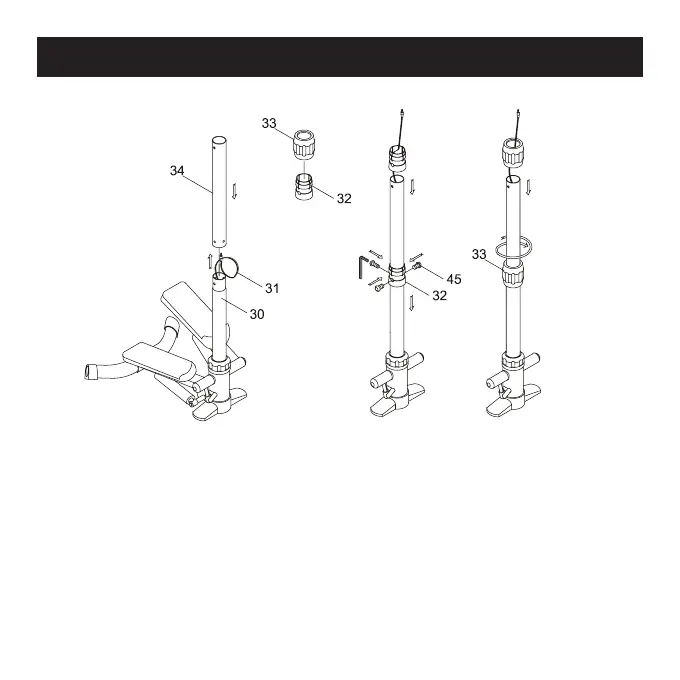
•Feed the Sensor Wire (31) through the Upper Poster (34) and
attach the Upper Poster (34) to the Poster (30). (See Figure F.)
•Loosen Connect Console (32) from the Connect Cover (33) and
attach the Connect Console (32) to Poster (30) and the Upper
Poster (34) with Bolt (45). (See Figure G.)
•Tighten the Connect Cover (33) to the Connect Console (32).
(See Figure H.)


 To Next Page