EasyManua.ls Logo

Shimadzu BX22KH - User Manual

Shimadzu BX22KH
80 pages
Print Icon
To Next Page IconTo Next Page
Loading...
M054-E115C
SHIMADZU CORPORATION
Kyoto,JAPAN
Instruction Manual
For
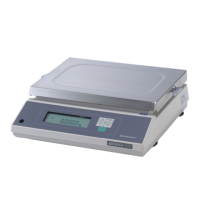
Medium-Sized Electronic Balance
BX-K series
BX32KS, BX52KS, BX12KH, BX22KH, BX32KH
BW-K series
BW32KS, BW52KS, BW12KH, BW22KH, BW32KH

Table of Contents

Question and Answer IconNeed help?

Do you have a question about the Shimadzu BX22KH and is the answer not in the manual?

Summary

Notation Conventions

SAFETY PRECAUTIONS

BASIC OPERATION

Balance Components

Identifies and lists the components included with the balance unit.

Operations of the Keys on the Main Unit

Details the functions of each key on the balance's main unit during different modes.

Symbol Display

Explains the meaning of various symbols displayed on the balance's screen.

Installation

Provides instructions for selecting an installation site and physically installing the balance.

Choosing the Installation Site

Guidelines for selecting an appropriate location to ensure optimal balance performance and safety.

Balance Installation

Step-by-step guide for physically setting up the balance unit, including screw removal and pan placement.

Turning the Power ON

Describes the procedure for powering on the balance and the initial self-check sequence.

Adjusting the Built-in Clock

Instructions for setting the internal clock to the correct date and time.

Span Calibration

Explains the necessity and procedure for calibrating the balance to ensure accurate measurements.

Weighing

Covers the fundamental process of placing items on the pan and obtaining measurements.

Changing the Unit Display

How to cycle through and select different registered weighing units.

Changing the Minimum Display Digit

Procedure to decrease display resolution by one decimal place.

Maintaining and Transporting the Balance

Guidelines for keeping the balance clean and safely moving it.

Cleaning the Balance

Proper methods for cleaning the balance unit and its components.

Transporting the Balance

How to safely carry and transport the balance, including securing transportation screws.

Specifications

Lists the technical specifications, capacities, and performance details of the balance models.

MEMU ITEM SELECTION

Introduction

Overview of the menu system's purpose for programming balance functions.

Procedure of Menu Item Selection

Step-by-step guide on navigating and selecting items within the balance's menu structure.

Menu Map

Reference guide to understanding the organization and layout of menu items.

General Menu Operations

Explains common operations like setting values, using decimal points, and menu locking.

Setting Numeric Values

How to input and set numerical values for various balance functions.

Setting a Decimal Point

Procedure for positioning the decimal point when setting specific numerical values.

Menu Lock

Function to prevent accidental changes to menu settings.

Last Menu Recall

Recalls the most recently accessed menu item for convenience.

Returning to the Default Settings (menu reset)

Restores the balance's menu settings to their factory default state.

Calibration Execution Menu

Accesses the menu for performing various calibration procedures.

Calibration

Details the conditions and necessity for performing balance calibration.

Span Calibration Using the Built-in Weight

Procedure for span calibration using the balance's internal calibration weight.

Calibration Check Using the Built-in Weight

How to perform a check of the balance's calibration using the internal weight.

Span Calibration Using External Weights

Procedure for span calibration using external calibration weights.

Calibration Check Using External Weights

How to perform a check of the balance's calibration using external weights.

Calibration Setting Menu

Options for configuring standard calibration types and methods.

Selecting the Standard Calibration Type

Choosing between built-in or external weight calibration methods.

PCAL - Calibration of the Built-in Weight

Detailed procedure for PCAL calibration using a certified external standard.

Graphic Display Menu

Settings for the balance's graphic display modes, such as Full Scale and Target.

Overview

Introduction to the graphic display's bar graph and its functions.

Full Scale Mode

Displays the load relative to the balance's maximum capacity on the bar graph.

Target Mode

Mode for filling or quality checks based on target values.

Group Mode

Determines pass/fail judgment based on sample weight compared to thresholds.

Level Mode

Classifies sample weight using a bar graph and comparator function.

No Graphic Display

Turns off the graphic display function.

Environment Menu

Adjustments to compensate for installation environment like vibration and airflow.

Overview

Explains how environment settings affect balance performance.

Averaging

Settings to match display stability and response to application requirements.

Stability Detection Band

Defines conditions for indicating balance stability.

Tracking

Function to maintain the current displayed value.

Pretaring Value

Weighing samples in containers without opening them.

Whole Lighting Mode

Controls whether the display remains fully illuminated or transitions.

Taring;Printing

Determines if the balance waits for stability before printing or taring.

Application Menu

Accesses specialized measurement functions for efficient work.

Overview

Introduction to Application Measurement functions for enhanced efficiency.

Zero Range

Reference for determining if a sample is loaded based on display counts.

Auto Zero

Automatically zeroes the balance when the value is within the Zero Range.

Auto Print

Automatically outputs measurement data without manual key presses.

Peak Hold

Captures and displays the highest or lowest stable value.

Interval Timer

Automatically outputs data at preset time intervals.

Auto-Memory and Zeroing

Weighs multiple samples, storing values and zeroing automatically.

Animal Weighing

Specialized mode for weighing live animals.

Unit Registration Menu and Unit Change

Manages and changes the available weighing units displayed.

Unit Registration Menu

Procedure to register and select different weighing units.

% Conversion

Setting up and performing percentage calculations.

Piece Counting

Function to count a specified number of pieces based on a sample weight.

Solid Specific Gravity Measurement

Calculates solid density by measuring weight in air and liquid.

Liquid Specific Gravity Measurement

Calculates liquid density by measuring reference weight in air and sample liquid.

System Setting Menu

Configures balance system settings like date, time, and display.

Date for the Built-in Clock

Setting the internal clock's date.

Time for the Built-in Clock

Setting the internal clock's time.

Display During Standby

Determines what is displayed when the balance is in standby mode.

Measurement Control System

Settings related to calibration reports, balance ID, and PCAL password.

Calibration Report

Options for generating calibration reports for quality standards.

Balance ID

Assigning a unique ID number for balance identification.

PCAL Password

Setting a password to protect PCAL calibration.

Communication Menu

Configures settings for communication with printers or PCs.

Overview

Introduction to communication settings for peripherals.

Handshaking

Determines how the balance communicates data with peripheral equipment.

Format

Sets the output format for data sent to peripherals.

Communication Speed

Sets the baud rate for data transmission.

Parity; Bit Length

Configures parity and bit length for data communication.

Stop Bit

Sets the number of stop bits for data transmission.

Delimiter

Defines characters used to separate data pieces or commands.

Connecting Peripheral Instruments

EP-60 A Electronic Printer

Instructions for connecting and using the EP-60A electronic printer.

Personal Computer - RS-232 C

Details on connecting the balance to a personal computer via RS-232C.

Connecting the Cable

Steps for physically connecting the RS-232C cable between the PC and balance.

Data Format

Explanation of the data format when F-Eb is selected and other formats.

Using Command Codes

How to send commands to the balance for operations like setting time or tare.

Windows Direct Function

Procedure for transferring data directly to Windows applications.

Multi-Connection Mode

Connects multiple balances to a single PC simultaneously.

Optional AKB-301 Application Keyboard

Information and usage of the optional AKB-301 keyboard.

Basic Information

Covers connection and basic operation of the AKB-301 keyboard.

Example of Use

Demonstrates using the keyboard with comparator functions and piece counting.

Foot Switches

Information on connecting and using optional foot switches for hands-free operation.

Hook for Below-Balance Weighing

Attaching a hook for measurements with samples suspended beneath the balance.

APPENDIX

Part List

Lists standard accessories, maintenance parts, and optional items for the balance.

Standard Accessories and Maintenance Parts

Detailed list of included parts and replacements available.

Options

List of optional accessories that can enhance balance functionality.

Table of Unit Conversion Constants

Provides conversion factors for various weighing units.

Specifications for the RS-232 C;AUX Connector

Details the pin assignments and functions for the RS-232C/AUX connector.

Error Display List

Catalog of display messages and their corresponding error descriptions and countermeasures.

General Display

Lists common display messages indicating status or waiting conditions.

Error Display

Details specific error codes, their causes, and recommended solutions.

Summary

Notation Conventions

SAFETY PRECAUTIONS

BASIC OPERATION

Balance Components

Identifies and lists the components included with the balance unit.

Operations of the Keys on the Main Unit

Details the functions of each key on the balance's main unit during different modes.

Symbol Display

Explains the meaning of various symbols displayed on the balance's screen.

Installation

Provides instructions for selecting an installation site and physically installing the balance.

Choosing the Installation Site

Guidelines for selecting an appropriate location to ensure optimal balance performance and safety.

Balance Installation

Step-by-step guide for physically setting up the balance unit, including screw removal and pan placement.

Turning the Power ON

Describes the procedure for powering on the balance and the initial self-check sequence.

Adjusting the Built-in Clock

Instructions for setting the internal clock to the correct date and time.

Span Calibration

Explains the necessity and procedure for calibrating the balance to ensure accurate measurements.

Weighing

Covers the fundamental process of placing items on the pan and obtaining measurements.

Changing the Unit Display

How to cycle through and select different registered weighing units.

Changing the Minimum Display Digit

Procedure to decrease display resolution by one decimal place.

Maintaining and Transporting the Balance

Guidelines for keeping the balance clean and safely moving it.

Cleaning the Balance

Proper methods for cleaning the balance unit and its components.

Transporting the Balance

How to safely carry and transport the balance, including securing transportation screws.

Specifications

Lists the technical specifications, capacities, and performance details of the balance models.

MEMU ITEM SELECTION

Introduction

Overview of the menu system's purpose for programming balance functions.

Procedure of Menu Item Selection

Step-by-step guide on navigating and selecting items within the balance's menu structure.

Menu Map

Reference guide to understanding the organization and layout of menu items.

General Menu Operations

Explains common operations like setting values, using decimal points, and menu locking.

Setting Numeric Values

How to input and set numerical values for various balance functions.

Setting a Decimal Point

Procedure for positioning the decimal point when setting specific numerical values.

Menu Lock

Function to prevent accidental changes to menu settings.

Last Menu Recall

Recalls the most recently accessed menu item for convenience.

Returning to the Default Settings (menu reset)

Restores the balance's menu settings to their factory default state.

Calibration Execution Menu

Accesses the menu for performing various calibration procedures.

Calibration

Details the conditions and necessity for performing balance calibration.

Span Calibration Using the Built-in Weight

Procedure for span calibration using the balance's internal calibration weight.

Calibration Check Using the Built-in Weight

How to perform a check of the balance's calibration using the internal weight.

Span Calibration Using External Weights

Procedure for span calibration using external calibration weights.

Calibration Check Using External Weights

How to perform a check of the balance's calibration using external weights.

Calibration Setting Menu

Options for configuring standard calibration types and methods.

Selecting the Standard Calibration Type

Choosing between built-in or external weight calibration methods.

PCAL - Calibration of the Built-in Weight

Detailed procedure for PCAL calibration using a certified external standard.

Graphic Display Menu

Settings for the balance's graphic display modes, such as Full Scale and Target.

Overview

Introduction to the graphic display's bar graph and its functions.

Full Scale Mode

Displays the load relative to the balance's maximum capacity on the bar graph.

Target Mode

Mode for filling or quality checks based on target values.

Group Mode

Determines pass/fail judgment based on sample weight compared to thresholds.

Level Mode

Classifies sample weight using a bar graph and comparator function.

No Graphic Display

Turns off the graphic display function.

Environment Menu

Adjustments to compensate for installation environment like vibration and airflow.

Overview

Explains how environment settings affect balance performance.

Averaging

Settings to match display stability and response to application requirements.

Stability Detection Band

Defines conditions for indicating balance stability.

Tracking

Function to maintain the current displayed value.

Pretaring Value

Weighing samples in containers without opening them.

Whole Lighting Mode

Controls whether the display remains fully illuminated or transitions.

Taring;Printing

Determines if the balance waits for stability before printing or taring.

Application Menu

Accesses specialized measurement functions for efficient work.

Overview

Introduction to Application Measurement functions for enhanced efficiency.

Zero Range

Reference for determining if a sample is loaded based on display counts.

Auto Zero

Automatically zeroes the balance when the value is within the Zero Range.

Auto Print

Automatically outputs measurement data without manual key presses.

Peak Hold

Captures and displays the highest or lowest stable value.

Interval Timer

Automatically outputs data at preset time intervals.

Auto-Memory and Zeroing

Weighs multiple samples, storing values and zeroing automatically.

Animal Weighing

Specialized mode for weighing live animals.

Unit Registration Menu and Unit Change

Manages and changes the available weighing units displayed.

Unit Registration Menu

Procedure to register and select different weighing units.

% Conversion

Setting up and performing percentage calculations.

Piece Counting

Function to count a specified number of pieces based on a sample weight.

Solid Specific Gravity Measurement

Calculates solid density by measuring weight in air and liquid.

Liquid Specific Gravity Measurement

Calculates liquid density by measuring reference weight in air and sample liquid.

System Setting Menu

Configures balance system settings like date, time, and display.

Date for the Built-in Clock

Setting the internal clock's date.

Time for the Built-in Clock

Setting the internal clock's time.

Display During Standby

Determines what is displayed when the balance is in standby mode.

Measurement Control System

Settings related to calibration reports, balance ID, and PCAL password.

Calibration Report

Options for generating calibration reports for quality standards.

Balance ID

Assigning a unique ID number for balance identification.

PCAL Password

Setting a password to protect PCAL calibration.

Communication Menu

Configures settings for communication with printers or PCs.

Overview

Introduction to communication settings for peripherals.

Handshaking

Determines how the balance communicates data with peripheral equipment.

Format

Sets the output format for data sent to peripherals.

Communication Speed

Sets the baud rate for data transmission.

Parity; Bit Length

Configures parity and bit length for data communication.

Stop Bit

Sets the number of stop bits for data transmission.

Delimiter

Defines characters used to separate data pieces or commands.

Connecting Peripheral Instruments

EP-60 A Electronic Printer

Instructions for connecting and using the EP-60A electronic printer.

Personal Computer - RS-232 C

Details on connecting the balance to a personal computer via RS-232C.

Connecting the Cable

Steps for physically connecting the RS-232C cable between the PC and balance.

Data Format

Explanation of the data format when F-Eb is selected and other formats.

Using Command Codes

How to send commands to the balance for operations like setting time or tare.

Windows Direct Function

Procedure for transferring data directly to Windows applications.

Multi-Connection Mode

Connects multiple balances to a single PC simultaneously.

Optional AKB-301 Application Keyboard

Information and usage of the optional AKB-301 keyboard.

Basic Information

Covers connection and basic operation of the AKB-301 keyboard.

Example of Use

Demonstrates using the keyboard with comparator functions and piece counting.

Foot Switches

Information on connecting and using optional foot switches for hands-free operation.

Hook for Below-Balance Weighing

Attaching a hook for measurements with samples suspended beneath the balance.

APPENDIX

Part List

Lists standard accessories, maintenance parts, and optional items for the balance.

Standard Accessories and Maintenance Parts

Detailed list of included parts and replacements available.

Options

List of optional accessories that can enhance balance functionality.

Table of Unit Conversion Constants

Provides conversion factors for various weighing units.

Specifications for the RS-232 C;AUX Connector

Details the pin assignments and functions for the RS-232C/AUX connector.

Error Display List

Catalog of display messages and their corresponding error descriptions and countermeasures.

General Display

Lists common display messages indicating status or waiting conditions.

Error Display

Details specific error codes, their causes, and recommended solutions.

Shimadzu BX22KH Specifications

General IconGeneral
BrandShimadzu
ModelBX22KH
CategoryScale
LanguageEnglish

Related product manuals