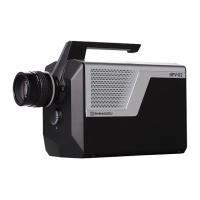
High-Speed Video Camera
HPV-X2
EXPOSE END
Outputs the starting point of the exposure period for the last frame during recording.
TRIG STANDBY
Outputs a standby signal.
(Does not include standby delay time, even if specified in [STANDBY] – [DELAY].)
TRIG TRIG
Outputs a trigger signal.
(Does not include trigger delay time, even if specified in [TRIGGER] – [DELAY].)
STATUS STANDBY
Outputs standby periods (from start of waiting until the standby signal is detected).
(Does not include standby delay time, even if specified in [STANDBY] – [DELAY].)
STATUS TRIG
Outputs signal during recording (from start of waiting until the trigger signal is
detected).
(Does not include standby delay time, even if specified in [STANDBY] – [DELAY].)
STATUS REC
Outputs signal during recording (from start of recording until the end of recording).
(Does not include standby delay time, even if specified in [STANDBY] – [DELAY].)
■ Setting the Polarity of External Output Ports in [AUXOUT1] or
[AUXOUT2] – [POLARITY]
External output port [AUXOUT] signals can be output in two ways – either as step up
(POS) or step down (NEG) signals. In the [AUXOUT1] or [AUXOUT2] – [POLARITY]
field, select either [POS] or [NEG].
■ Adjusting the Delay Time for External Output Ports in [AUXOUT1] or
[AUXOUT2] – [DELAY]
This setting is unnecessary if [STATUS STANDBY], [STATUS TRIG], or [STATUS
REC] is selected as the external output port mode in [AUXOUT1] or [AUXOUT2] –
[MODE].
When outputting via external output ports, the system recognizes the output signal after
the delay time specified in [AUXOUT1] or [AUXOUT2] – [DELAY] has elapsed. Delay
times are specified at 10 ns intervals between 0 ns and 9,999,999,990 ns.


 To Next Page