■ Details Display
(This icon is not available when there is no image data displayed in Viewer.)
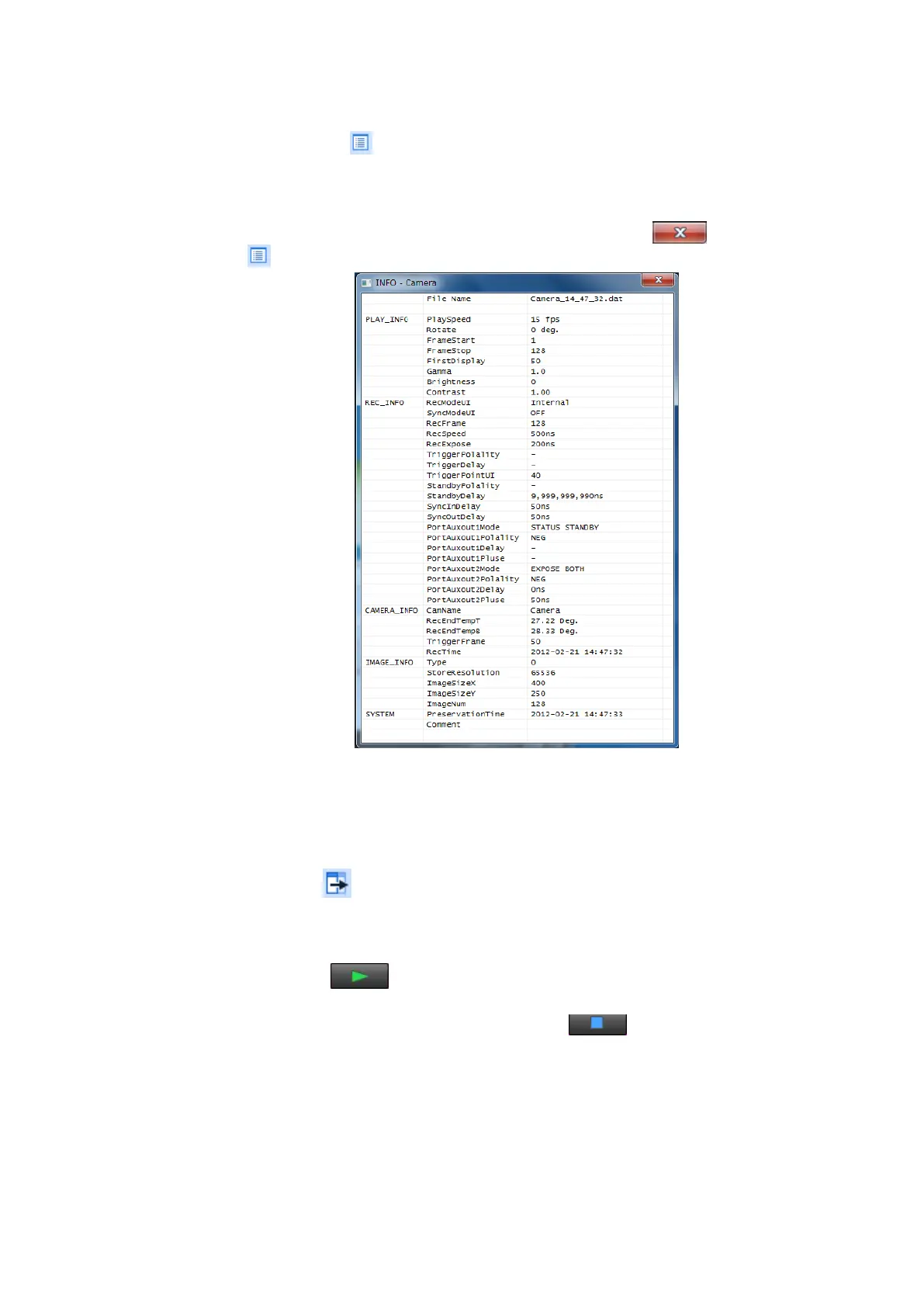
This icon displays detailed information (e.g. recording parameters) of the currently
displayed image data (Fig. 5-22).
To close the detailed information confirmation window, click the
icon or click
the icon again.
Fig. 5-22 Detailed Information Confirmation Window
5.5.2
Playing Back Images
Follow the procedure below to play back recorded images.
1.
Click the
icon in the Viewer window.
2.
Set playback parameter settings. (See 5.5.1 Setting Playback Parameters –
Viewer Operations.)
3.
Click the
icon in the Viewer window.
The image is played back.
To stop playback before it is finished, click the icon.
It is also possible to play back saved files. (See 5.6 Image File Management and System
Shutdown.)


 To Next Page